Best Receipt Printers and Barcode Scanners for Small Businesses
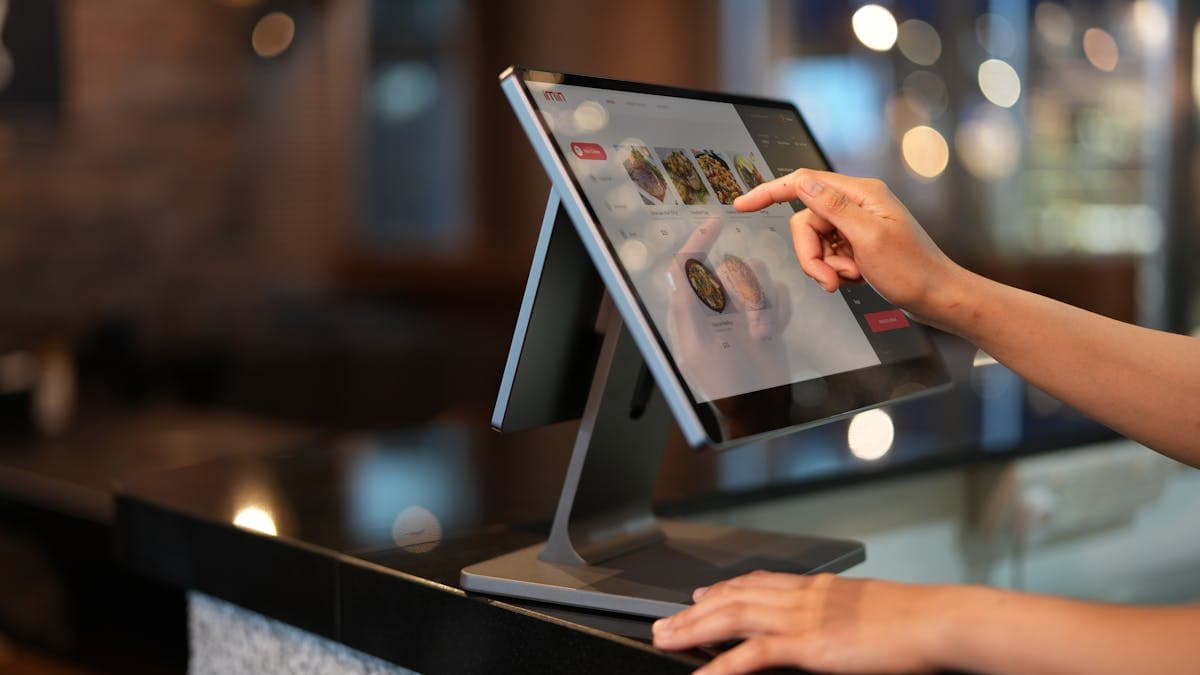
If your business sells products in person, two pieces of hardware sit at the heart of your daily operations: receipt printers and barcode scanners. A receipt printer gives customers a professional proof of purchase and creates a record of every transaction. A barcode scanner speeds up checkout, reduces pricing errors, and makes inventory management dramatically more efficient. Together, they transform a basic tablet or computer into a complete retail workstation.
Choosing the right receipt printer and barcode scanner is not as straightforward as it might seem. Compatibility with your POS system, print speed, connectivity options, durability, and total cost of ownership all factor into the decision. The wrong choice can mean constant connection issues, expensive replacement supplies, or hardware that simply does not work with your software.
This guide compares the best options in each category and helps you build a hardware setup that works reliably with your POS system and business workflow.
Thermal vs. Impact Receipt Printers
Receipt printers come in two main types: thermal and impact. Understanding the difference is essential for choosing the right one.
Thermal receipt printers use heat to print on specially coated thermal paper. There is no ink, toner, or ribbon to replace. The only consumable is the paper rolls themselves. Thermal printers are fast (typically printing a receipt in two to three seconds), quiet, and require minimal maintenance. They produce clean, legible receipts with crisp text, logos, and even barcodes.
The primary drawback of thermal printing is that receipts can fade over time, especially when exposed to heat or direct sunlight. For most retail businesses, this is not an issue because customers do not need receipts to last for years. However, if your receipts need to remain legible for extended periods (for example, for warranty claims or record-keeping), this is worth considering.
Thermal receipt printers are the standard for the vast majority of small businesses. If you are setting up a retail shop, restaurant, salon, or any other business that prints receipts at checkout, a thermal printer is almost certainly the right choice.
Impact receipt printers use a ribbon and print head to physically strike the paper, similar to how dot matrix printers work. They are slower and noisier than thermal printers, but they produce more durable receipts and can print on multi-part (carbon copy) paper.
Impact printers are primarily used in kitchen environments (where heat from cooking equipment can cause thermal paper to darken) and in businesses that need duplicate or triplicate receipts. If you do not have a specific need for impact printing, choose thermal.
Top Receipt Printers
Star Micronics TSP143IV
The Star Micronics TSP143IV is the most widely recommended receipt printer for small businesses, and it earns that recommendation through a combination of reliability, speed, compatibility, and ease of setup. It prints at up to 300mm per second, supports receipt widths of 58mm and 80mm, and connects via USB, ethernet, Wi-Fi, or Bluetooth depending on the model.
What makes the TSP143IV stand out is its compatibility. It works with virtually every major POS platform: Square, Shopify, Toast, Lightspeed, Clover, and dozens of others. Star Micronics actively maintains drivers and integrations for these platforms, so you can be confident that the printer will work with your software and continue to work as your POS is updated.
The printer includes an automatic paper cutter, a convenient drop-in paper loading mechanism, and a splash-resistant design. It is available in black or white to match your countertop setup.
Pricing is approximately $350 to $450 depending on the connectivity option. The ethernet model is the most reliable for permanent countertop installations, while the Bluetooth model is best for mobile setups.
Epson TM-m30III
Epson's TM-m30III is a compact, modern receipt printer that excels in small countertop setups where space is limited. Its cube-shaped design is clean and unobtrusive, and it can be oriented vertically or horizontally to fit your workspace.
The TM-m30III prints at up to 250mm per second, supports 80mm and 58mm paper widths, and connects via USB-C, ethernet, Wi-Fi, and Bluetooth. Like the Star Micronics model, it is compatible with most major POS platforms.
Epson's ePOS SDK makes the TM-m30III particularly easy to integrate with web-based and mobile POS applications. If your POS system runs as a web app in a browser, Epson's connectivity options are among the best in the industry.
Pricing is approximately $300 to $400 depending on the model.
Star Micronics mC-Print3
The mC-Print3 is Star Micronics' premium receipt printer, designed for businesses that need the fastest printing and the most connectivity options. It prints at up to 350mm per second, supports USB, ethernet, Wi-Fi, Bluetooth, and even has a built-in USB port for charging a tablet or phone.
The ability to charge your tablet directly from the printer is a clever feature for iPad-based POS setups, reducing cable clutter on your counter. The mC-Print3 also supports Star Micronics' CloudPRNT technology, which enables printing from cloud-based POS systems without local drivers.
Pricing is approximately $400 to $500, which puts it at the higher end of the range. It is best suited for businesses that need top performance and want a single device to handle both printing and device charging.
Barcode Scanner Types
Barcode scanners come in several form factors, each suited to different use cases.
Handheld scanners are the most common type. You pick them up, point them at a barcode, and pull the trigger. They are versatile, working at checkout counters, in warehouses, and anywhere else you need to scan. Handheld scanners can be wired (USB) or wireless (Bluetooth), and most read both 1D barcodes (the traditional lines) and 2D barcodes (like QR codes).
Wired handheld scanners are the simplest to set up and the most reliable because they do not need charging and cannot lose their connection. They work well at fixed checkout stations. Wireless (Bluetooth) handheld scanners are better for mobility, allowing you to scan items in aisles, stockrooms, or at a customer's table.
Presentation (hands-free) scanners sit on the counter and scan barcodes automatically when an item is placed in front of them. They are ideal for high-volume retail where speed matters, because the cashier can simply swipe items past the scanner rather than picking up and aiming a handheld device. Many presentation scanners can also be picked up and used as handheld scanners for larger or awkward items.
Wireless batch scanners are designed for inventory management. They scan barcodes and store the data locally, then sync with your inventory system when connected. This is useful for stocktaking in areas without Wi-Fi coverage.
Top Barcode Scanners
Socket Mobile SocketScan S740
The SocketScan S740 is the go-to barcode scanner for small businesses using iPad or smartphone-based POS systems. It is a compact, wireless Bluetooth scanner that reads both 1D and 2D barcodes quickly and accurately. The ergonomic design fits comfortably in your hand, and the battery lasts up to 16 hours on a single charge.
Socket Mobile has invested heavily in compatibility with POS platforms. The S740 is certified to work with Square, Shopify, Lightspeed, and many other POS apps. The companion SocketScan app simplifies pairing and configuration.
Pricing is approximately $350 to $400, which is higher than many competitors. The premium reflects the build quality, battery life, and extensive POS compatibility. For businesses that need a reliable, well-supported Bluetooth scanner, the S740 is the safest choice.
Zebra DS2208
Zebra (formerly Motorola Solutions) is the largest barcode scanner manufacturer in the world, and the DS2208 is their most popular entry-level handheld scanner. It reads both 1D and 2D barcodes, connects via USB, and is available in corded and cordless versions.
The DS2208 is fast, accurate, and built to last. It tolerates being dropped from 5 feet onto concrete, which is inevitable in retail and warehouse environments. The scanner's wide scanning angle and aggressive read range mean you can scan barcodes from various distances and angles without precise aiming.
Pricing starts at approximately $120 for the corded version and $200 for the cordless model. For budget-conscious businesses that primarily scan at a fixed checkout station, the corded DS2208 is an excellent value.
Zebra DS9308
For high-volume retail where speed is critical, the Zebra DS9308 is a presentation scanner that sits on the counter and scans barcodes automatically. Just pass an item over the scanner's wide scan area, and the barcode is read instantly. The DS9308 reads both 1D and 2D barcodes and connects via USB.
The hands-free scanning experience is noticeably faster than picking up a handheld scanner for each item. For grocery stores, convenience stores, and other high-transaction businesses, the time savings add up quickly over a full shift.
Pricing is approximately $200 to $250.
Compatibility with POS Systems
Compatibility between your hardware and your POS software is the single most important factor when choosing receipt printers and barcode scanners. A printer or scanner that does not work with your POS is useless, regardless of how good its specs are.
Before purchasing any hardware, check your POS platform's official list of supported devices. Square, Shopify, Toast, Lightspeed, and other major platforms maintain compatibility lists on their websites. Buy only from these lists to avoid headaches.
Star Micronics and Epson receipt printers have the broadest compatibility across POS platforms. Socket Mobile and Zebra barcode scanners are similarly well-supported. Choosing hardware from these established manufacturers gives you the highest likelihood of plug-and-play compatibility and ongoing support as your POS software is updated.
If your POS platform supports it, consider buying hardware directly from your POS provider. Square sells pre-configured receipt printers and barcode scanners through its online store. Shopify and Toast offer similar hardware bundles. While prices may not be the absolute lowest, the hardware is guaranteed to work with the software, and you get single-vendor support if something goes wrong.
For more on choosing and setting up a complete POS system, our guide on best POS systems for small businesses covers the software side of the equation.
Setup Tips
Setting up receipt printers and barcode scanners is generally straightforward, but a few tips can help avoid common issues.
Use wired connections for fixed installations. Ethernet for receipt printers and USB for barcode scanners are the most reliable connection methods for equipment that stays at a checkout station. Wireless connections (Wi-Fi and Bluetooth) are convenient but add a layer of complexity and potential connection issues. Reserve wireless for situations where wired connections are not practical.
Assign static IP addresses to networked printers. If your receipt printer connects to your network via ethernet or Wi-Fi, assign it a static IP address in your router settings. Without a static IP, the printer's address may change when your router restarts, causing your POS to lose its connection to the printer.
Stock spare receipt paper. Running out of receipt paper in the middle of a busy shift is a preventable problem. Keep at least a three-month supply of thermal paper rolls on hand. Buy in bulk from office supply retailers or Amazon for the best price. Standard 3 1/8 inch (80mm) thermal paper rolls fit most business receipt printers.
Test before going live. After setting up your hardware, run test transactions to verify that the receipt printer is producing clean, complete receipts and that the barcode scanner is reading accurately. Check that prices, tax calculations, and store information all print correctly.
Label your cables. In a setup with multiple pieces of hardware (terminal, receipt printer, scanner, cash drawer, network switch), label each cable at both ends. This makes troubleshooting and replacement much faster when something goes wrong.
Keep firmware updated. Receipt printers and barcode scanners occasionally receive firmware updates that fix bugs, improve compatibility, and add features. Check the manufacturer's website periodically for updates, or enable automatic updates if available. Keeping your business systems secure extends beyond your website. Our guide on SSL certificates and HTTPS explains why security matters across all your digital touchpoints.
Budgeting for POS Hardware
Here is a summary of typical costs for a complete checkout hardware setup.
A basic setup with a tablet, card reader, and receipt printer runs between $500 and $900. A standard retail setup adding a barcode scanner and cash drawer comes to $800 to $1,400. A premium setup with a dedicated POS terminal, presentation scanner, and receipt printer is $1,200 to $2,000. A multi-station setup for businesses needing two or more checkout stations multiplies the per-station cost accordingly.
Remember that receipt paper is an ongoing cost. Budget approximately $50 to $100 per year per printer for paper rolls, depending on transaction volume. Barcode scanners have no ongoing costs beyond occasional battery replacement for cordless models.
Investing in quality POS hardware pays for itself through faster transactions, fewer errors, and a more professional customer experience. Buy from established manufacturers, verify compatibility with your POS software, and prioritize reliability over the lowest possible price.