Mobile Payment Solutions for Small Businesses
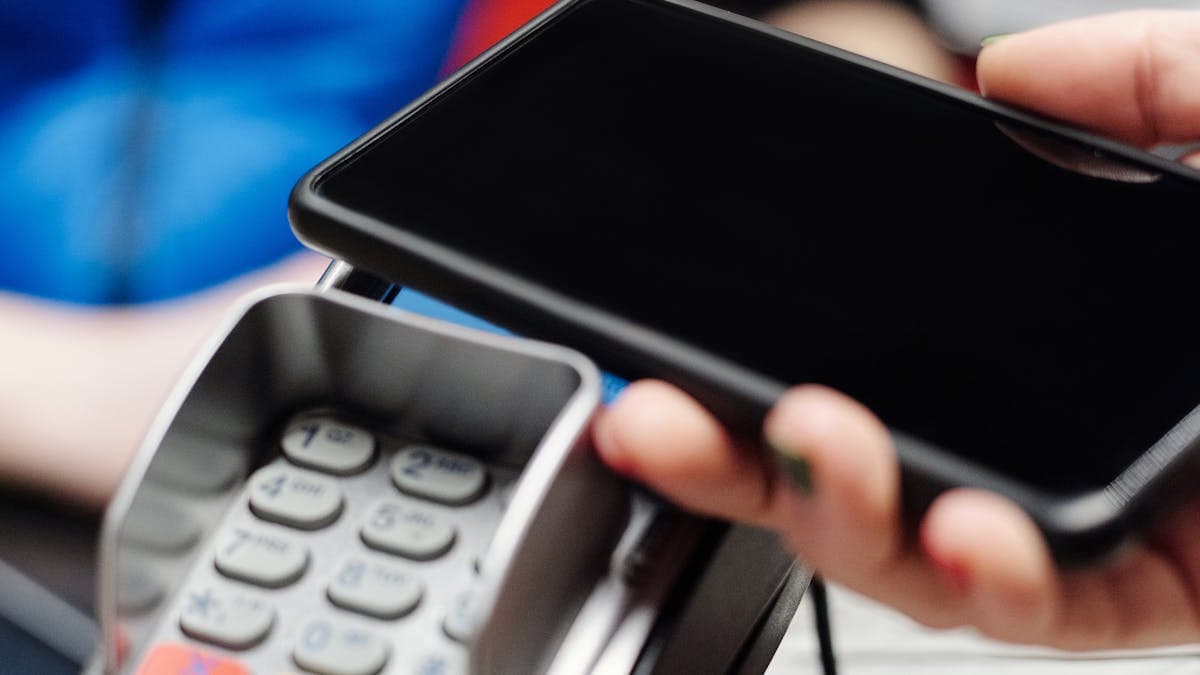
The days of cash-only businesses are long gone. Customers expect to pay with cards, digital wallets, and contactless tap wherever they go. For small businesses, especially those that operate outside a traditional storefront (market vendors, food trucks, service providers, pop-up shops), mobile payment solutions make it possible to accept these payments without expensive point-of-sale hardware or long-term contracts.
Mobile payment solutions turn your smartphone or tablet into a payment terminal. Some use small card readers that plug into or connect wirelessly to your device, while others let you accept tap-to-pay directly on your phone with no additional hardware at all. The technology has matured significantly in recent years, and the options available today are reliable, affordable, and packed with features that go well beyond simply processing a transaction.
What Mobile Payment Solutions Are (and Are Not)
A mobile payment solution is a system that allows you to accept card payments using a mobile device. At minimum, it includes a payment processing service and a way to accept the card (either through a physical reader or through the phone itself). Most modern mobile payment platforms also include software for tracking sales, managing inventory, sending digital receipts, and generating reports.
What mobile payment solutions are not: they are not a replacement for a full point-of-sale system if you run a high-volume retail store or restaurant with complex needs. They are designed for businesses that need flexibility, simplicity, and mobility. If you process hundreds of transactions per day from a fixed location, you may want a more robust system. But for the vast majority of small businesses, mobile payments handle the job perfectly.
Top Mobile Payment Options
Square
Square is the most well-known mobile payment platform, and for good reason. It practically invented the category when it launched with a small white card reader that plugged into the headphone jack of a smartphone. Today, Square offers a full ecosystem of payment hardware, software, and business management tools.
Hardware options: The Square Reader (for chip and contactless payments) is free for new accounts. The Square Terminal ($299) is a standalone device with a built-in screen. The Square Register ($799) is a full countertop system.
Processing fees: 2.6% plus $0.10 per in-person transaction. 2.9% plus $0.30 for online payments. 3.5% plus $0.15 for manually keyed-in transactions.
Standout features: Free point-of-sale software with every account, inventory management, employee management, customer directory, invoicing, and a robust ecosystem of add-ons for restaurants, retail, and appointments.
Best for: Just about any small business. Square's combination of zero monthly fees, free hardware to start, and a comprehensive software platform makes it the default choice for many small businesses. It is particularly strong for food trucks, market vendors, service providers, and retail shops.
PayPal Zettle
PayPal Zettle (formerly iZettle) is PayPal's answer to Square. If your business already uses PayPal for online transactions, Zettle integrates seamlessly with your existing PayPal account, giving you a unified view of all your payments in one place.
Hardware options: The Zettle Reader 2 costs $29 for the first unit (with a current promotional price of $79 for the standard retail price). It accepts chip, contactless, and mobile wallet payments.
Processing fees: 2.29% plus $0.09 per in-person transaction. PayPal's standard rates apply for online payments.
Standout features: Integration with your PayPal account, next-day deposits to PayPal balance (instant access), inventory management, sales reporting, and compatibility with many third-party POS systems.
Best for: Businesses that already use PayPal for online payments and want a unified payment ecosystem. Also strong for businesses that sell both online and in person.
Clover Go
Clover Go is the mobile component of the Clover POS ecosystem. It is designed for businesses that want a mobile payment option that can grow into a larger POS system as they scale. The Clover Go reader is small and portable, connecting to your phone via Bluetooth.
Hardware options: The Clover Go reader costs around $49. It accepts chip, swipe, and contactless payments. If you need more later, Clover offers the Flex ($599) and Station Solo ($1,699) for fixed locations.
Processing fees: Varies by plan, but typically starts at 2.3% plus $0.10 per transaction for the basic plan. Higher-tier plans with more features may have different rates. Monthly software fees start around $14.95.
Standout features: Grows with your business, employee permissions, tip management, detailed reporting, and access to Clover's large app marketplace for additional functionality.
Best for: Businesses that want a mobile solution now but plan to expand to a full POS system later. Also good for businesses with employees, thanks to built-in team management features.
Stripe Terminal
Stripe is the preferred payment processor for many online businesses, and Stripe Terminal extends that capability to in-person payments. It is more developer-oriented than the other options on this list, which means it offers more customization but requires more setup.
Hardware options: The Stripe Reader M2 costs $59. The BBPOS WisePOS E (with a screen) costs $249. Both connect via Bluetooth or internet.
Processing fees: 2.7% plus $0.05 per in-person transaction. Stripe's standard online rate is 2.9% plus $0.30.
Standout features: Unified online and in-person payment processing, extensive API for customization, support for 135+ currencies, detailed developer documentation, and powerful reporting through the Stripe Dashboard.
Best for: Businesses that already use Stripe for their website payments and want a unified system. Also ideal for businesses with a developer who can take advantage of Stripe's customization options.
Tap-to-Pay on Phone: No Hardware Needed
One of the most significant developments in mobile payments is the ability to accept contactless payments directly on your smartphone, without any additional hardware. Apple introduced Tap to Pay on iPhone, and Android devices offer similar functionality through services like Stripe Tap to Pay and Square Tap to Pay.
Here is how it works: you open the payment app on your phone, enter the amount, and the customer taps their card or phone on the back of your device. The NFC chip in your phone reads the payment information and processes the transaction. It is as simple as that.
Benefits of tap-to-pay on phone:
- Zero hardware cost. Your phone is the terminal.
- Ideal for service businesses that go to the customer (plumbers, cleaners, consultants).
- Great as a backup if your card reader runs out of battery.
- Professional appearance with no extra equipment to carry.
Limitations:
- Requires a relatively recent phone model with NFC capabilities.
- Only accepts contactless payments (no chip or swipe).
- Some customers may not have a contactless card or mobile wallet.
- Transaction limits may apply depending on the processor and the customer's bank.
For many small businesses, tap-to-pay on phone is all they need. It eliminates the need to buy, charge, and carry a separate card reader. For a deeper look at payment processing options and security, our guide to secure online payments covers the essentials.
Choosing Based on Your Business Type
Different businesses have different payment needs. Here is a quick guide to help you match the right solution to your situation.
Food trucks and market vendors: Square is the clear leader here. The free reader, no monthly fees, and excellent inventory tracking make it ideal for businesses that operate in different locations. The offline mode (which stores transactions when you lose internet and processes them when connectivity returns) is critical for outdoor venues.
Service providers (plumbers, electricians, cleaners): Tap-to-pay on phone is often the best fit. You are typically processing one payment at a time, and carrying a card reader is one more thing to keep track of. Square or Stripe's tap-to-pay features work well. For a comparison of processors built for field service businesses, see our guide to the best payment processing for home services.
Retail pop-ups and seasonal businesses: PayPal Zettle or Square offer the flexibility to set up and tear down quickly. Both have strong inventory management features that help you track what you sell at events.
Businesses with online and in-person sales: Stripe Terminal or PayPal Zettle offer the most seamless integration between online and in-person payments. Having all your transactions in one system simplifies bookkeeping and reporting. If your online store is a significant part of your business, consider how your payment solution integrates with your website.
Businesses planning to scale: Clover Go gives you a mobile starting point that connects to a larger ecosystem of POS hardware and software as your business grows.
Fees Comparison
Understanding the true cost of mobile payment processing requires looking beyond the per-transaction rate. Here is a comprehensive comparison:
| Platform | Transaction Fee | Monthly Fee | Card Reader Cost | |----------|----------------|-------------|------------------| | Square | 2.6% + $0.10 | $0 | Free (first reader) | | PayPal Zettle | 2.29% + $0.09 | $0 | $29 (promo) | | Clover Go | 2.3% + $0.10 | $14.95+ | $49 | | Stripe Terminal | 2.7% + $0.05 | $0 | $59 |
For a business processing $5,000 per month in mobile payments, the annual processing fees would be approximately:
- Square: $1,620
- PayPal Zettle: $1,428
- Clover Go: $1,560 + $180 (monthly fees) = $1,740
- Stripe Terminal: $1,650
The differences are relatively small at low volumes. As your volume increases, the gap widens and the per-transaction rate matters more. PayPal Zettle has the lowest per-transaction cost, while Clover Go's monthly fees make it the most expensive option at lower volumes.
Security Considerations
Accepting payments on a mobile device raises legitimate security questions. Here is what you need to know.
Encryption. All reputable mobile payment platforms encrypt card data at the point of entry. The card information is never stored on your phone. It is encrypted immediately and transmitted securely to the payment processor. This is called point-to-point encryption (P2PE), and it is industry standard.
PCI compliance. The Payment Card Industry Data Security Standard (PCI DSS) applies to any business that accepts card payments. The good news is that when you use a platform like Square, Stripe, or PayPal, they handle the heavy lifting of PCI compliance for you. You still need to follow basic security practices (do not write down card numbers, keep your phone's operating system updated, use strong passwords), but the technical compliance burden is on the platform.
Fraud protection. Most platforms include built-in fraud monitoring that flags suspicious transactions. Square, for example, covers the cost of verified fraudulent transactions through its payment protection program. Stripe offers Radar, its machine-learning fraud detection tool, on every transaction.
Physical security. Keep your phone locked when not in use, enable biometric authentication, and do not leave your card reader unattended. These seem obvious, but they are the most common points of vulnerability.
Software updates. Always keep your payment app and phone operating system updated. Security patches are released regularly to address newly discovered vulnerabilities.
For a broader look at protecting your business and customer data, our guide on website security for small businesses covers the principles that apply across your entire digital presence.
Getting Started
Choosing and setting up a mobile payment solution takes less than an hour for most platforms. Here is a practical path forward:
- Evaluate your needs. How many transactions do you process per month? Do you sell online as well as in person? Do you need inventory tracking? Will multiple employees need to accept payments?
- Start with a free option. Square and PayPal Zettle both offer zero monthly fees and low-cost or free hardware. You can test them with real transactions and switch if they do not meet your needs.
- Order your hardware (or set up tap-to-pay on your phone). Most readers ship within a few days.
- Set up your catalog. Add your products or services with prices, tax rates, and any variations. This speeds up checkout and gives you accurate sales reports.
- Test a transaction. Most platforms let you run a small test charge to your own card to make sure everything works before you serve your first customer.
- Train your team. If employees will be accepting payments, walk them through the process. Most platforms offer training materials and video tutorials.
Mobile payment solutions have removed the barriers that once made it difficult for small businesses to accept card payments. Whether you are selling at a farmer's market, providing services at a customer's home, or running a pop-up shop, you can offer your customers the payment experience they expect. Pick a platform, set it up, and start accepting payments wherever your business takes you.