Hair Salon Website Checklist: Attract More Clients Online
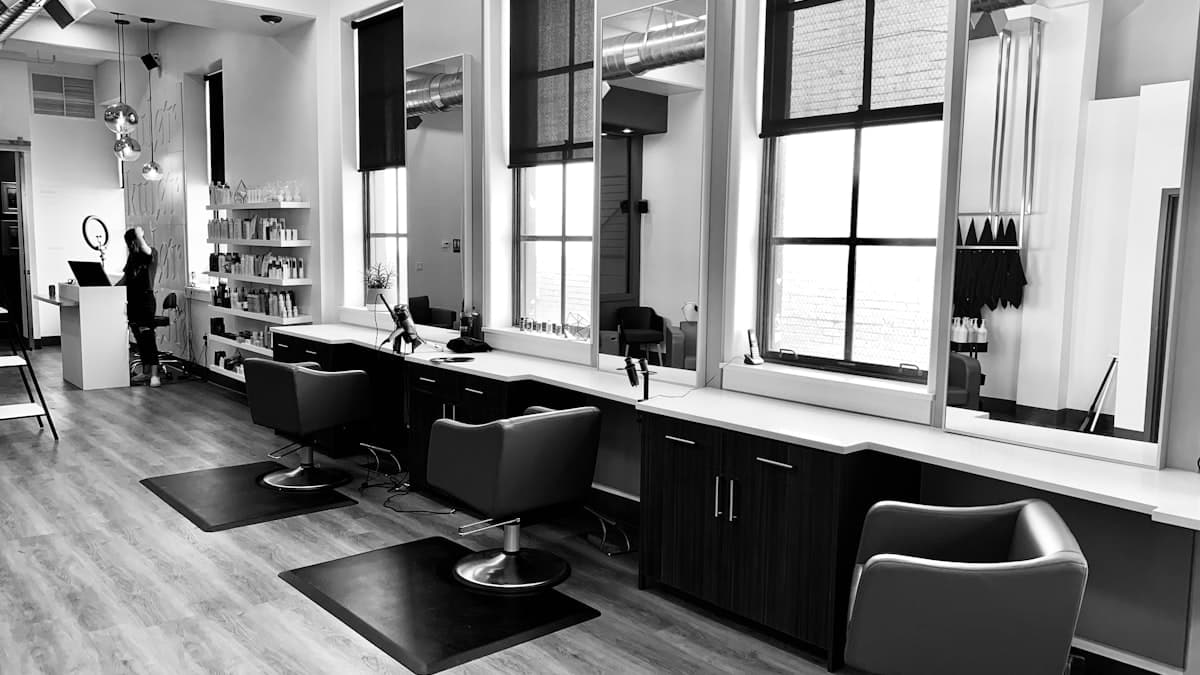
Your salon's online presence is often the first touchpoint a potential client has with your business. Before they ever sit in your chair, they are scrolling through your website on their phone, judging the quality of your work, checking your prices, and deciding whether booking with you is worth their time. A salon website that looks outdated, hides important information, or makes booking difficult is silently sending clients to your competitors.
This checklist covers every element your salon website needs to showcase your talent, build trust with new clients, and convert visitors into booked appointments. Whether you run a high-end salon, a barbershop, or a one-chair studio, these fundamentals apply across the board.
Design and Visual Identity Checklist
Beauty is your business, and your website needs to reflect that. Your site's design should feel like an extension of your salon's aesthetic, giving visitors a preview of the experience they will have.
Design that matches your salon's style and brand
A luxury salon should have an elegant, refined website. A trendy urban studio should feel edgy and modern. A family-friendly salon should feel warm and welcoming. Your website's color palette, typography, and imagery should mirror the vibe of your physical space. For more inspiration, explore our salon website design tips.
Professional portfolio photography
Your work is visual, and your website should showcase it with high-quality images. Invest in professional photos of your best haircuts, color work, styling, and treatments. Before-and-after photos are especially compelling. Natural lighting and consistent backgrounds make your portfolio look polished.
Clean, modern layout with plenty of whitespace
Avoid cluttered pages packed with text and images fighting for attention. A clean layout with generous whitespace lets your portfolio images and key information breathe. Simplicity signals sophistication.
Consistent color scheme and typography
Choose a color palette (two to three colors) and one or two fonts, then use them consistently across every page. Consistency makes your brand look established and professional.
Fast page loading
Image-heavy salon websites can be slow if not optimized. Compress your portfolio images, use lazy loading, and choose reliable hosting. If your gallery takes too long to load, visitors will leave before seeing your best work.
Mobile-first design approach
Most salon clients find and browse your website on their phones. Design for mobile screens first and then adapt for larger screens. The mobile experience should be flawless.
Portfolio and Gallery Checklist
Your portfolio is your most powerful selling tool. It shows potential clients exactly what you can do and helps them envision the results they want.
Organized gallery by service type
Separate your portfolio into categories: haircuts, color and highlights, balayage, extensions, bridal and special events, treatments, and men's grooming. This makes it easy for visitors to find examples relevant to their needs.
Before-and-after transformation photos
Transformation photos are incredibly persuasive. Show the "before" and "after" side by side with consistent lighting and angles. These images demonstrate your skill more effectively than any description.
High-resolution images optimized for web
Your photos should be high quality but optimized for fast loading. Use image compression tools to reduce file size without noticeable quality loss. Aim for images that look sharp on both mobile and desktop screens.
Regularly updated portfolio
Add new work to your gallery regularly. An outdated portfolio with styles from several years ago suggests you are not keeping up with trends. Fresh content also signals to search engines that your site is active.
Client hair type and texture diversity
Showcase work on a variety of hair types, textures, and lengths. Potential clients want to see that you have experience with hair similar to theirs. A diverse portfolio expands your appeal to a wider audience.
Stylist-specific galleries (for multi-stylist salons)
If you have multiple stylists, consider creating individual galleries for each one. This helps clients choose a stylist whose style matches their preferences and builds a personal connection before the first visit.
Online Booking Checklist
Clients expect to book appointments online at any time of day. If your only booking option is calling during business hours, you are losing clients to salons that offer 24/7 online scheduling.
Online booking system integrated into your website
Implement an online booking system that lets clients select a service, choose a stylist (if applicable), pick a date and time, and confirm their appointment. The booking process should take under two minutes.
Service menu with descriptions and durations
Within your booking system, list every service with a brief description, estimated duration, and price. Clients should know exactly what they are booking and how long it will take.
Stylist selection (for multi-stylist salons)
Allow clients to choose their preferred stylist or select "no preference" for the first available. Include a photo and brief bio for each stylist within the booking flow.
Automated confirmation and reminder emails or texts
Send immediate booking confirmations and automated reminders (24 hours and 2 hours before the appointment). Reminders reduce no-shows significantly and improve your scheduling efficiency.
Cancellation and rescheduling policy clearly stated
Display your cancellation and no-show policy during the booking process. Whether you charge a fee for late cancellations or require a deposit, communicate this upfront to avoid misunderstandings.
Book Now button on every page
Place a prominent "Book Now" or "Schedule Appointment" button on every page of your website. The header, hero section, service pages, and portfolio gallery should all make it easy to take the next step.
Services and Pricing Checklist
Transparency about your services and pricing builds trust and reduces the back-and-forth of price inquiries that waste your time.
Complete service list with descriptions
List every service you offer with a clear description of what it includes. "Balayage" means different things to different people, so describe the technique, expected results, and maintenance requirements.
Pricing displayed (starting prices at minimum)
Display your prices or starting prices for each service. "Starting at $85" gives clients a realistic expectation without committing you to a fixed price for every situation. If pricing varies significantly by length or complexity, explain that clearly.
Package deals and bundles
If you offer service bundles (color and cut, bridal packages, treatment series), display them with clear pricing and what is included. Packages increase average ticket value and simplify the decision for clients.
New client specials
A first-visit discount or complimentary add-on service encourages new clients to try your salon. Display new client offers prominently on your homepage and services page.
Gift certificates or gift cards
Offer purchasable gift certificates directly on your website. Digital gift cards that can be emailed are convenient for last-minute gift givers and bring new clients through your door.
Add-on services
List add-on treatments (deep conditioning, scalp treatments, glossing) with prices. These upsells boost revenue and are easy to include when displayed alongside primary services.
Trust Signals and Reviews Checklist
Choosing a new hairstylist requires trust. A bad haircut or color disaster is visible for weeks or months. Your website needs to provide strong evidence that clients can trust you with their hair.
Client reviews and testimonials
Display genuine reviews from happy clients on your homepage and services pages. Include the client's first name, the service they received, and ideally their stylist. Specific testimonials like "Maria gave me the best balayage I have ever had" are more persuasive than vague compliments. Learn how to build your review profile with our guide on getting more Google reviews.
Google review rating
Show your Google rating prominently. Encourage satisfied clients to leave Google reviews by mentioning it at checkout or including a review request in your follow-up emails. For tips on designing an effective testimonial page, see our detailed guide.
Social media integration (especially Instagram)
Embed your Instagram feed on your website. For salons, Instagram is often the primary portfolio platform. Showing a lively, regularly updated feed demonstrates that your salon is active and popular.
Stylist credentials and continuing education
Mention your stylists' training, certifications, and any continuing education. Clients are reassured knowing their stylist trained at a recognized institution and stays current with techniques and trends.
Awards and recognitions
If your salon or stylists have won awards, been featured in publications, or earned industry recognition, display these achievements prominently.
Years in business and client count
"Proudly serving the community since 2012" or "Over 5,000 happy clients" provides social proof through numbers. If you have impressive stats, share them.
Content and SEO Checklist
Salon website content should showcase your expertise and help potential clients find you through search engines.
Blog with hair care tips and trend content
Publish regular posts about hair care tips, trending styles, seasonal color ideas, and product recommendations. This content attracts organic search traffic and demonstrates your expertise.
Service-specific landing pages
Create dedicated pages for your highest-demand services (balayage, extensions, keratin treatments). Each page should include descriptions, pricing, portfolio photos, FAQs, and a booking button.
FAQ page
Answer common questions: How often should I get a trim? How do I maintain my color between appointments? What should I do before my appointment? FAQs reduce phone calls about basic inquiries and help with SEO.
Hair care tips and product recommendations
Share your professional knowledge about home hair care. Product recommendations, styling tips, and maintenance advice position you as an authority and build client trust.
Local SEO Checklist
Most salon clients search locally. "Hair salon near me" or "best balayage in [city]" are the searches that drive foot traffic to your salon.
Google Business Profile optimized
Claim and complete your Google Business Profile with your salon name, address, phone number, website, hours, services, and photos. Post before-and-after photos regularly and respond to every review.
Consistent NAP (name, address, phone) everywhere
Your salon's name, address, and phone number must be identical on your website, Google, Yelp, Facebook, and every other online listing. Even small inconsistencies can hurt your local rankings.
Location keywords in page titles and content
Include your city and neighborhood in your page titles, meta descriptions, and throughout your website content. "Hair Salon in Downtown Denver" targets the exact searches your ideal clients are using.
Schema markup for beauty salon
Add BeautySalon schema markup to help search engines understand your business type, location, hours, and services offered.
Listings on beauty-specific directories (StyleSeat, Vagaro, Booksy)
Create profiles on beauty industry platforms that potential clients use to discover salons. These listings provide backlinks and additional visibility.
Google Maps embed on your contact page
Display a Google Maps embed with your salon's location pinned. Include nearby landmarks or parking information to help new clients find you easily.
Mobile Optimization Checklist
Salon clients are primarily mobile users. They are searching for salons, browsing portfolios, and booking appointments from their phones.
Fully responsive design
Every page must look and function perfectly on smartphones. Test your portfolio gallery, booking flow, and service pages on multiple mobile devices.
Click-to-call and click-for-directions
Your phone number should dial with one tap and your address should open in a maps app. These are the most common actions mobile visitors take.
Mobile-friendly booking flow
The entire booking process must be smooth on a phone. Large buttons, simple date and time selection, and minimal form fields keep the mobile experience frustration-free.
Fast mobile loading
Compress portfolio images and optimize code for fast mobile loading. Test your speed regularly and address any pages that load slowly.
Mobile-optimized gallery
Your portfolio gallery should be easy to swipe through on a phone. Images should load quickly and display at appropriate sizes for small screens.
Technical and Analytics Checklist
Proper technical setup ensures your website works well and provides data to improve your marketing.
SSL certificate (HTTPS)
HTTPS is essential for protecting client data, especially on pages with booking forms and payment processing.
Google Analytics
Track your website visitors, popular pages, booking completions, and traffic sources. This data tells you what is working and where to invest your time.
Google Search Console
Monitor your search performance, fix any crawl errors, and understand which search queries bring clients to your site.
Regular website updates
Keep your portfolio fresh, services current, and pricing accurate. Set a monthly reminder to review and update your website.
Backup and security measures
Regularly back up your website and keep all software (CMS, plugins, booking system) updated to protect against security vulnerabilities.
Final Thoughts
Your salon website is your 24/7 receptionist, portfolio showcase, and booking platform. When it works well, it brings new clients through your door without you lifting a finger. When it is outdated or incomplete, it silently pushes potential clients toward competitors.
Start with the essentials: a stunning portfolio, clear pricing, easy online booking, and mobile optimization. Layer in reviews, local SEO, and content marketing to build long-term visibility and authority.
Revisit this checklist quarterly to refresh your portfolio, update pricing, and ensure your website continues to represent the quality of work you do in the chair. A well-maintained salon website is one of the best investments you can make in your business.