Website Tips for Spas That Match Your Brand
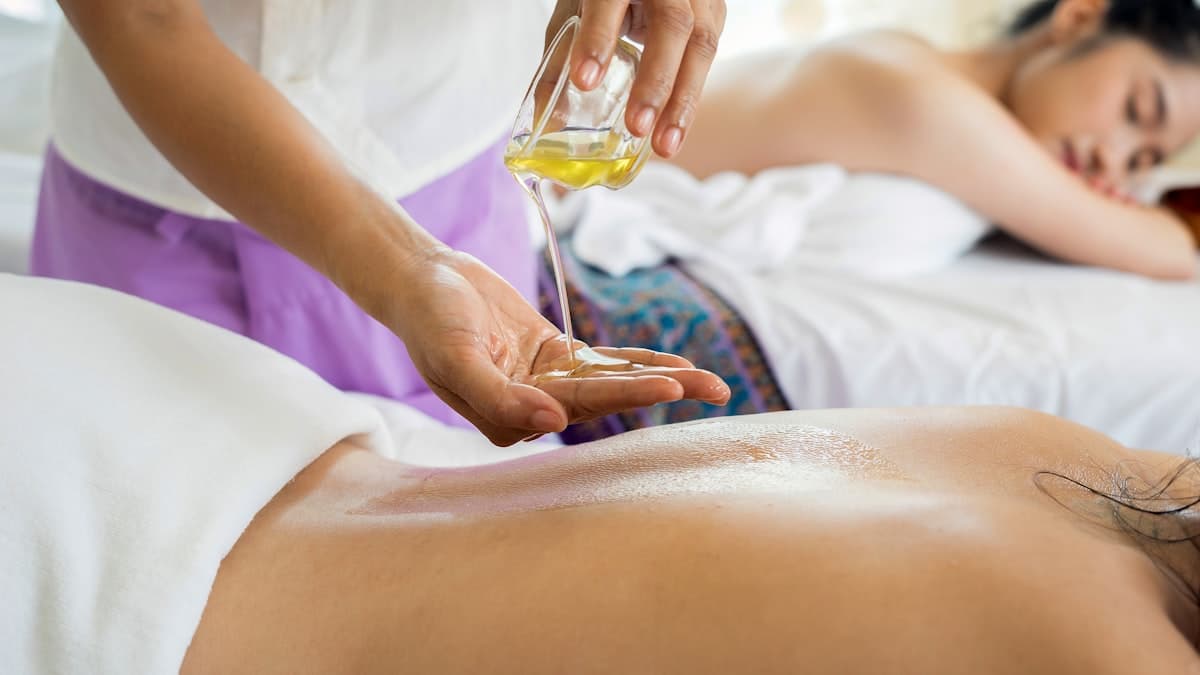
Walking into a well-designed spa feels like stepping into another world. The lighting shifts, the scent changes, and the pace slows. Everything is intentionally curated to create calm. Now ask yourself: does your website deliver that same feeling? For most spas, the answer is no. Their websites are cluttered, slow, and visually chaotic, creating a disconnect between the premium, peaceful experience they sell in person and the first impression they make online.
Your website is your spa's digital front door. Before a new client ever walks through your physical door, they form an opinion about your business based on how your website looks, feels, and functions. A website that feels luxurious, calming, and effortless to navigate tells visitors they are in good hands. A website that feels generic, dated, or confusing tells them to keep looking.
This guide covers how to build a spa website that extends your brand experience into the digital space. From color psychology and visual design to online booking and local SEO, these tips are specific to how spa clients search, evaluate, and book.
Design for the Feeling, Not Just the Information
Spa clients are not just buying a service. They are buying an experience, a feeling. Your website design should evoke the same emotions your spa delivers in person: tranquility, luxury, relaxation, and self-care.
Choose Colors That Create Calm
Color is one of the most powerful tools in web design, and it is especially important for spas where the emotional response matters as much as the information on the page.
The psychology of color in business websites shows that certain palettes evoke specific emotional responses:
- Soft greens and sage suggest nature, renewal, and balance
- Warm neutrals and cream feel organic, clean, and inviting
- Muted blues and teals communicate calm, trust, and serenity
- Soft lavender and lilac suggest luxury, femininity, and relaxation
- White and off-white create a sense of cleanliness and space
Avoid harsh, saturated colors that create visual stress. Bright reds, electric blues, and neon tones work against the calm atmosphere you are trying to create. Your website's color palette should match the colors you have chosen for your physical space.
Use High-Quality, Atmospheric Photography
Generic stock photos of candles, towels, and river stones will make your spa look like every other spa on the internet. Instead, invest in professional photography of your actual space, your real team, and your genuine treatments.
Photos that work for spa websites:
- Your treatment rooms, styled as they look during a service (soft lighting, fresh linens, products arranged beautifully)
- Your reception area and relaxation lounge
- Close-up details: folded towels, product displays, natural textures, water features
- Your team (professionally photographed, in branded attire, looking warm and approachable)
- Lifestyle shots that capture the feeling of receiving a treatment (without showing client faces for privacy)
Embrace White Space
Resist the urge to fill every pixel with content. White space (the empty space between elements) is what creates the feeling of openness and calm on a website. A spa website with generous spacing between sections, plenty of breathing room around text, and clean layouts feels luxurious. A cramped website with dense text and crowded images feels stressful, which is the opposite of what you are selling.
Select Elegant Typography
Your font choices matter more than most business owners realize. For a spa website:
- Headings: Use a refined serif font or a clean, light sans-serif. Think elegant, not bold.
- Body text: Use a highly readable font with comfortable line spacing. Do not sacrifice readability for style.
- Avoid: Heavy, aggressive fonts; overly decorative or script fonts in body text; all-caps paragraphs
Font size should be generous (16px minimum for body text) with ample line height (1.6 or higher). Reading your website should feel effortless.
Build a Service Menu That Sells
Your service menu is the most visited page on your spa website after the homepage. It needs to do more than list services and prices. It needs to help visitors understand the experience and feel confident choosing the right treatment.
Organize by Category
Group services logically:
- Massage therapies
- Facial treatments
- Body treatments
- Nail services
- Hair removal
- Packages and memberships
- Seasonal or specialty treatments
Write Descriptions That Evoke the Experience
Move beyond clinical descriptions. Instead of "60-minute deep tissue massage targeting muscle tension," write something that helps the reader feel what the experience will be like:
"Our deep tissue massage uses firm, deliberate pressure to release chronic muscle tension and restore mobility. Your therapist will customize the treatment to address your specific areas of concern, using warming oils and techniques that work deeply into knotted tissue. Most clients feel a noticeable difference by the next morning."
Each description should include:
- What the treatment involves
- Who it is best for
- Duration options
- Starting price
- What to expect before, during, and after
Feature Your Signature Treatments
If you offer unique or signature treatments that competitors do not, these deserve prominent placement. Create dedicated sections or even standalone pages for your most distinctive offerings. These are the services that differentiate you and give clients a reason to choose your spa over another.
Display Pricing Clearly
Ambiguous pricing creates anxiety, which is the last thing a spa should evoke. Display your prices clearly on each service listing. If pricing varies (e.g., based on treatment area or add-ons), show the starting price with a "from" notation.
Some spa owners worry that showing prices will scare away potential clients. The opposite is usually true. Clients who book after seeing your prices are pre-qualified and expect to pay what you charge. Hiding prices creates friction and can lead to awkward price conversations at checkout.
Make Online Booking Effortless
Online booking is not a nice-to-have for spas. It is essential. The majority of spa bookings now happen outside of business hours, when clients are relaxing at home and planning their self-care. If they cannot book on your website, they will book with a spa that lets them.
Choose the Right Booking Platform
An automated scheduling system should integrate with your website and handle:
- Service selection with clear descriptions and durations
- Therapist/provider selection (let clients choose their preferred provider or "no preference")
- Real-time availability that reflects your actual schedule
- Add-on services (aromatherapy upgrade, extended time, product add-ons)
- Package and membership booking
- Intake forms collected during booking (health history, allergies, preferences)
- Payment processing (deposits, prepayment, or pay-at-visit)
- Confirmation and reminders via email and text
Design the Booking Flow for Delight
The booking process itself should feel as polished as your spa:
- Minimize the number of steps from clicking "Book Now" to confirmation
- Use your spa's branding (colors, fonts, imagery) in the booking interface
- Offer a guest checkout option (do not force account creation for first-time clients)
- Display a clear summary of what was booked, when, and with whom
- Send a beautifully designed confirmation email that includes preparation instructions
Embed Booking Throughout Your Site
Place "Book Now" buttons:
- In your main navigation (always visible)
- On every service listing
- On your homepage hero section
- At the end of every page
- On your Google Business Profile
The booking button should be the most visually prominent element on your navigation bar. Use a contrasting color that stands out from your calm color palette, something warm like gold, coral, or a slightly stronger shade of your accent color.
Write Content That Attracts and Educates
A spa blog does more than fill space on your website. It attracts new visitors through search engines, demonstrates your expertise, and gives existing clients reasons to return to your site between visits.
Topics That Drive Traffic for Spas
Treatment education:
- "What Is a HydraFacial and Is It Worth It?"
- "Deep Tissue vs. Swedish Massage: Which Is Right for You?"
- "Chemical Peel vs. Microdermabrasion: A Complete Comparison"
- "What to Expect During Your First Spa Visit"
Skincare and wellness advice:
- "Morning Skincare Routine for [Your Climate]"
- "How Often Should You Get a Facial?"
- "Benefits of Regular Massage for Stress Management"
- "Post-Treatment Care: How to Maximize Your Facial Results"
Seasonal content:
- "Summer Skincare: Protecting Your Skin in [City] Heat"
- "Holiday Gift Guide: Spa Packages and Gift Cards"
- "Winter Skin Rescue: Treatments for Dry, Dehydrated Skin"
- "Bridal Spa Packages: How to Plan Your Pre-Wedding Glow"
Local content:
- "Best Spa Treatments in [City]"
- "Wellness Weekend in [City]: A Self-Care Itinerary"
- "How [City] Climate Affects Your Skin (And What to Do About It)"
Optimize for Local Search
Most spa clients are searching locally. Include your city and neighborhood names naturally throughout your website, especially in title tags, headings, and service descriptions.
Target keywords like:
- "Spa near [neighborhood]"
- "Best facial [city]"
- "Deep tissue massage [city]"
- "Couples massage [city]"
- "Spa packages [city]"
Build Your Google Business Profile
Your Google Business Profile is one of your most important marketing assets. When someone searches "spa near me," the Map Pack results appear first, and your GBP listing is what shows up there.
Optimize Every Detail
- Primary category: Day spa (or medical spa if applicable)
- Additional categories: Massage therapist, facial care, nail salon (add all that apply)
- Services: List every treatment with descriptions and pricing
- Photos: Upload high-quality images of your space, treatments, and team (add new photos weekly)
- Hours: Include holiday hours and seasonal changes
- Attributes: Women-led, LGBTQ+ friendly, wheelchair accessible (add all that apply)
Collect Reviews Strategically
After each appointment, send clients a text with a direct link to leave a Google review. Timing matters: send the review request within an hour of their visit, while the positive experience is fresh.
Respond to every review:
- Thank positive reviewers and reference their specific treatment
- Address negative reviews professionally and privately
- Use review responses as an opportunity to mention your services naturally
Create a Gift Card Program
Gift cards are a significant revenue stream for spas, especially during holidays, birthdays, and special occasions. Your website should make purchasing gift cards effortless.
Online Gift Card Must-Haves
- Multiple formats: Specific dollar amounts, specific services, and custom amounts
- Instant delivery: Email delivery with a beautifully designed digital card
- Physical option: Mailed cards in branded packaging for an additional fee
- Personalization: Custom messages from the gift giver
- Easy redemption: Clear instructions for how recipients book using their gift card
Promote Gift Cards Year-Round
Do not wait for the holidays to push gift cards. Create a dedicated "Gift Cards" page linked in your main navigation. Feature gift cards on your homepage, in your booking confirmation emails, and on social media. Gift cards attract new clients who might not have discovered your spa otherwise.
Design for Mobile First
Over 60% of spa website visits come from mobile devices. Many of those visitors are making a spontaneous decision to book a treatment, and any friction in the mobile experience means a lost booking.
Mobile Design Priorities
- Tap-to-call button always accessible
- One-tap booking from any page
- Fast loading (under 3 seconds, even with high-quality images)
- Thumb-friendly navigation (important links within easy reach)
- Readable text without zooming (minimum 16px)
- Simplified menus that surface the most important actions (Book, Services, Pricing, Location)
Test the Mobile Journey
Book an appointment on your own website from your phone. Was the process smooth? Did the booking widget work properly on a small screen? Could you find pricing easily? Did the page load quickly? Every point of friction you experience, your clients experience too.
Leverage Email Marketing for Retention
Acquiring a new spa client costs five to seven times more than retaining an existing one. Email marketing keeps your spa top of mind and encourages rebooking.
Essential Email Sequences
- Welcome series: After a first visit, send a thank-you email, a "how to get the most from your treatment" follow-up, and a rebooking reminder with a small incentive
- Rebooking reminders: "It has been 4 weeks since your last facial. Ready to schedule your next one?"
- Birthday offers: A special discount or complimentary add-on during their birthday month
- Seasonal promotions: New treatments, seasonal packages, and holiday gift card specials
- Education: Monthly skincare tips, wellness advice, and product recommendations
Build Your List
Collect email addresses through your booking system, at checkout, through your website (a "Join our mailing list for exclusive offers" popup), and via your Google Business Profile. Ensure you have permission to email each contact and make unsubscribing easy.
Showcase Your Team
Spa services are deeply personal. Clients are trusting your team to touch them, treat their skin, and guide their wellness. Introducing your team on your website helps clients feel comfortable before they arrive.
Create Individual Team Profiles
For each therapist and aesthetician, include:
- A professional, warm headshot
- Their name and title
- Years of experience and specializations
- Certifications and training
- A brief personal bio (what drew them to the profession, their approach to treatment)
- Option to book directly with that provider
Team profiles let clients choose providers based on expertise and personality, which leads to stronger client-provider relationships and higher retention.
Integrate Your Website With Your Overall Strategy
Your spa website does not exist in isolation. It is the hub of your entire marketing strategy, connecting your overall web presence with your social media, email marketing, Google Business Profile, and in-person experience.
Connect Every Touchpoint
- Social media should drive traffic to your website for booking and detailed service information
- Google Business Profile should link directly to your online booking system
- Email marketing should link to specific service pages and booking
- In-spa materials (business cards, receipts, retail bags) should include your website URL and QR codes for easy access
Create a Website as Calming as Your Spa
Your spa website should be a digital extension of the experience you create in person. When a visitor lands on your site, they should feel the same sense of calm, luxury, and care that they feel walking through your door. The design should be beautiful and spacious. The content should be informative and reassuring. The booking process should be seamless and delightful.
Start with your visual design: calming colors, professional photography of your actual space, generous white space, and elegant typography. Then build the functional elements: a detailed service menu, effortless online booking, and strong local SEO. Layer on content that educates and attracts new visitors through search engines. Finally, use email marketing and reviews to retain clients and build your reputation over time.
Every element of your website should work toward one goal: making the visitor feel confident that your spa is the right choice for their self-care investment. When your website achieves that, bookings follow naturally.