Telemedicine for Small Practices: How to Get Started
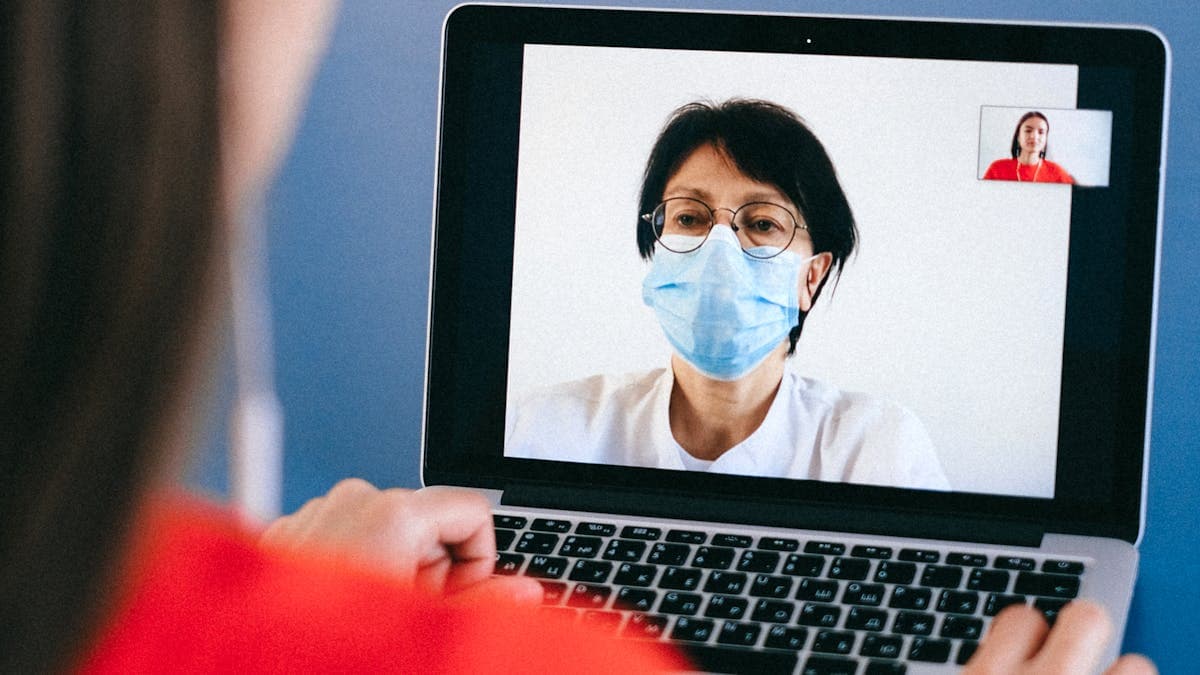
Telemedicine was once considered a niche service for rural hospitals and large health systems. That changed dramatically during the pandemic, and the shift has proven permanent. Patients now expect virtual visit options from their providers, and practices that do not offer telehealth risk losing patients to those that do.
For small practices, telemedicine is not just a patient retention tool. It is a way to expand your reach, fill schedule gaps, reduce overhead, and provide more accessible care. The good news is that getting started is far simpler and more affordable than most practice owners expect.
This guide covers everything a small practice needs to know about launching telemedicine services, from choosing the right platform to handling billing and marketing your new offering.
Why Telemedicine Is Here to Stay
The numbers tell a clear story. Telehealth utilization stabilized at roughly 15% to 20% of all outpatient visits after the initial pandemic surge, according to data from the American Medical Association. That figure represents a massive permanent shift from the pre-pandemic baseline of less than 1%.
Several factors ensure telemedicine will remain a standard part of healthcare delivery.
Patient demand. Surveys consistently show that 60% to 80% of patients who have used telehealth want to continue using it for appropriate visit types. Convenience, time savings, and reduced exposure to illness in waiting rooms are the most cited reasons.
Payer support. Medicare, Medicaid, and most commercial insurers have established permanent telehealth reimbursement policies. While some temporary pandemic flexibilities have expired, the core coverage for telehealth visits is now codified.
Regulatory clarity. State medical boards have updated their guidelines around telehealth, and most states now have clear frameworks for virtual care delivery. Interstate practice remains more complicated, but within-state telehealth is well-established.
Clinical evidence. Research supports the effectiveness of telehealth for many visit types, including follow-ups, medication management, mental health, chronic disease monitoring, and minor acute care. This evidence base continues to grow.
For small practices, the practical benefits go beyond patient preference. Telehealth visits typically require less overhead than in-person visits (no exam room turnover, no front desk check-in process), and they reduce cancellations caused by transportation problems, childcare issues, or minor illnesses that make patients reluctant to leave home.
Choosing a Telemedicine Platform
The right platform depends on your practice size, specialty, budget, and existing technology. Here are the most popular options for small practices.
Doxy.me
Doxy.me is one of the most widely used telehealth platforms among small and solo practices, and for good reason. It requires no downloads or installations for patients. They simply click a link and join the video call from their browser. This eliminates one of the biggest barriers to telehealth adoption: patients struggling with technology.
The free tier of Doxy.me includes unlimited sessions, a virtual waiting room, and HIPAA compliance with a signed BAA. The paid tiers (starting around $35 per month per provider) add features like screen sharing, group sessions, custom branding, and patient queue management.
Best for: Solo practitioners and small practices that want a simple, affordable, and patient-friendly telehealth solution.
VSee
VSee is a telehealth platform used by organizations ranging from solo practitioners to NASA. It offers a customizable virtual clinic experience with features like a branded waiting room, intake forms, in-visit tools (screen sharing, file transfer, annotation), and integration with EHR systems.
VSee supports both scheduled and on-demand visits, making it suitable for practices that want to offer walk-in telehealth hours. Pricing starts around $49 per month for the basic clinic plan.
Best for: Practices that want more customization and in-visit tools than basic platforms offer.
SimplePractice Telehealth
SimplePractice is a practice management platform built primarily for mental health providers, though it serves other specialties as well. Its built-in telehealth feature is tightly integrated with scheduling, billing, documentation, and client management, creating an all-in-one workflow.
If your practice already uses SimplePractice for practice management, adding telehealth is seamless. If you use a different practice management system, SimplePractice is less attractive because you would need to migrate your entire workflow.
Pricing starts at $29 per month and includes telehealth on the Starter plan. Higher tiers add features like insurance claim filing and a client portal.
Best for: Mental health providers and wellness practitioners who want an integrated practice management and telehealth solution.
Platform Comparison at a Glance
When comparing platforms, focus on these factors: ease of use for patients (no downloads is ideal), HIPAA compliance with a signed BAA, integration with your existing EHR or practice management system, cost per provider per month, and features you will actually use. Avoid paying for enterprise-level features if you are a solo or small practice.
Technical Requirements for Telehealth
One of the advantages of modern telehealth is that the technical requirements are minimal. Here is what you need.
Internet connection. A stable broadband connection with at least 10 Mbps download and 5 Mbps upload speed is recommended for reliable video. Wired Ethernet connections are more stable than Wi-Fi for the provider's side.
Camera and microphone. Most laptops have built-in cameras and microphones that work fine for telehealth. If you want better quality, an external webcam (such as the Logitech C920 or C930) and a USB microphone or headset will improve the experience. Good audio quality is more important than video quality for patient satisfaction.
Lighting. Face a window or place a light source in front of you, not behind you. Backlighting is the most common video quality issue and makes you appear as a dark silhouette.
Private space. You need a private, quiet room for telehealth visits. This is both a practical necessity and a HIPAA requirement. Other staff or patients should not be able to overhear your virtual visits.
Backup plan. Technology fails occasionally. Have a protocol for what happens when a video call drops. Most practices switch to a phone call if video cannot be restored within a few minutes. Communicate this plan to patients before their first virtual visit.
Integrating Telehealth into Your Workflow
The biggest challenge with telehealth is not the technology. It is fitting virtual visits into your existing workflow without creating confusion or extra work.
Identify appropriate visit types. Not every visit works virtually. Good candidates for telehealth include follow-up visits, medication management, mental health sessions, reviewing test results, minor acute concerns (rashes, sore throats, eye infections), chronic disease check-ins, and post-surgical follow-ups. Visits that require physical examination, procedures, or diagnostic equipment should remain in-person.
Create a scheduling workflow. Decide how patients will book telehealth visits. The simplest approach is to create a "Telehealth Visit" appointment type in your scheduling system that patients can select when booking. This keeps virtual and in-person visits on the same calendar.
Establish pre-visit procedures. Send patients a confirmation that includes the video link, instructions for joining, what to have ready (medication list, insurance card), and troubleshooting tips. Automated emails or texts through your scheduling platform can handle this without adding staff workload.
Document the same way. Your clinical documentation for telehealth visits should follow the same standards as in-person visits. Note that the visit was conducted via telehealth, document the technology used, and record the patient's location at the time of the visit (this is required for billing in many states).
Having a well-organized web presence helps patients find and understand your telehealth offerings. If you are building or updating your practice website, our guide on building a small business website covers the fundamentals that apply to healthcare practices.
Billing and Insurance for Virtual Visits
Billing for telehealth is more straightforward than many practices expect, though there are important details to get right.
CPT codes. Most telehealth visits are billed using the same Evaluation and Management (E/M) codes as in-person visits (99211 through 99215 for established patients, 99201 through 99205 for new patients). You add a modifier to indicate the visit was conducted via telehealth. The most common modifier is 95 (synchronous telehealth service rendered via real-time interactive audio and video).
Place of service. Use Place of Service (POS) code 10 for telehealth visits where the patient is at home. This is the most common scenario for small practice telehealth.
Reimbursement rates. Medicare reimburses telehealth visits at the same rate as in-person visits for most E/M codes. Commercial insurers vary; some reimburse at parity, while others pay slightly less for virtual visits. Check with your major payers to understand their specific policies.
State requirements. Some states have telehealth parity laws that require insurers to reimburse virtual visits at the same rate as in-person visits. Others do not. Your state medical association is a good resource for understanding local telehealth billing requirements.
Patient cost-sharing. Patients are generally responsible for the same copays and deductibles for telehealth visits as they would be for in-person visits. Make sure your billing system applies patient responsibility correctly.
Audio-only visits. Some payers reimburse audio-only (phone) visits at a lower rate than video visits, while others do not cover them at all. If you offer phone visits, verify coverage with each payer before billing.
If you are new to telehealth billing, consider consulting with a medical billing specialist for the initial setup. Getting your billing workflows right from the start prevents claim denials and revenue loss.
Marketing Your Telehealth Services
Offering telehealth is only valuable if patients know about it. Many practices launch virtual visits but fail to promote them, resulting in low adoption.
Update your website. Add telehealth to your services page, create a dedicated telehealth page explaining how it works, and include "Telehealth Available" messaging prominently on your homepage. Make the booking process for virtual visits as simple and visible as for in-person visits.
Update your Google Business Profile. Google allows healthcare providers to indicate that they offer telehealth services. This makes your practice visible to patients specifically searching for virtual care options in your area.
Communicate with existing patients. Send an email or text to your patient base announcing telehealth availability. Explain which visit types are available virtually and how to book. Many patients will be interested but will not seek it out on their own.
Train your front desk. When patients call to schedule, your staff should mention the telehealth option when appropriate. "We can schedule that as an in-person visit, or if you prefer, we also offer that visit type as a telehealth appointment from the comfort of your home."
Include it in post-visit communications. After an in-person visit, include a note that follow-up visits can be conducted via telehealth. This introduces the concept at a natural point in the patient relationship.
Leverage social media. Short posts explaining telehealth availability, how to prepare for a virtual visit, and what types of concerns can be addressed virtually help educate your patient community.
Common Challenges and How to Overcome Them
Small practices face several common hurdles when launching telehealth. Here is how to address them.
Patient technology barriers. Some patients, particularly older adults, may struggle with video technology. Provide clear, step-by-step instructions with screenshots. Offer a test call before the first visit so patients can troubleshoot in a low-pressure situation. And always have a phone call backup option.
Provider reluctance. Some clinicians are uncomfortable with virtual care or feel they cannot provide the same quality of care remotely. Start with visit types where telehealth effectiveness is well-established (follow-ups, medication management, mental health) to build confidence. Most providers who try telehealth find they enjoy the flexibility it provides.
Maintaining the personal connection. Virtual visits can feel impersonal if not handled thoughtfully. Make eye contact by looking at the camera (not the screen), minimize distractions, and start with brief personal conversation just as you would in person. These small gestures make a significant difference in patient experience.
Workflow disruption. Adding a new visit modality can create confusion for staff. Create clear protocols for scheduling, conducting, and documenting telehealth visits. A simple one-page reference sheet for each role (front desk, clinical staff, provider) helps everyone stay aligned.
Getting Started: A Simple Implementation Plan
You do not need to overhaul your practice to start offering telehealth. Here is a practical step-by-step approach.
Week one. Select a platform and sign up. Doxy.me's free tier is an excellent starting point if you want to test the waters without financial commitment. Verify HIPAA compliance and sign the BAA.
Week two. Conduct test calls with your staff to get comfortable with the technology. Work out any audio, video, or connectivity issues. Create your telehealth scheduling workflow and patient instructions.
Week three. Offer telehealth visits for one or two appointment types (such as follow-ups and medication management) to a small group of patients. Collect feedback from both patients and staff.
Week four. Refine your workflow based on feedback. Expand telehealth availability to additional appointment types and begin broader promotion through your website, email, and front desk messaging.
Within a month, you can have a functioning telehealth program that enhances your practice without overwhelming your team. The key is to start simple, learn from early experiences, and expand gradually. For guidance on adding new capabilities to your practice website, including telehealth booking, explore our resources on website integrations and healthcare technology.