Best Inventory Management Software (2026)
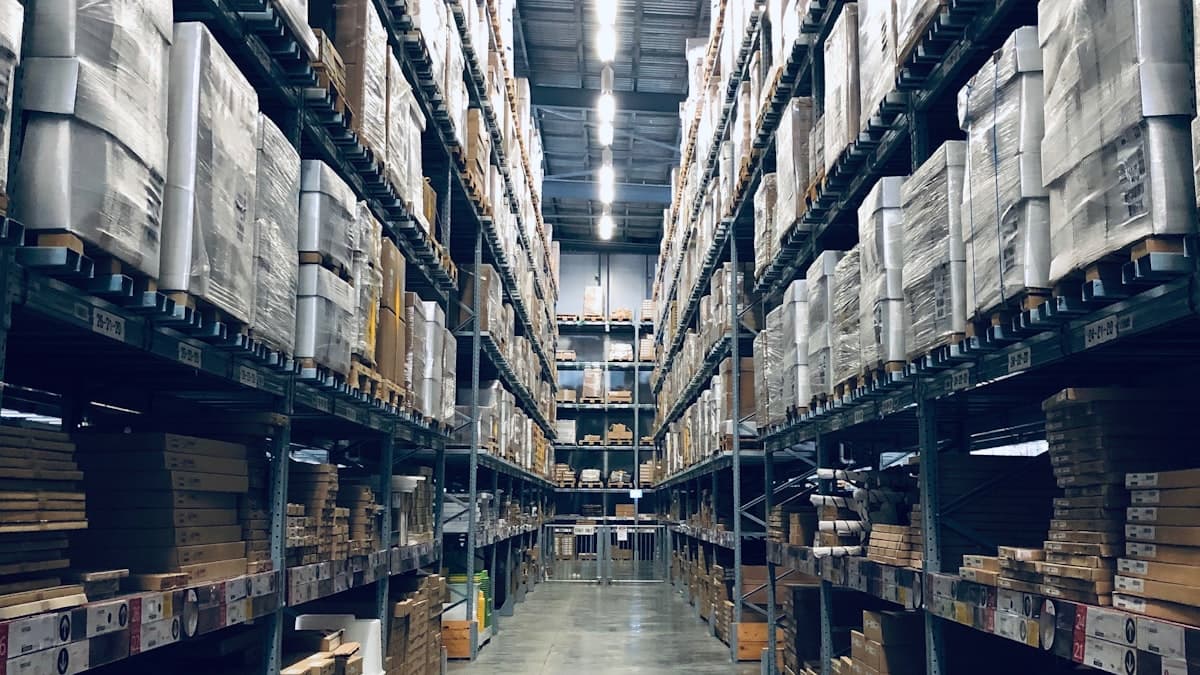
Running out of your best-selling product on a Saturday afternoon is a nightmare every small business owner wants to avoid. On the other side, tying up thousands of dollars in stock that collects dust on a shelf is just as damaging to your bottom line. The right inventory management software helps you strike that balance, keeping the products your customers want in stock without over-ordering the ones they do not.
If you sell physical products (whether from a storefront, an online shop, or both), you have likely outgrown spreadsheets. Manual tracking gets unreliable fast, especially once you start selling through multiple channels or adding new product lines. Dedicated inventory software automates stock counts, sends reorder alerts, tracks items across locations, and gives you data-driven insights into what is actually selling.
We tested five inventory management platforms designed for small businesses. Each one approaches the problem a little differently, so the best choice depends on your product volume, sales channels, and operational complexity.
What We Evaluated
We assessed each platform on six criteria:
- Ease of setup. How quickly can you import products, set up categories, and start tracking?
- Stock tracking accuracy. Real-time updates, barcode scanning, and multi-location support.
- Integrations. Connections to e-commerce platforms, POS systems, and accounting software.
- Reporting and forecasting. Visibility into stock levels, sales trends, and reorder timing.
- Scalability. Can the software grow with your business from 50 SKUs to 5,000?
- Value for money. Monthly cost relative to features, especially for businesses with tighter budgets.
Quick Comparison Table
| Feature | Sortly | inFlow | Cin7 Core | Zoho Inventory | Katana | |---|---|---|---|---|---| | Best For | Simple visual tracking | Growing product businesses | Multi-channel retail | Budget-conscious sellers | Manufacturers | | Monthly Price | Free/$49/$149 | $110/$279/$549 | $349+ | Free/$79/$129/$199 | $179/$359+ | | Free Plan | Yes (50 items) | No (14-day trial) | No | Yes (50 orders/month) | No (14-day trial) | | Barcode Scanning | Yes (mobile app) | Yes | Yes | Yes | Yes | | Multi-Location | Yes (paid plans) | Yes | Yes | Yes (paid plans) | Yes | | E-commerce Integrations | Limited | Shopify, WooCommerce, Amazon | Extensive (200+) | Shopify, Amazon, eBay, Etsy | Shopify, WooCommerce | | POS Integration | No | No | Yes | No | No | | Manufacturing/BOM | No | Yes (advanced plans) | Yes | Yes (paid plans) | Yes (core feature) |
Sortly: Best for Simple Visual Inventory Tracking
Sortly takes a different approach from most inventory tools. Instead of spreadsheet-style databases, it organizes your inventory visually using folders, photos, and tags. Think of it as a visual catalog of everything you own or sell.
The setup process is remarkably fast. You create folders to organize items (by location, category, or however your brain works), then add items with photos taken directly from your phone. Each item gets a name, quantity, price, and any custom fields you define. You can print QR labels or barcodes and scan them with the Sortly mobile app to pull up item details instantly.
This visual approach makes Sortly particularly appealing for businesses that deal with items that are hard to describe in a spreadsheet. Interior designers tracking furniture samples, event companies managing equipment, and retailers with visually distinct products all benefit from being able to see photos alongside stock data.
The mobile app is where Sortly shines brightest. It is polished, responsive, and genuinely useful for on-the-go inventory checks. Staff can scan items, update quantities, and add photos from anywhere. Alerts notify you when items drop below a threshold you set.
Pricing
- Free: Up to 50 entries, 1 user
- Advanced: $49/month for up to 2,000 entries, 3 users
- Ultra: $149/month for unlimited entries, 5 users
- Enterprise: Custom pricing for larger teams
Best For
Small businesses with straightforward inventory needs that want visual, mobile-first tracking. Retailers with under 2,000 products, service companies tracking equipment, and businesses that need staff to update inventory on the go.
Limitations
- No native e-commerce integrations (you cannot sync with Shopify or Amazon directly)
- No purchase order management
- No manufacturing or bill of materials features
- Limited reporting compared to more advanced platforms
- The free plan caps at 50 items, which most businesses outgrow quickly
inFlow: Best for Growing Product Businesses
inFlow is a full-featured inventory management system that handles purchasing, sales orders, and stock tracking in a single platform. It is designed for small to mid-size product businesses that need more than basic tracking but do not want the complexity (or cost) of enterprise systems.
The setup involves importing your product catalog via CSV or entering items manually. inFlow supports products with variants (size, color, material), serial number tracking, and lot tracking. You can set up multiple warehouses and track inventory movement between them.
What sets inFlow apart is its integrated order management. You can create purchase orders to suppliers, receive incoming stock, generate sales orders, create packing slips and invoices, and track the entire workflow from one dashboard. This end-to-end approach means you spend less time jumping between systems.
inFlow connects to Shopify, WooCommerce, and Amazon, syncing inventory levels across your online stores. When you sell a product on Shopify, inFlow updates automatically. When you receive a shipment, quantities update across all channels. This multi-channel sync is reliable and saves hours of manual updating.
Reporting in inFlow is solid. You get stock level reports, sales summaries, profitability by product, and inventory valuation reports. The forecasting tools analyze past sales data and suggest reorder quantities, which helps prevent both stockouts and overstock situations.
Pricing
- Entrepreneur: $110/month for 2 team members, 2 integrations
- Small Business: $279/month for 5 team members, unlimited integrations
- Mid-Size: $549/month for 10 team members, advanced features
Best For
Product businesses doing $200K to $5M in annual revenue that sell through multiple channels. If you need purchase order management, multi-warehouse tracking, and e-commerce integration in a single platform, inFlow delivers strong value.
Limitations
- No free plan (only a 14-day trial)
- The Entrepreneur plan limits you to 2 team members and 2 integrations
- No native POS integration
- The interface, while functional, looks dated compared to newer competitors
- Reporting could be more customizable
Cin7 Core: Best for Multi-Channel Retail
Cin7 Core (formerly DEAR Inventory) is the most powerful option on this list for businesses that sell across many channels. It connects to over 200 e-commerce platforms, marketplaces, POS systems, shipping carriers, and accounting tools. If you sell on your website, Amazon, eBay, at a physical store, and through wholesale accounts, Cin7 keeps everything synchronized.
The platform handles the full order lifecycle. Inventory syncs in real time across every channel. When an order comes in from any source, Cin7 reserves the stock, generates a pick list, and updates availability everywhere else. This prevents the dreaded overselling problem that plagues businesses using disconnected systems.
Cin7 also includes manufacturing features. You can create bills of materials, track production runs, and manage raw material inventory alongside finished goods. For businesses that make products (whether assembling electronics, mixing cosmetics, or packaging food), this production management is a major advantage.
The platform integrates directly with popular POS systems, so your in-store sales and online sales draw from the same inventory pool. It also connects to QuickBooks, Xero, and other accounting platforms for seamless financial reporting.
Pricing
- Standard: $349/month for 2 users
- Pro: $599/month for 5 users, advanced features
- Enterprise: Custom pricing
Best For
Multi-channel retailers and wholesalers doing $500K+ in annual revenue. Businesses selling on three or more channels that need real-time inventory synchronization and do not want to manage it manually.
Limitations
- The most expensive option on this list by a significant margin
- The learning curve is steeper than simpler tools
- Setup and configuration take longer due to the number of features and integrations
- Overkill for businesses with a single sales channel or fewer than 500 SKUs
- Customer support response times can be slow during peak periods
Zoho Inventory: Best for Budget-Conscious Sellers
Zoho Inventory offers the best value on this list, with a genuinely useful free plan and paid tiers that undercut most competitors. It is part of the larger Zoho ecosystem, which means it integrates seamlessly with Zoho Books (accounting), Zoho CRM, and dozens of other Zoho products.
The free plan supports 50 orders per month, one warehouse, and integration with one sales channel. For a new e-commerce business just getting started, this is enough to manage operations without paying anything. When you outgrow the free plan, paid tiers start at $79/month.
Zoho Inventory covers the essentials well. You get multi-channel selling (Shopify, Amazon, eBay, Etsy, and your own website), purchase order management, shipping integration with major carriers, and inventory tracking with serial and batch numbers. The platform also supports composite items (bundles or kits) and basic manufacturing workflows.
One standout feature is the built-in shipping management. Zoho Inventory connects directly to USPS, UPS, FedEx, DHL, and other carriers. You can compare shipping rates, print labels, and track shipments without leaving the platform or paying for a separate shipping tool.
If you already use other Zoho products, the integration is seamless. Inventory data flows into Zoho Books for accounting, customer data syncs with Zoho CRM, and everything lives under one login. For businesses building their tech stack around Zoho, this tight integration is a significant advantage.
Pricing
- Free: 50 orders/month, 1 warehouse, 1 user
- Standard: $79/month for 1,500 orders/month, 2 warehouses
- Professional: $129/month for 7,500 orders/month, 5 warehouses
- Premium: $199/month for 15,000 orders/month, 7 warehouses
Best For
Small businesses on a budget that need solid multi-channel inventory management. Particularly strong for businesses already using other Zoho products. If your order volume is under 1,500 per month, the Standard plan offers excellent value.
Limitations
- The free plan's 50-order limit is restrictive for most active businesses
- The interface can feel cluttered with so many features packed in
- Advanced forecasting and demand planning are limited compared to Cin7
- Mobile app functionality lags behind the web interface
- Customer support on the free plan is limited to email
Katana: Best for Manufacturers and Makers
Katana is purpose-built for businesses that make products, not just sell them. If you manufacture, assemble, or produce goods, Katana handles the complexity that general inventory tools cannot: bills of materials, production scheduling, raw material tracking, and shop floor management.
The platform starts with your products and works backward. You define the bill of materials (BOM) for each finished product, listing every raw material, component, and sub-assembly needed. When a sales order comes in, Katana automatically calculates the raw materials required, checks availability, and creates manufacturing orders.
Production scheduling is visual and intuitive. A drag-and-drop timeline shows your manufacturing orders, their status, and expected completion dates. You can prioritize orders, adjust schedules, and see at a glance whether you have the materials on hand to fulfill upcoming production runs.
Katana integrates with Shopify and WooCommerce for e-commerce sales, and with QuickBooks and Xero for accounting. When an order comes in from your online store, Katana creates a manufacturing order, reserves the raw materials, and tracks production through to completion and shipment.
For businesses that have been managing production with spreadsheets, whiteboards, or disconnected tools, Katana brings everything into one platform. You can see real-time material availability, work-in-progress inventory, and finished goods stock from a single dashboard.
Pricing
- Starter: $179/month for 1 user, basic features
- Standard: $359/month for additional users and integrations
- Professional: Custom pricing for advanced features
Best For
Small manufacturers, artisan producers, and businesses that assemble or customize products. If you create what you sell (whether that is furniture, food products, cosmetics, electronics, or custom goods), Katana is the strongest choice on this list.
Limitations
- The most expensive option after Cin7, and the Starter plan only includes 1 user
- Not suitable for pure retail or distribution businesses that do not manufacture
- E-commerce integrations are limited to Shopify and WooCommerce
- No marketplace integrations (Amazon, eBay)
- The learning curve for setting up BOMs and production workflows is moderate
How to Choose the Right Inventory Management Software
Start with your business type and complexity level:
If you need simple, visual tracking and your inventory is under 2,000 items, Sortly gets you organized quickly with minimal setup.
If you are a growing product business selling through multiple channels and need purchase order management, inFlow provides the best balance of features and usability.
If you sell across many channels and need real-time synchronization between your website, marketplaces, and physical stores, Cin7 Core handles the complexity (at a premium price).
If budget is your top priority and you want a capable platform that grows with you, Zoho Inventory offers the most features per dollar, especially if you already use Zoho products.
If you manufacture or assemble products, Katana is specifically designed for your workflow. No other tool on this list handles production planning as effectively.
Before committing, take advantage of free trials and free plans to test each platform with your actual product data. Import a sample of your catalog, simulate a few orders, and see how the reporting and alerts work in practice. The platform that fits your workflow today and can scale with your growth over the next two to three years is the right choice.
For businesses that also need to streamline their point of sale setup, consider how your inventory management platform integrates with your checkout system. Many POS platforms include basic inventory tracking, but dedicated inventory software provides the deeper stock management and forecasting tools that growing businesses need.
If you are setting up an online store for the first time, inventory management should be part of your launch plan from day one. Starting with a proper system prevents the data cleanup headaches that come from migrating off spreadsheets later.