Google Business Profile for Real Estate Agents
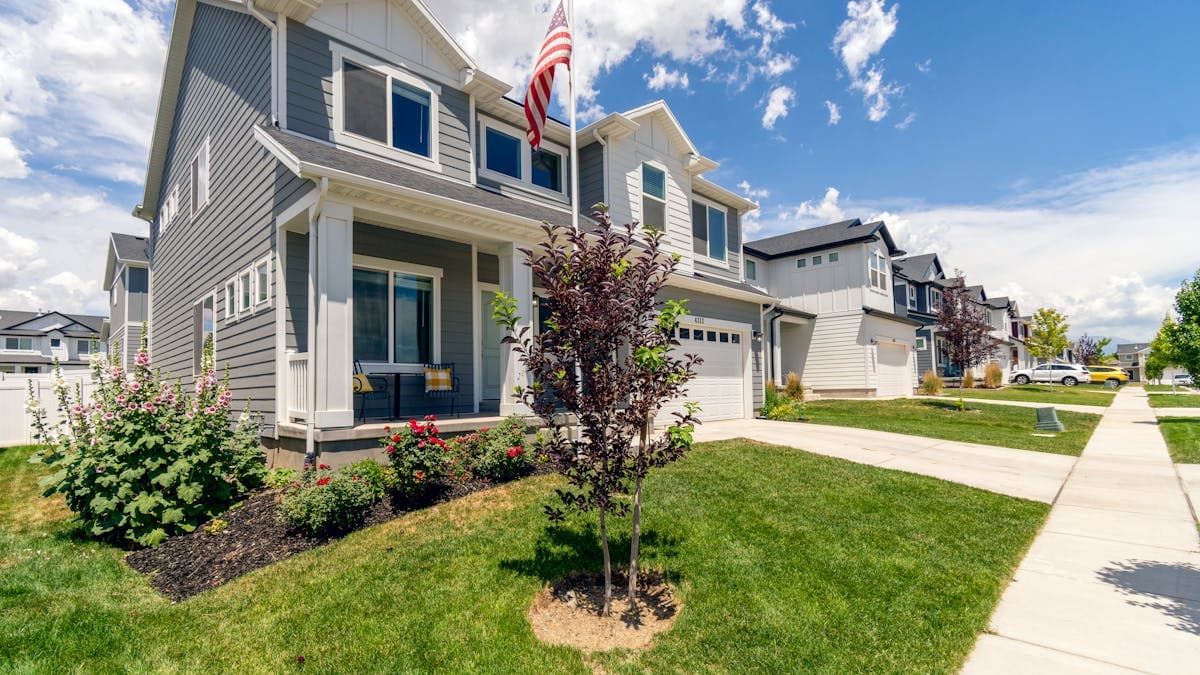
Real estate is an intensely local business, and your online visibility directly impacts how many leads you generate. When someone searches for "real estate agent near me" or "homes for sale in [neighborhood]," your Google Business Profile is often the first thing they see. A well-optimized profile can position you as the go-to agent in your market, while a neglected one means potential clients are scrolling right past you to your competitors.
Unlike many other industries, real estate agents face unique challenges with Google Business Profile. You may work from a brokerage office shared with dozens of other agents, cover multiple neighborhoods or cities, and need to differentiate yourself in a crowded market. This guide addresses all of these challenges and shows you exactly how to optimize your profile for maximum lead generation.
Why Google Business Profile Matters for Real Estate Agents
The home buying and selling process almost always begins online. Buyers search for properties, neighborhoods, and agents on Google before ever making a phone call. Sellers research agents to find someone they trust with their biggest financial asset.
When these searches happen, Google displays a local map pack with three results prominently at the top. Appearing in this map pack gives you instant credibility and visibility. People trust businesses that appear in the map pack, and they are far more likely to click on those results than to scroll down to the organic listings below.
For real estate agents specifically, Google Business Profile provides a platform to showcase your track record, expertise in specific neighborhoods, client testimonials, and current listings. All of this information helps potential clients evaluate you before they ever reach out.
If you are new to Google Business Profile, start with our overview of why small businesses need Google Business Profile to understand the fundamentals.
Setting Up Your Profile: Agent vs. Brokerage
One of the first decisions you need to make is whether to create a profile for yourself as an individual agent, for your brokerage, or both.
Individual agent profile: If you are a solo agent or want to build your personal brand, create a profile under your own name using the "Real Estate Agent" category. This works best when you want leads to come directly to you.
Brokerage profile: If you are the broker/owner, create a profile for the brokerage using "Real Estate Agency" as the primary category. This is appropriate when leads should go to the front desk or be distributed among agents.
Both: Many successful agents maintain both a personal agent profile and contribute to their brokerage's profile. Just make sure the profiles have different phone numbers and slightly different descriptions to avoid being flagged as duplicates.
Important rules for agent profiles:
- You must have a physical office location. Working from home can count if you meet clients there, but Google's guidelines are strict about this.
- Your profile name must be your real name (or your real name followed by your brokerage name, such as "Jane Smith, Keller Williams Realty").
- Do not create separate profiles for each neighborhood you serve. One profile per physical location is the rule.
Choosing Categories That Maximize Visibility
Your category selection directly affects which searches your profile appears in.
Primary category options:
- Real Estate Agent (best for individual agents)
- Real Estate Agency (best for brokerages)
- Real Estate Consultant (for consulting-focused practices)
Secondary categories to add:
- Real Estate Agent (if primary is Real Estate Agency)
- Property Management Company (if you manage rentals)
- Real Estate Appraiser (if you provide appraisals)
- Real Estate Developer (if applicable)
- Commercial Real Estate Agency (if you handle commercial properties)
- Real Estate Rental Agency (if you help with rentals)
For most individual agents, "Real Estate Agent" as the primary category is the strongest choice. It directly matches the most common search queries.
Writing a Description That Generates Leads
Your business description is your elevator pitch to potential clients. In 750 characters, you need to communicate your expertise, your market, and why someone should choose you.
Key elements to include:
- Years of experience and transaction history
- Specific neighborhoods, cities, or regions you serve
- Types of properties you specialize in (residential, luxury, investment, first-time buyers)
- Any designations or certifications (CRS, ABR, SRES, GRI)
- Languages spoken
- What makes your approach different
- A call to action
Example description: "Sarah Mitchell has helped over 200 families buy and sell homes across the greater Austin area since 2010. Specializing in the Round Rock, Cedar Park, and Georgetown markets, Sarah provides expert guidance for first-time buyers, move-up buyers, and sellers looking to maximize their home's value. As a Certified Residential Specialist and Accredited Buyer's Representative, she brings deep market knowledge and skilled negotiation to every transaction. Whether you are buying your first home or selling a luxury property, Sarah delivers a personalized experience built on responsiveness, market expertise, and honest communication. Call or text for a free market analysis."
Photos That Showcase Your Expertise
For real estate agents, photos serve double duty. They build trust in you as a professional and showcase your knowledge of the local market.
Essential photo types:
- Professional headshot. This is the most important photo on your profile. Invest in a high-quality, current headshot that looks professional and approachable.
- Action shots. Photos of you at open houses, closings, community events, or with happy clients (with their permission). These show that you are active and engaged.
- Property photos. Showcase your best listings and recently sold properties. These demonstrate your market expertise and the types of homes you work with.
- Neighborhood photos. Photos of the neighborhoods you serve: parks, downtown areas, schools, popular landmarks. These reinforce your local expertise.
- Office photos. Your office exterior and interior to help clients find you.
- Community involvement. Photos from charity events, sponsorships, or community activities you participate in.
Photo strategy tips:
- Update your headshot every one to two years
- Add photos of new listings and recently sold homes regularly
- Include photos of different neighborhoods to reinforce your geographic expertise
- Aim for at least 25 photos total, with new additions at least twice per month
For additional ideas on building your real estate presence online, check out our guide on real estate agent website tips.
Building a Powerful Review Profile
In real estate, referrals and reputation are everything. Google reviews have become the modern version of word-of-mouth referrals, and potential clients weigh them heavily when choosing an agent.
How to systematically generate reviews:
- Ask every client for a review after closing. The closing table is a natural moment of gratitude and excitement.
- Send a personalized email within a week of closing with a direct link to your Google review page.
- For buyer clients, time your request after they have moved in and had a chance to settle.
- For seller clients, ask shortly after closing when the relief of a successful sale is fresh.
- Ask past clients who you have stayed in touch with. If you helped them five years ago and they still rave about the experience, they will usually be happy to write a review.
What makes a great real estate review: Reviews that mention specific neighborhoods, types of transactions (first-time buyer, relocation, investment property), and details about your service (negotiation skills, market knowledge, communication) are most valuable. They help Google understand your expertise and match you with relevant searches.
Responding to reviews: Respond to every single review. For positive reviews, thank the client by name and reference something specific about their transaction. For negative reviews, stay professional, acknowledge their experience, and invite them to discuss it further offline.
For a complete review management strategy, see our guide on how to get more Google reviews.
Using Google Posts for Real Estate
Google Posts are a particularly powerful tool for real estate agents because you always have new content to share: new listings, open houses, market updates, and sold properties.
Effective post types for real estate agents:
- New listings. "Just listed: Beautiful 4-bedroom home in the heart of Oak Park. 2,400 sq ft, updated kitchen, spacious backyard. $425,000. Call for a private showing."
- Open house announcements. "Open house this Saturday, 1 to 4 PM, at 123 Maple Street. Come see this stunning renovated colonial in the Riverside neighborhood."
- Just sold announcements. "Congratulations to the Johnson family on their new home in Willow Creek. Sold for $15,000 over asking price in just 5 days on market."
- Market updates. "The spring market is heating up in [city]. Home prices are up 8% year-over-year, and inventory is at a 3-month low. Thinking about selling? Now is the time."
- Buyer tips. "Interest rates just dropped below 6%. Here are three things first-time buyers should know about the current market."
- Community content. "This weekend: Downtown Art Walk and the Farmer's Market at City Park. Living in [city] is about more than just the houses."
Post at least twice per week. Real estate agents who post consistently about their market activity signal to Google (and potential clients) that they are active and knowledgeable.
Neighborhood and Market Targeting
One of the biggest advantages real estate agents can leverage on Google Business Profile is hyperlocal expertise. Potential clients want an agent who knows their specific neighborhood, not just their general metro area.
How to establish neighborhood authority on your profile:
- Mention specific neighborhoods in your business description
- Create posts about neighborhood-specific market data and trends
- Upload photos from different neighborhoods you serve
- Answer Q&A questions about specific neighborhoods
- Encourage clients to mention their neighborhood in reviews
Service area optimization:
Even though you cannot create multiple profiles for different neighborhoods, you can define your service area to include specific cities and communities. Be strategic about this: list the areas where you actually have the most expertise and want to generate business, rather than casting the widest possible net.
For a deeper understanding of local search optimization for real estate, see our guide on real estate SEO and local search ranking.
Listing Your Services
The services section allows you to detail exactly what you offer. Real estate agents should use this to highlight the full range of their services.
Services to list:
- Buyer Representation
- Seller Representation
- First-Time Home Buyer Guidance
- Luxury Home Sales
- Investment Property Consultation
- Relocation Assistance
- Comparative Market Analysis (Free)
- Home Staging Consultation
- New Construction Guidance
- Rental and Lease Assistance
- Property Management
- Short Sale and Foreclosure Assistance
- Commercial Real Estate (if applicable)
For each service, write a brief description of what it includes and who it serves. Mentioning that your comparative market analysis is free, for example, can encourage potential sellers to reach out.
Optimizing the Q&A Section
Proactively fill your Q&A section with questions that potential clients commonly ask.
Questions to seed:
- "What areas do you cover?"
- "How long have you been selling real estate?"
- "Do you work with both buyers and sellers?"
- "What is a buyer's agent, and does it cost me anything?"
- "How do I get started if I want to sell my home?"
- "Do you help with first-time home buyers?"
- "What is the current market like in [city/neighborhood]?"
- "Do you offer a free home valuation?"
- "Do you work with VA or FHA loans?"
- "Can you recommend a mortgage lender?"
Provide thorough, helpful answers. These demonstrate your expertise and help potential clients feel confident reaching out to you.
Attributes and Features for Real Estate
Select all applicable attributes to provide useful information at a glance:
- Service options: In-person meetings, online meetings, phone consultations
- Appointment options: By appointment, walk-in welcome
- Accessibility: Wheelchair accessible office
- Languages: List every language you speak
- Highlights: Free consultations, veteran-owned, women-led
Tracking Your Performance
Google Business Profile Insights reveal how potential clients are finding and interacting with your profile.
Key metrics for real estate agents:
- Search queries: What terms are people using to find you? Are they searching for your name (branded searches) or for "real estate agent in [city]" (non-branded)?
- Phone calls: Track how many calls come from your profile and on which days.
- Website clicks: Monitor traffic from your profile to your website.
- Direction requests: If people are requesting directions to your office, your profile is working.
- Photo views: Compare your photo engagement to competitors.
Use these insights to refine your strategy. If you are getting a lot of searches for a specific neighborhood, create more content about that area. If phone calls spike on certain days, adjust your posting schedule accordingly.
Common Mistakes Real Estate Agents Make
Using the brokerage address when you work from home. If your primary office is your home, you need to decide whether to use your home address (and have it displayed publicly) or set up as a service-area business. Do not use a brokerage address where you do not regularly work.
Neglecting the profile between transactions. Your Google Business Profile needs consistent attention, not just activity when you have a new listing. Post regularly even during slow periods.
Identical profiles for team members. If you are on a team, each member can have their own profile, but they need different phone numbers and should avoid identical descriptions and photos.
Not leveraging sold properties. Every closed transaction is content for your Google Business Profile. Share "just sold" posts, update your photos with new properties, and ask the clients for a review.
Ignoring negative reviews. One unaddressed negative review can deter multiple potential clients. Always respond professionally and promptly.
Your Real Estate Agent Google Business Profile Action Plan
Week 1: Foundation
- Claim and verify your profile
- Choose primary and secondary categories
- Write a compelling business description highlighting your market expertise
- Upload your professional headshot and at least 20 additional photos
Week 2: Content and Services
- List all services with descriptions
- Seed Q&A with 10 common client questions
- Select all applicable attributes
- Create your first Google Post (a new listing or market update)
Week 3: Reviews and Engagement
- Reach out to past clients and ask for reviews
- Implement a post-closing review request process
- Respond to all existing reviews
- Set up a twice-weekly posting schedule
Ongoing:
- Post at least twice per week with listings, market updates, and community content
- Respond to every review within 24 hours
- Upload photos of new listings, sold properties, and neighborhood scenes
- Monitor Insights monthly and adjust your strategy
- Update your description seasonally to reflect current market conditions
The real estate agents who dominate local search are the ones who treat their Google Business Profile as an active marketing channel, not a static listing. By investing consistent effort into your profile, you will build visibility, credibility, and a steady pipeline of leads from the world's largest search engine.