Why Small Businesses Absolutely Need Google Business Profile
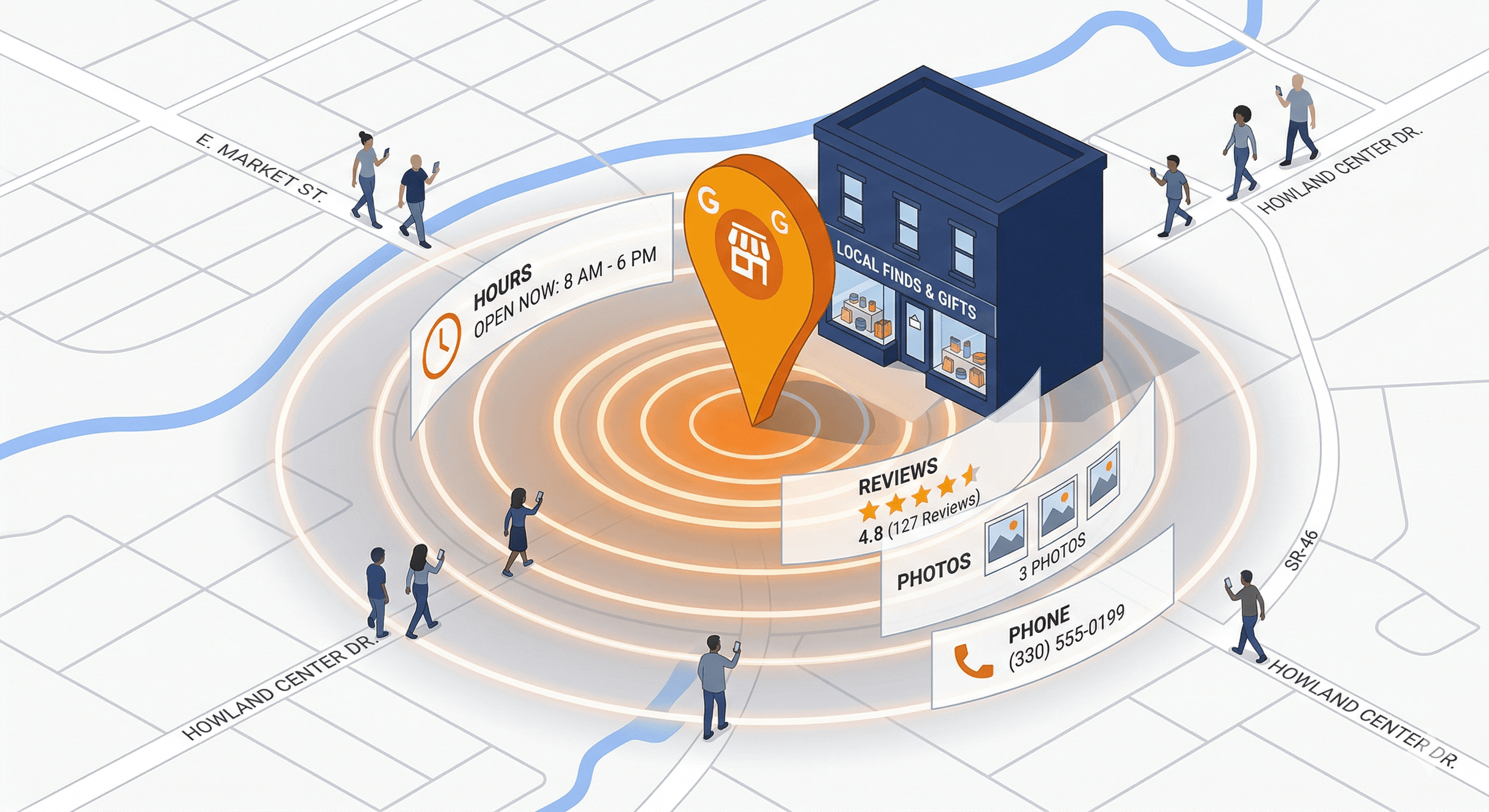
If your small business serves customers in a specific geographic area and you have not set up a Google Business Profile, you are leaving money on the table every single day. Google Business Profile (formerly known as Google My Business) is the most important free marketing tool available to local businesses, and it takes less than an hour to set up. Yet a surprising number of small businesses either ignore it entirely or set it up once and never touch it again.
What Is Google Business Profile?
Google Business Profile is a free tool from Google that lets you manage how your business appears in Google Search and Google Maps. When someone searches for "plumber near me" or "best pizza in downtown Austin," the results that appear in the map pack at the top of the page are all Google Business Profiles.
Your profile displays critical information about your business, including your name, address, phone number, website, hours of operation, photos, reviews, and more. It is often the very first impression a potential customer has of your business, and for many local searches, it appears above the traditional organic search results.
Why Google Business Profile Matters for Local Search
Local search is massive, and it deserves a focused strategy. Our local SEO starter guide covers the essentials. According to Google, 46% of all searches have local intent. That means nearly half of everyone using Google is looking for something nearby. When those searches happen, Google prioritizes businesses with complete, optimized Google Business Profiles.
Here is what makes this so important for small businesses. The local map pack (the section showing three businesses on a map at the top of search results) gets clicked more often than the regular organic listings below it. If your business appears in that map pack, you are getting prime visibility without spending a dime on advertising.
For a broader look at how search visibility works, see our complete SEO guide. Google uses three main factors to determine which businesses appear in local search results: relevance (how well your profile matches the search query), distance (how close your business is to the searcher), and prominence (how well-known and reputable your business is online). A well-optimized Google Business Profile directly influences all three of these factors.
Key Features You Should Be Using
Google Business Profile offers a surprising number of features that many small businesses never take advantage of. Understanding and using these features can give you a significant edge over competitors who treat their profile as a set-it-and-forget-it listing.
Business Description. You get 750 characters to describe your business. Use this space to clearly explain what you do, who you serve, and what makes you different. Include relevant keywords naturally, but do not stuff keywords in awkwardly. Write for humans first, search engines second.
Categories. Choosing the right primary and secondary categories is critical. Your primary category should be the most specific option that describes your core business. You can add up to nine additional categories to cover other services you offer. Be thorough here, because categories directly affect which searches trigger your profile.
Photos and Videos. Businesses with photos receive 42% more requests for directions and 35% more clicks to their websites, according to Google. Upload high-quality photos of your storefront, interior, team, products, and completed work. Add new photos regularly to keep your profile fresh and engaging.
Google Posts. Think of these as mini social media updates that appear directly on your profile. You can share offers, events, product highlights, and news. Posts expire after seven days (except event posts), so update them weekly for maximum visibility.
Products and Services. List your specific products and services with descriptions and prices. This helps Google understand exactly what you offer and match your profile to relevant searches.
Q&A Section. People can ask questions directly on your profile. Monitor this section and answer questions promptly. You can also proactively add your own frequently asked questions and answers to provide helpful information upfront.
Messaging. Enable messaging so potential customers can contact you directly through your profile. This is especially valuable for businesses where customers prefer texting over calling.
How to Optimize Your Profile
Setting up a profile is just the beginning. Optimization is what separates businesses that dominate local search from those that get buried. For a printable, step-by-step reference, our Google Business Profile optimization checklist covers every field and setting you need to complete.
Start with your NAP (Name, Address, Phone number). Make sure this information is identical everywhere it appears online, including your website, social media accounts, and business directories. Inconsistencies confuse search engines and can hurt your rankings. If you operate in more than one location, the complexity multiplies. Our guide on managing Google Business Profiles across multiple locations covers the strategies you need to keep every listing accurate and competitive.
Fill out every single field in your profile. Businesses with complete profiles are 70% more likely to attract location visits and 50% more likely to lead to a purchase, according to Google. Do not leave any section blank if you can help it.
Choose your business hours carefully and keep them updated. Include special hours for holidays and seasonal changes. Nothing frustrates a customer more than driving to a business that Google said was open, only to find the doors locked.
Write a compelling business description that naturally includes the services you offer and the areas you serve. For example, instead of "We are a plumbing company," try "We provide residential and commercial plumbing services throughout the greater Portland area, including emergency repairs, water heater installation, and drain cleaning."
Add attributes that apply to your business. These include options like "wheelchair accessible," "free Wi-Fi," "women-owned," and many more. Attributes help your business appear in filtered searches and give customers useful information at a glance.
Managing Reviews (The Most Important Part)
Reviews are arguably the most influential element of your Google Business Profile. They affect your search rankings, your click-through rates, and your conversion rates. A business with dozens of positive reviews will almost always outperform a competitor with few or no reviews, even if that competitor ranks higher in organic search.
Make it a habit to ask satisfied customers for reviews. The easiest way is to send a follow-up email or text message with a direct link to your Google review page. You can generate this link from your Google Business Profile dashboard.
Respond to every review, both positive and negative. Thank positive reviewers by name and mention something specific about their experience. For negative reviews, respond professionally and constructively. Acknowledge the issue, apologize if appropriate, and offer to make it right. Never argue with a reviewer publicly.
Do not panic over the occasional negative review. A mix of ratings actually looks more authentic than a perfect 5.0 score. What matters most is your overall rating, the total number of reviews, and how you respond to feedback.
Never buy fake reviews or offer incentives for positive reviews. Google actively detects and penalizes this behavior, and it can result in your profile being suspended or removed entirely.
Common Mistakes to Avoid
Many small businesses undermine their own Google Business Profile by making avoidable mistakes. Here are the most common ones.
Choosing the wrong primary category. If you run a pizza restaurant and your primary category is set to "restaurant" instead of "pizza restaurant," you are missing out on more specific, high-intent searches.
Ignoring the profile after setup. Google rewards active profiles. Post updates regularly, add new photos, respond to reviews, and keep your information current.
Using a virtual office or PO Box address. Google requires a physical location where customers can visit or where you conduct business. Using a virtual address can get your profile suspended.
Keyword stuffing your business name. Your business name on Google should match your real-world business name exactly. Adding extra keywords (like "Best Plumber Austin TX") violates Google's guidelines and can result in suspension. If your profile has already been suspended, our guide on how to fix a suspended Google Business Profile walks through the reinstatement process step by step.
Not verifying your profile. An unverified profile has limited functionality and visibility. Complete the verification process as soon as possible, whether it is by postcard, phone, email, or video verification.
Getting Started Today
If you do not have a Google Business Profile yet, go to business.google.com and start the setup process. It takes about 30 minutes to fill everything out, and verification typically takes a few days to a couple of weeks depending on the method.
If you already have a profile, log in today and audit it. Is every section filled out? Are your hours accurate? Do you have recent photos? Have you responded to your latest reviews? Are you posting updates regularly?
The Bottom Line
Google Business Profile is not optional for small businesses that rely on local customers. If you are wondering what else goes into a solid search strategy, read the truth about SEO for small businesses. It is one of the highest-impact, lowest-effort marketing activities you can invest in. The businesses that take it seriously, keep it updated, and actively manage their reviews consistently outperform those that do not. Best of all, it costs nothing. The only investment required is your time, and the returns are well worth it.