Google Business Profile for Restaurants
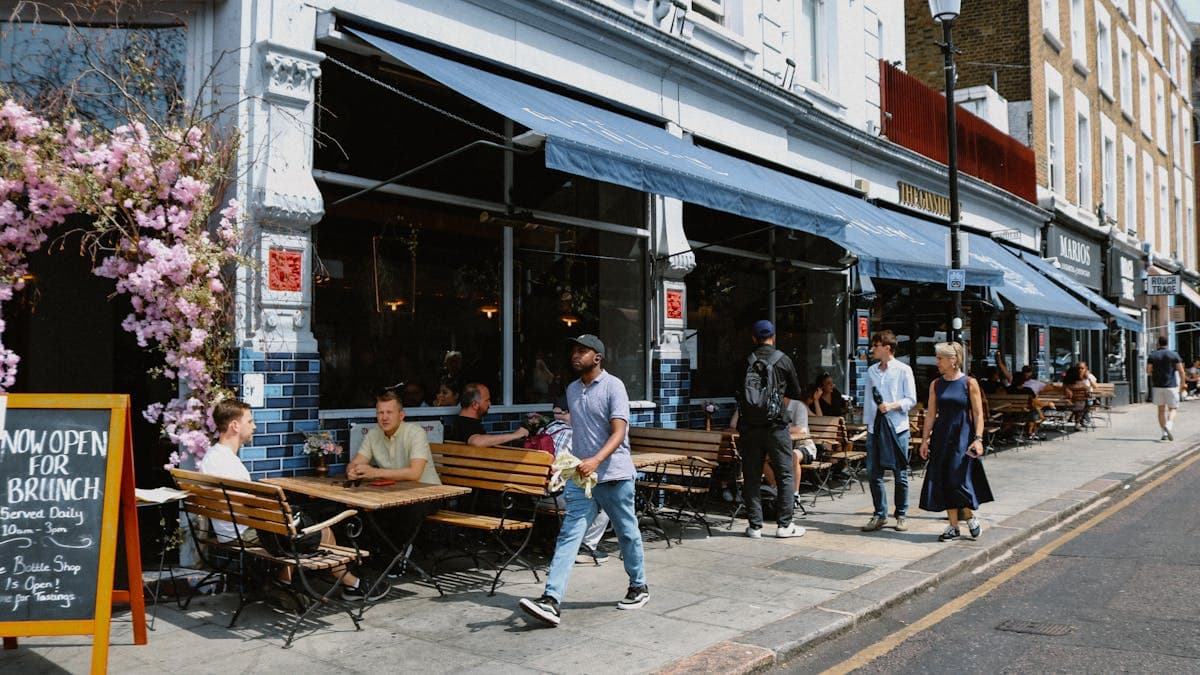
When someone is hungry and searching for a place to eat, Google is almost always the first place they turn. "Restaurants near me" is one of the most searched phrases on Google, and the businesses that show up in the local map pack capture the lion's share of those hungry customers. Your Google Business Profile is the single most important factor determining whether your restaurant appears in those results.
Unlike many other businesses, restaurants face unique challenges on Google. Customers want to see your menu, your food photos, your hours (especially holiday hours), and what other diners think before they decide where to eat. A fully optimized Google Business Profile addresses every one of these needs and puts your restaurant in front of people at the exact moment they are ready to make a dining decision.
This guide covers everything you need to do to make your restaurant's Google Business Profile work harder for you. If you are just getting started with Google Business Profile, our overview of why small businesses need Google Business Profile explains the fundamentals.
Why Google Business Profile Is Essential for Restaurants
The restaurant industry is intensely local and driven by immediate intent. When someone searches for food, they typically want to eat within the next hour or two. This means appearing in local search results at the right moment is critical.
Consider these dynamics that make Google Business Profile indispensable for restaurants:
High search volume. Food-related "near me" searches have grown consistently year over year. "Restaurants near me," "pizza near me," "Mexican food near me," and similar queries generate millions of searches daily.
Immediate decision-making. Unlike a search for a dentist or a lawyer, restaurant searches often lead to a decision within minutes. If your profile looks appealing and complete, you can capture that customer before they scroll any further.
Visual decision-making. Diners want to see what they will be eating. Restaurants with strong food photography on their profiles consistently outperform those without.
Review sensitivity. Restaurant reviews carry enormous weight. A half-star difference in rating can sway a potential customer to choose your competitor. Managing reviews actively is not optional for restaurants.
Selecting the Right Categories
Your primary category tells Google what type of restaurant you are, and it significantly impacts which searches trigger your listing. Choose your primary category carefully based on what most people would call your restaurant.
Common primary categories for restaurants:
- Restaurant (generic, use only if no specific type fits)
- Italian Restaurant
- Mexican Restaurant
- Chinese Restaurant
- Japanese Restaurant
- Thai Restaurant
- Indian Restaurant
- Pizza Restaurant
- Seafood Restaurant
- Steakhouse
- Sushi Restaurant
- Barbecue Restaurant
- Vegetarian Restaurant
- Fast Food Restaurant
- Cafe
- Bakery
- Bar and Grill
Adding secondary categories: If your Italian restaurant also serves pizza and has a bar, add "Pizza Restaurant" and "Bar" as secondary categories. Only add categories that genuinely describe your offerings.
For restaurants that span multiple cuisines, choose the most prominent one as your primary category and add others as secondary. Avoid selecting "Restaurant" as your primary if a more specific option exists, because specific categories tend to rank better for specific searches.
Crafting Your Restaurant Description
Your business description should make someone hungry and eager to visit. Within the 750-character limit, highlight what makes your restaurant special.
Elements to include:
- Your cuisine type and specialty dishes
- The dining atmosphere (casual, upscale, family-friendly, romantic)
- How long you have been serving the community
- Any notable accolades, awards, or media mentions
- Special offerings (craft cocktails, locally sourced ingredients, house-made pasta)
- Dietary accommodations (gluten-free options, vegan menu, allergen awareness)
Example description: "Casa Verde has been serving authentic Oaxacan cuisine in the heart of downtown Portland since 2012. Our menu features house-made moles, handmade tortillas, and fresh ceviches alongside a curated selection of Mexican wines and craft mezcal cocktails. We source our produce from local farms and import our chilies directly from Oaxaca. Join us for lunch, dinner, or weekend brunch on our sun-filled patio. Vegetarian and gluten-free options available on every menu section. Reservations recommended for Friday and Saturday evenings."
Uploading Your Menu
Google allows restaurants to add their menu directly to their Business Profile. This is one of the most underutilized features, and it can dramatically improve your visibility for specific food-related searches.
How to add your menu:
- Log into your Google Business Profile Manager
- Navigate to the "Menu" or "Food & Drinks" section
- Add menu sections (appetizers, entrees, desserts, drinks)
- For each item, include the name, description, and price
Menu optimization tips:
- Use descriptive item names that include common search terms ("Hand-Tossed Margherita Pizza" rather than just "Pizza #3")
- Write brief, appetizing descriptions for each item
- Keep prices updated. Nothing frustrates customers more than arriving to find prices higher than listed
- Include dietary labels (vegetarian, vegan, gluten-free) where applicable
- Update your menu seasonally if your offerings change
If you use a third-party menu service (like SinglePlatform or Popmenu), make sure the menu on your Google Business Profile stays synchronized with your actual menu. Outdated menus generate negative reviews and erode trust.
Food Photography That Drives Customers Through the Door
For restaurants, photos are not just helpful. They are essential. Your food photos may be the deciding factor for someone choosing between your restaurant and the one next door.
Professional-quality food photos:
You do not necessarily need a professional photographer, but you do need good lighting and presentation. Natural light works best for food photography. Avoid flash, which makes food look flat and unappetizing. Photograph dishes from above (flat lay) and at a 45-degree angle for variety.
Types of photos to include:
- Signature dishes. Your most popular and visually appealing items. These should be your best photos.
- Menu variety. Show appetizers, entrees, desserts, and drinks so customers can see the range of your offerings.
- Ambiance shots. Your dining room, patio, bar area, and any distinctive decor. People want to know what the vibe is like.
- Exterior photos. Your storefront, signage, and entrance. Help customers find you easily.
- Behind the scenes. Your kitchen, your chef at work, ingredients being prepared. These build authenticity and trust.
- Seasonal and special items. Limited-time offerings create urgency and show that your menu stays fresh.
Photo management tips:
- Upload at least 25 to 30 photos to start, then add new ones weekly
- Replace low-quality user-submitted photos by uploading superior versions of the same dishes
- Remove or report any inappropriate photos that others have uploaded
- Geotag your photos with your restaurant's location if your camera or phone does not do this automatically
Managing Hours, Special Hours, and Holiday Schedules
Incorrect hours are one of the fastest ways to lose a potential customer and earn a negative review. For restaurants, accurate hours are especially critical because people often check right before heading out.
Standard hours: Set your regular hours accurately for each day of the week. If you are closed on Mondays, mark it. If your kitchen closes at 9:30 PM but the bar stays open until midnight, list your main hours and note bar hours in your description or a post.
Special hours: Google allows you to set special hours for holidays and other occasions. Before every major holiday, update your special hours. Google will even prompt you to confirm hours around holidays, so take advantage of these reminders.
Seasonal changes: If your hours change seasonally (summer patio hours, winter early closings), update your profile promptly when the season changes.
If you use a reservation system, make sure your listed hours align with your available reservation times. For more on choosing the right booking platform, see our comparison of the best reservation systems for restaurants.
Building a Strong Review Profile
Reviews can make or break a restaurant. A study by Harvard Business School found that a one-star increase in Yelp rating leads to a 5 to 9 percent increase in revenue. The same principle applies to Google reviews. Our comprehensive guide on how to get more Google reviews provides strategies that work across industries.
Restaurant-specific review strategies:
- Table tents and receipts. Place a small card on each table or include a QR code on receipts that links directly to your Google review page.
- Server reminders. Train servers to mention reviews when a table compliments the food or experience. A simple "We are glad you enjoyed it, and we would love it if you shared that on Google" goes a long way.
- Follow-up messages. If you collect customer emails through reservations or a loyalty program, send a thank-you message with a review link 24 hours after their visit.
- Social media integration. Share positive Google reviews on your social media and encourage followers to leave their own.
Responding to reviews:
For positive reviews, thank the reviewer and mention something specific. "Thank you, Maria! We are thrilled you enjoyed the lobster risotto. Our chef will be delighted to hear it was a highlight of your evening."
For negative reviews about food quality, service, or wait times, acknowledge the issue, apologize sincerely, and explain any steps you are taking to address it. Invite the reviewer to contact you directly. Never be defensive or dismissive, even if you believe the review is unfair.
Handling food safety or health-related reviews: If a reviewer claims food poisoning or finds a foreign object in their food, take it extremely seriously. Respond promptly, express genuine concern, and ask them to contact you immediately. These reviews require careful handling to protect both the customer and your reputation.
Using Google Posts for Restaurants
Google Posts are a fantastic tool for restaurants because your offerings change frequently and there is always something new to promote.
Effective post types for restaurants:
- Daily or weekly specials. "Tonight's special: Pan-seared duck breast with cherry reduction, roasted fingerling potatoes, and seasonal vegetables. Available while supplies last."
- Happy hour promotions. "Join us for happy hour, Monday through Friday, 4 to 6 PM. Half-price appetizers and $5 house cocktails."
- Seasonal menu launches. "Our spring menu has arrived. Featuring fresh asparagus risotto, strawberry basil salad, and lavender creme brulee."
- Events. "Live jazz every Thursday evening from 7 to 10 PM. No cover charge. Reservations recommended."
- Holiday announcements. "Now accepting reservations for Mother's Day brunch. Special three-course menu available from 10 AM to 2 PM."
- Behind-the-scenes content. "Chef David just returned from a sourcing trip to Italy. Here is a sneak peek at the fresh truffles heading to your plate this weekend."
Post at least twice per week. Include a high-quality photo with every post and a clear call-to-action (reserve now, order online, call for details). Food-specific posts with attractive photos generate significantly more engagement than text-only updates.
Optimizing for Food-Specific Searches
Restaurants benefit from an enormous variety of search queries. Beyond "restaurants near me," people search for specific cuisines, dishes, dining occasions, and dietary needs.
Search queries to optimize for:
- Cuisine type: "Thai food near me," "best Italian restaurant in [city]"
- Specific dishes: "best burgers in [city]," "sushi near me"
- Dining occasion: "restaurants for date night," "family-friendly restaurants near me"
- Dietary needs: "vegan restaurants near me," "gluten-free dining [city]"
- Service type: "restaurants with outdoor seating," "restaurants open late"
- Price range: "cheap eats near me," "fine dining [city]"
How to rank for these searches:
- Ensure your categories reflect your cuisine type
- Mention specific popular dishes in your description and posts
- Use your Q&A section to address dietary accommodations
- Upload photos tagged with descriptive file names (grilled-salmon-entree.jpg, not IMG_4582.jpg)
- Encourage reviewers to mention specific dishes they enjoyed
To dive deeper into ranking for food-related search terms, see our guide on restaurant SEO and ranking for "food near me" searches.
Setting Up Online Ordering and Reservations
Google Business Profile supports direct integration with online ordering and reservation systems. Setting these up removes friction between searching and converting.
Online ordering: Google partners with several food ordering platforms. You can add a link to your own ordering system or use a third-party service. Having an "Order Online" button directly on your Google profile captures customers who want delivery or takeout without leaving search results.
Reservations: Similar to ordering, you can integrate reservation links from platforms like OpenTable, Resy, or your own booking system. A "Reserve a Table" button makes it easy for diners to commit in the moment.
Direct website links: If you prefer to drive traffic to your own website for ordering or reservations, make sure your website URL is up to date and that it leads to a mobile-friendly experience. Most restaurant searches happen on mobile devices.
Leveraging Attributes and Highlights
Google offers restaurant-specific attributes that help customers filter and find exactly what they want. Make sure you have selected all applicable attributes:
- Dining options: Dine-in, takeout, delivery, curbside pickup
- Meal types: Breakfast, lunch, dinner, brunch, dessert
- Accessibility: Wheelchair accessible entrance, seating, restroom
- Ambiance: Casual, cozy, upscale, trendy
- Crowd: Family-friendly, groups, date night
- Amenities: Outdoor seating, rooftop, fireplace, live music, Wi-Fi
- Payments: Credit cards, Apple Pay, Google Pay, cash only
- Alcohol: Full bar, beer and wine, cocktails, BYOB
- Service options: Catering, private events, private dining rooms
These attributes directly influence which searches your restaurant appears in. A customer searching for "restaurants with outdoor seating near me" will only see restaurants that have the outdoor seating attribute selected.
Managing the Q&A Section
Your Q&A section should answer the questions customers most commonly ask before deciding where to eat.
Proactively add these questions and answers:
- "Do you take reservations, or is it walk-in only?"
- "Is there parking available?"
- "Do you have a kids menu?"
- "Can you accommodate large parties?"
- "Do you have vegetarian/vegan/gluten-free options?"
- "Is the restaurant wheelchair accessible?"
- "Do you have outdoor seating?"
- "What is the dress code?"
- "Do you allow dogs on the patio?"
- "Can I bring my own wine or cake for a celebration?"
Monitor this section regularly. Unanswered questions look bad, and incorrect answers from random users can mislead potential customers.
Tracking Performance and Adjusting Strategy
Use Google Business Profile Insights to understand how customers find your restaurant and what actions they take.
Key metrics for restaurants:
- Search queries: Which food-related terms bring people to your profile? If "brunch" is a top query, create more brunch-focused content and posts.
- Photo views: Compare your photo views to competitors. If you are below average, invest in better food photography.
- Customer actions: Are people calling, visiting your website, or requesting directions? A high direction-request rate means your profile is driving foot traffic effectively.
- Popular times: Google shows when your restaurant is busiest based on anonymized location data. Use this to plan staffing and promote slower periods with special offers.
Review your metrics monthly and adjust your posting schedule, photo uploads, and promotional strategies based on what the data tells you.
Common Mistakes Restaurants Make
Outdated menus. Nothing generates negative reviews faster than a customer arriving to find the menu or prices differ from what they saw on Google. Update your online menu whenever you make changes.
Ignoring user-submitted photos. Customers will upload their own photos of your food. Some will be great, and others will be terrible. You cannot remove user photos, but you can bury unappealing ones by consistently uploading high-quality photos of your own.
Inconsistent hours. If your hours vary across Google, your website, Yelp, and DoorDash, customers will be confused and frustrated. Audit all platforms quarterly to ensure consistency.
Not responding to reviews. A restaurant that never responds to reviews appears unengaged. Even a simple "Thank you for dining with us" shows potential customers that you care.
Neglecting Google Posts. Restaurants have more reasons to post than almost any other business. Weekly specials, seasonal menus, events, and promotions should all be shared through posts.
Your Restaurant Google Business Profile Action Plan
This week:
- Audit your profile for accuracy (name, address, phone, hours, website)
- Select the most appropriate primary and secondary categories
- Write a compelling 750-character business description
- Upload at least 20 high-quality food, interior, and exterior photos
Next week:
- Add your complete menu with descriptions and current prices
- Seed your Q&A section with ten common questions and answers
- Set up online ordering and reservation links
- Select all applicable attributes
Ongoing:
- Post at least twice per week with photos and clear calls-to-action
- Respond to every review within 24 hours
- Upload 3 to 5 new photos weekly
- Update hours for every holiday and seasonal change
- Review Insights monthly and adjust your strategy
A fully optimized Google Business Profile is the most cost-effective marketing investment a restaurant can make. It costs nothing, reaches customers at the moment they are deciding where to eat, and creates a positive first impression that drives foot traffic through your door. The restaurants that take this seriously will consistently outperform those that do not.