Square vs Stripe for Small Business Payments
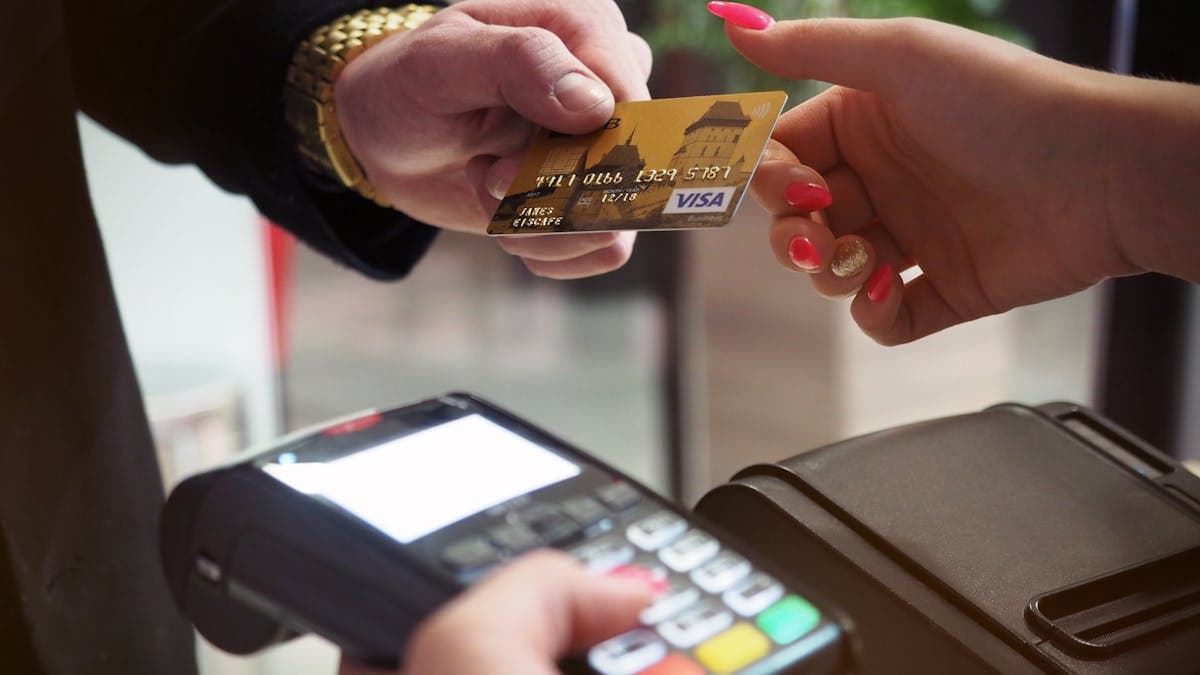
Payment processing is the backbone of every business that accepts payments from customers. Whether you sell coffee, consulting services, or handmade products online, you need a reliable way to get paid. Square and Stripe are two of the most popular payment processors for small businesses, but they are built for fundamentally different use cases. Choosing the right one can save you money, reduce friction for your customers, and simplify your operations.
This comparison covers everything small business owners need to know: processing fees, features, hardware options, online payment capabilities, and the specific business types where each platform excels.
The Fundamental Difference
Square and Stripe approach payment processing from opposite directions.
Square started with in-person payments. The company launched with a small card reader that plugged into a phone, making it possible for anyone to accept credit card payments without a traditional merchant account. Square has since expanded into a full business ecosystem with a point-of-sale system, online store, invoicing, banking, payroll, and marketing tools. But its DNA is in face-to-face transactions.
Stripe started with online payments. The company built its platform for developers and online businesses that need to accept payments through websites and apps. Stripe has expanded to support in-person payments (through Stripe Terminal), but its core strength is powering online payment experiences. Major companies like Shopify, Amazon, and Instacart use Stripe to process payments.
The simplest way to think about it: Square is built for businesses that interact with customers in person. Stripe is built for businesses that interact with customers online. Both can handle the other scenario, but they excel in their core domain.
Processing Fees
Payment processing fees directly impact your profit margins. Let's compare the actual costs.
Square Fees
Square uses flat-rate pricing with no monthly fees on the basic plan:
- In-person payments (card present): 2.6% + 10 cents per transaction
- Online payments (card not present): 2.9% + 30 cents per transaction
- Manually entered payments (keyed-in): 3.5% + 15 cents per transaction
- Invoices: 3.3% + 30 cents per transaction (2.9% + 30 cents when customers pay by bank transfer)
- Square Online checkout: 2.9% + 30 cents per transaction
No monthly fees, no setup fees, no early termination fees on the free plan. Square Plus plans for restaurants ($60/month per location) and retail ($60/month per location) offer additional features but the same processing rates.
Stripe Fees
Stripe also uses flat-rate pricing:
- Online payments (card present, domestic): 2.9% + 30 cents per transaction
- In-person payments (Stripe Terminal): 2.6% + 10 cents per transaction
- International cards: Additional 1.5% fee
- Currency conversion: Additional 1% fee
- ACH direct debit: 0.8%, capped at $5 per transaction
- Invoicing: 0.4% per paid invoice (on top of payment processing fees) on Stripe Invoicing, or 0.5% per paid invoice on Stripe Invoicing Plus
No monthly fees on the standard plan. Stripe offers volume discounts for businesses processing over $100,000/month through custom pricing.
Fee Comparison Verdict
For in-person payments, both charge 2.6% + 10 cents, making them essentially identical. For online payments, both charge 2.9% + 30 cents.
The differences appear in specific scenarios:
- Invoicing: Square is simpler (fees included in the transaction). Stripe adds an invoicing fee on top of processing fees.
- International payments: Stripe charges extra for international cards. Square's pricing is the same regardless of card origin (for domestic processing).
- ACH/bank transfers: Stripe offers ACH at 0.8% (capped at $5), which is significantly cheaper than card processing. Square offers ACH through Square Invoices at 1%.
- Volume discounts: Stripe offers custom pricing for high-volume businesses. Square's rates are fixed unless you upgrade to Square Plus plans.
For most small businesses, the processing fees are close enough that the choice should be based on features and fit rather than fees.
For a broader overview of payment options, see our guide on payment processing for small businesses.
In-Person Payment Hardware
Square Hardware
Square's hardware ecosystem is one of its biggest strengths:
- Square Reader (magstripe): Free (one per account)
- Square Reader (contactless and chip): $49. Accepts tap, chip, and Apple/Google Pay.
- Square Stand: $149. Turns an iPad into a countertop POS terminal.
- Square Terminal: $299. All-in-one device with built-in screen, printer, and card reader.
- Square Register: $799. Dual-screen system with customer-facing display. Full-featured countertop POS.
Square hardware is designed for ease of use. Setup takes minutes: plug in the device, connect to your Square account, and start accepting payments. The devices are well-built, attractive, and work reliably.
Stripe Hardware (Terminal)
Stripe Terminal offers in-person payment hardware:
- BBPOS WisePOS E: ~$249. Countertop reader with touchscreen.
- BBPOS Chipper 2X BT: ~$59. Mobile Bluetooth reader.
- Stripe Reader S700: ~$349. Smartphone-sized terminal with touchscreen and built-in receipt printer.
- Stripe Reader M2: ~$59. Compact mobile reader.
Stripe Terminal hardware is functional but requires more technical setup than Square. The devices integrate through Stripe's API, which means you typically need developer involvement or a compatible POS application to use them.
Hardware Verdict
Square wins decisively for in-person payment hardware. The product line is broader, easier to set up, and includes a free basic reader. Square's hardware is designed for business owners to set up themselves. Stripe's hardware is designed to be integrated by developers into custom POS solutions.
If you have a physical store, market stall, food truck, or any business that accepts payments in person, Square's hardware ecosystem is a major advantage.
Online Payment Capabilities
Stripe's Online Payments
Online payments are Stripe's core strength, and it shows:
- Checkout: Pre-built, customizable payment pages. Customers complete purchases without leaving a branded experience.
- Elements: Embeddable payment form components for custom checkout experiences.
- Payment Links: Shareable links that let customers pay without a website.
- Subscriptions: Built-in subscription billing with proration, trials, metering, and usage-based pricing.
- Payment methods: Credit/debit cards, ACH, SEPA, iDEAL, Klarna, Afterpay, Apple Pay, Google Pay, and dozens of region-specific methods.
- 3D Secure: Built-in authentication for reducing fraud on card-not-present transactions.
- Radar: AI-powered fraud prevention included on all accounts.
- Webhooks and API: Comprehensive developer tools for custom integrations.
Stripe's online payment experience is seamless, fast, and conversion-optimized. The checkout flow is designed to minimize cart abandonment and maximize successful payments.
Square's Online Payments
Square offers online payment capabilities through several products:
- Square Online: A basic website builder with integrated payments. Creates an online store with product listings, checkout, and shipping.
- Payment Links: Shareable links for quick online payments.
- Online Checkout API: Embeddable checkout for custom websites.
- Invoicing: Send invoices with online payment links.
- eCommerce integrations: Plugins for WooCommerce, Wix, and other platforms.
Square's online payment tools are functional and easy to set up, but they lack the sophistication of Stripe's offerings. The checkout experience is clean but less customizable. Subscription billing is basic compared to Stripe's flexible subscription engine.
Online Payments Verdict
Stripe wins for online payment capabilities. The depth of customization, the range of payment methods, the subscription billing features, and the developer tools are significantly more advanced than Square's online payment options. If your business operates primarily online, Stripe provides a more capable foundation.
For more on accepting online payments securely, check out our guide on secure online payments.
Point-of-Sale (POS) System
Square POS
Square's POS system is one of the best free POS solutions available:
- Free POS app for iOS and Android
- Product catalog management
- Inventory tracking
- Customer profiles and purchase history
- Employee management (clock-in/out, permissions)
- Basic loyalty program
- Gift cards
- Sales reporting and analytics
- Kitchen display system (restaurant-specific)
- Table management (restaurant-specific)
- Appointment booking (service business-specific)
Specialized POS versions exist for restaurants, retail, and appointments, each with industry-specific features. The free plan covers basic needs, while Square Plus plans ($60/month per location) add advanced features.
Stripe POS
Stripe does not offer a standalone POS application. Stripe Terminal provides the payment hardware and API, but you need a compatible POS application to manage the customer-facing experience. Several third-party POS systems integrate with Stripe Terminal, but you are assembling a solution rather than using an all-in-one system.
POS Verdict
Square wins by a wide margin for point-of-sale needs. If your business needs a POS system, Square offers a complete, free, well-designed solution. Stripe does not compete in this space directly.
For a deeper look at POS options, see our article on the best POS systems for small businesses.
Invoicing
Both platforms offer invoicing with different strengths.
Square Invoicing is free and straightforward. Create professional invoices, accept online payments, send automatic reminders, and track payment status. Invoices can include multiple items, discounts, and tips. The mobile app makes it easy to send invoices on the go. Processing fees are 3.3% + 30 cents per card payment or 1% for bank transfers.
Stripe Invoicing offers more customization and automation. Create branded invoices, set up automatic collection for recurring invoices, and use smart retries for failed payments. Stripe's invoicing integrates with its subscription billing for complex recurring arrangements. However, Stripe charges a 0.4-0.5% fee on top of payment processing fees for invoicing.
Verdict: Square's invoicing is simpler and cheaper (no additional invoicing fee). Stripe's invoicing is more powerful for businesses with complex billing needs. For most small businesses that send straightforward invoices, Square is the better choice.
Business Tools and Ecosystem
Square's Ecosystem
Square has evolved into a comprehensive business platform:
- Square Online: Free website builder with ecommerce
- Square Payroll: Full-service payroll ($35/month + $6/employee/month)
- Square Banking: Business checking and savings accounts, loans
- Square Marketing: Email and text marketing campaigns
- Square Loyalty: Customer loyalty program
- Square Team Management: Employee scheduling and management
- Square Appointments: Booking and scheduling for service businesses
The ecosystem is designed for small business owners who want a single provider for multiple business needs. Each tool integrates seamlessly with Square's payment processing and POS.
Stripe's Ecosystem
Stripe offers complementary financial services:
- Stripe Billing: Subscription and recurring payment management
- Stripe Connect: Platform payment tools for marketplaces
- Stripe Atlas: Business incorporation and banking setup
- Stripe Capital: Business financing based on processing history
- Stripe Tax: Automatic sales tax calculation and collection
- Stripe Sigma: SQL-based analytics and reporting
- Stripe Identity: Identity verification
Stripe's ecosystem is more developer-focused and infrastructure-oriented. The tools are powerful but designed for integration into custom business systems rather than used as standalone products.
Ecosystem Verdict
Square's ecosystem is more practical for typical small businesses. You can manage payments, online presence, payroll, banking, and marketing from a single platform without technical expertise. Stripe's ecosystem is more powerful for online businesses and platforms but requires more technical skill to leverage fully.
Mobile Payments
For businesses that need to accept payments on the go, both platforms offer mobile solutions.
Square offers a seamless mobile experience. The free POS app on your phone, paired with the free card reader, turns any smartphone into a payment terminal. The experience is polished and reliable. Customers can tap, insert chip, or swipe cards. You can also accept payments by phone with manually entered card numbers.
Stripe offers mobile payment options through Stripe Terminal's portable readers (M2 and Chipper 2X BT). These Bluetooth readers connect to a mobile app (which you build or use from a third-party). The experience works but requires more setup than Square's plug-and-play approach.
For a comprehensive look at mobile payment options, see our article on mobile payment solutions for small businesses.
Verdict: Square is the clear winner for mobile payments. The setup is simpler, the app is better, and the hardware is more accessible.
International Payments
If your business serves international customers, payment acceptance across borders matters.
Square operates in the US, Canada, UK, Australia, Japan, and Ireland. Payment processing is limited to the country where your account is registered. International card acceptance is available, but Square is not the best fit for businesses that sell globally.
Stripe operates in 47+ countries and supports 135+ currencies. International payment method support is extensive, including region-specific options like SEPA Direct Debit (Europe), iDEAL (Netherlands), Bancontact (Belgium), and many more. For businesses selling internationally, Stripe's global reach is a significant advantage.
Verdict: Stripe wins for international payments. If you sell to customers outside your home country, Stripe's multi-currency and multi-payment-method support is far superior.
Security and Fraud Prevention
Both platforms take security seriously.
Square includes built-in fraud detection, PCI compliance, and end-to-end encryption on all accounts. The fraud prevention is automatic and requires no configuration. For most in-person and low-risk transactions, Square's security is transparent and effective.
Stripe offers Radar, an AI-powered fraud prevention system included on all accounts. Radar analyzes billions of data points to detect and block fraudulent transactions. Stripe also offers 3D Secure authentication, customizable fraud rules (on Radar for Fraud Teams, an add-on), and machine learning models that adapt to your business patterns.
Verdict: Both platforms provide strong security. Stripe's Radar is more sophisticated and customizable for online businesses that face higher fraud risk. Square's built-in protection is effective for in-person and lower-risk online transactions.
When to Choose Square
Square is the better choice if:
- You accept payments in person (retail, restaurants, markets, events, services)
- You want a free POS system that works out of the box
- You need mobile payment acceptance with minimal setup
- You prefer an all-in-one business platform (payments, POS, payroll, banking)
- You are not technical and want a plug-and-play solution
- You run a restaurant, retail store, or service business with a physical location
- Invoicing is a regular part of your business
When to Choose Stripe
Stripe is the better choice if:
- Your business operates primarily online
- You need subscription or recurring billing
- You sell to international customers in multiple currencies
- You (or your developer) want deep customization of the payment experience
- You run a marketplace or platform that needs to pay out to multiple sellers
- You need advanced fraud prevention for high-volume online transactions
- You are integrating payments into a custom website or application
The Bottom Line
Square and Stripe are both excellent payment processors, but they serve different business models. Square is the better choice for businesses with significant in-person payment volume, and Stripe is the better choice for businesses that operate primarily online.
If your business does both (accepting payments in person and online), consider where the majority of your revenue comes from. A restaurant that also takes online orders should choose Square. An ecommerce store that occasionally sells at pop-up markets should choose Stripe.
The good news is that both platforms are easy to start with and charge no monthly fees on their basic plans. You can sign up, test the experience, and even process real payments before fully committing. Many businesses start with one and add the other as needed, since there is no exclusivity requirement.
The most important step is to start accepting payments in the way your customers prefer. Every day you make it harder for customers to pay you is a day of lost revenue.