What Is a CMS and Why Does Your Small Business Need One?
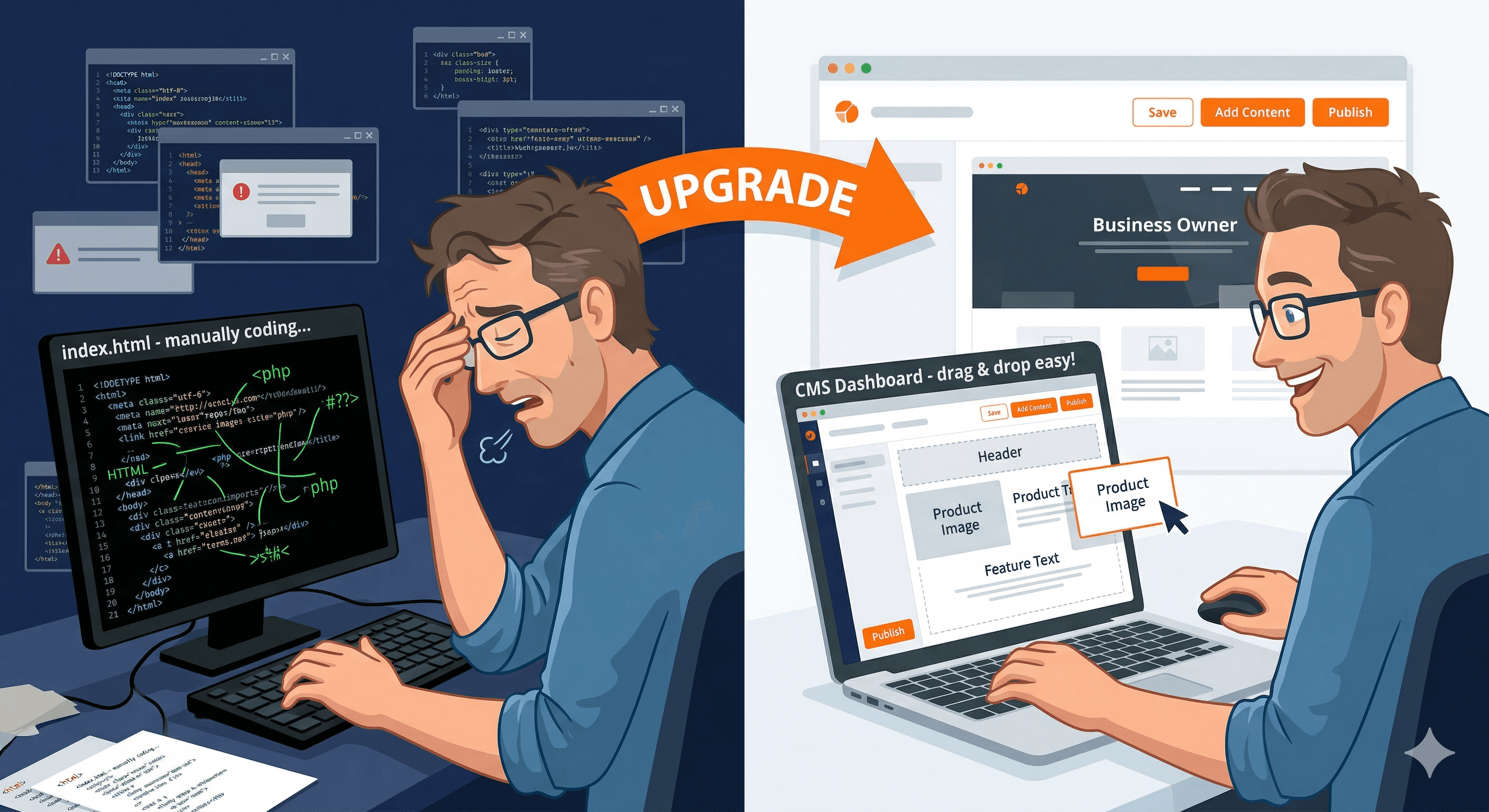
A content management system, or CMS, is software that lets you create, edit, and manage your website content without writing code. Instead of hiring a developer every time you want to update your hours, add a blog post, or change a photo, a CMS gives you a simple editor that works more like a word processor than a programming environment.
How a CMS Works
Think of a CMS as two separate layers. The back end is where you log in, write content, upload images, and manage your site structure. The front end is what your visitors see: the finished website with your design, text, and images all in place.
When you type a blog post in the CMS editor and hit publish, the system automatically formats your text, places it in your site template, adds it to your navigation and sitemap, and makes it live for visitors. No code required.
Popular CMS Options for Small Businesses
WordPress powers over 40% of all websites on the internet. We explore whether it is the right fit in our article on whether WordPress is the best choice for small business. It is open-source, free to use, and has thousands of themes and plugins. The tradeoff is that it requires hosting, security management, and regular updates.
Squarespace is an all-in-one platform that handles hosting, security, and design. It is easier to use than WordPress but less flexible. Pricing starts around $16 per month.
Wix offers a drag-and-drop editor that is the most beginner-friendly option. It is great for simple business websites but can feel limiting as your needs grow.
Shopify is the best choice if you are primarily selling products online. It handles payments, inventory, and shipping in addition to content management.
Do You Actually Need a CMS?
If you plan to update your website more than once or twice a year, yes. Without a CMS, every change requires a developer, which means delays and costs. With a CMS, you can update your business hours at midnight, publish a blog post on a Sunday morning, or add a new service page whenever you want.
The question is not whether you need a CMS. It is which CMS fits your business, your budget, and your technical comfort level. If you are weighing the options, our article on custom websites vs website builders can help you decide.
How to Choose the Right CMS for Your Business
Choosing a CMS comes down to four factors: your technical skill level, your budget, your growth plans, and the type of content you need to manage.
For a detailed comparison of the top options, take a look at our review of the best CMS platforms for small businesses. If you want maximum control and flexibility, and you are comfortable managing hosting and updates (or willing to pay someone to do it), WordPress is hard to beat. Its plugin ecosystem means you can add almost any feature you need, from appointment booking to e-commerce. The tradeoff is responsibility: you need to keep everything updated and secure.
If you want simplicity above all else and you are building a straightforward business website with five to fifteen pages, Squarespace or Wix will get you up and running fastest. Our best website builders review compares these platforms side by side. You trade flexibility for convenience. These platforms handle hosting, security, and updates for you. The downside is that you are locked into their ecosystem and their pricing.
If you sell physical products online, Shopify is purpose-built for e-commerce and handles payment processing, inventory management, and shipping calculations out of the box. While you can add e-commerce to WordPress or Squarespace, Shopify does it better and more reliably for most small businesses.
For businesses that need something more modern and performant, headless CMS platforms like Sanity, Contentful, or Strapi separate your content from your website's design. This approach gives developers complete freedom over the front end while giving content editors a clean, focused editing experience. The downside is that headless setups typically require a developer to build and maintain. Our comparison of headless CMS vs traditional CMS for small businesses breaks down the trade-offs in detail. If the idea of a modern, API-driven architecture appeals to you, our explainer on Jamstack for small businesses covers how this approach delivers faster performance with simpler hosting.
Common CMS Mistakes Small Businesses Make
The most common mistake is choosing a CMS based on what your neighbor or competitor uses instead of evaluating your own needs. A restaurant does not have the same website requirements as a law firm, and a CMS that works perfectly for one business can be frustrating for another.
Another frequent mistake is installing too many plugins or add-ons. Every plugin adds code to your site, which can slow it down, create security vulnerabilities, and cause compatibility issues when you update. Only install plugins you actually need and use, and remove anything that is sitting inactive.
Many small business owners also neglect regular backups. Your CMS makes it easy to update content, but that also means it is easy to accidentally delete something important. Set up automatic backups so you always have a recent copy of your site to restore if something goes wrong.
Finally, do not skip the learning phase. Every CMS has a learning curve, and spending a few hours going through tutorials when you first set up will save you countless hours of frustration later. Most CMS platforms have excellent documentation and YouTube tutorials that can get you comfortable in an afternoon.
When a CMS Might Not Be the Right Fit
Not every website needs a CMS. If you are building a simple one-page website that you update once a year, a static HTML page or a hosted landing page tool might be more appropriate. A CMS adds complexity, and if you are not going to use the content management features, that complexity is not worth it.
Similarly, if your website is extremely performance-sensitive (like a landing page that needs to load in under one second), a static site generator might be a better choice than a traditional CMS. These tools generate plain HTML files that load incredibly fast, though they require more technical knowledge to set up and maintain.
Getting Started with a CMS
If you are ready to choose a CMS, our complete guide to building a small business website walks you through the full process from platform selection to launch. Start by writing down your requirements. How often will you update your website? Do you need e-commerce features? What is your monthly budget for hosting and tools? How comfortable are you with technology? Are you planning to grow significantly in the next two to three years?
With those answers in hand, try free trials of two or three platforms that seem like a good fit. Most CMS platforms offer at least a 14-day trial. Spend time in the editor, try adding a page and a blog post, and see how the experience feels. The best CMS for your business is the one you will actually use consistently, not the one with the most features on a comparison chart.