Best CRM Software for Small Businesses (2026)
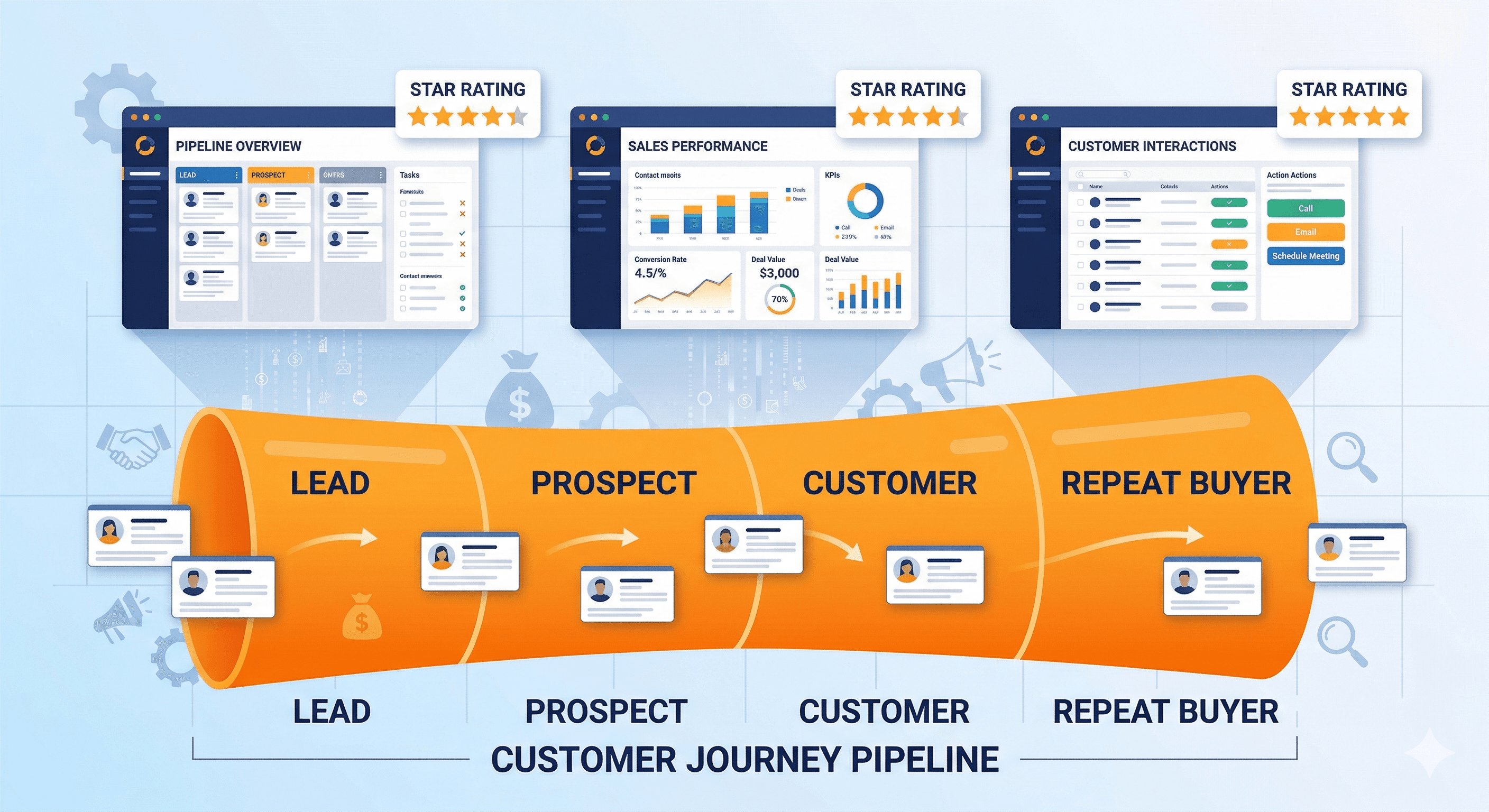
A customer relationship management (CRM) platform is one of those tools that small business owners often ignore until they realize they have been losing leads, forgetting follow-ups, and tracking everything in a messy spreadsheet. If that sounds familiar, you are not alone. The good news is that CRM software has become far more accessible and affordable in recent years, with several strong options designed specifically for small teams.
We tested five of the most popular CRM platforms by signing up, importing sample data, building pipelines, and running day-to-day sales workflows. If you are specifically choosing between the two biggest names, our dedicated HubSpot vs Salesforce comparison for small business breaks down that decision in detail. Our goal was to evaluate each platform from the perspective of a small business owner who needs something practical, not a tool that requires a full-time administrator to configure.
If your business relies on inbound leads from your website, a CRM pairs well with a solid contact form setup to make sure no inquiry slips through the cracks.
What We Evaluated
We focused on five criteria throughout our testing:
- Ease of setup and daily use. Can a non-technical business owner get started without hiring a consultant?
- Contact and deal management. How well does each platform handle your pipeline, contacts, and communication history?
- Automation and workflows. Can you automate repetitive tasks like follow-up emails and status changes?
- Integrations. Does it connect with your email, calendar, website forms, and other tools?
- Pricing. What does it actually cost for a small team, including any hidden fees for features you need?
Quick Comparison Table
| Feature | HubSpot CRM (Free) | Zoho CRM | Salesforce Essentials | Freshsales | Pipedrive | |---|---|---|---|---|---| | Starting Price | Free (paid from $20/mo) | $14/user/mo | $25/user/mo | $9/user/mo | $14/user/mo | | Free Plan | Yes (generous) | Yes (3 users) | No (trial only) | Yes (limited) | No (trial only) | | Contact Limit (Free/Base) | 1,000,000 | 100,000 | Unlimited | Unlimited | Unlimited | | Email Integration | Yes | Yes | Yes | Yes | Yes | | Pipeline Management | Yes | Yes | Yes | Yes | Yes (best in class) | | Marketing Tools | Yes (built in) | Separate product | Separate product | Limited | Limited | | Mobile App | Excellent | Good | Good | Good | Excellent | | Ease of Use | Very Easy | Moderate | Difficult | Easy | Very Easy | | Best For | All-rounders | Budget teams | Growing enterprises | Support-heavy | Sales-focused |
HubSpot CRM: Best Free CRM for Small Businesses
HubSpot has built its reputation on offering a genuinely useful free CRM, and in 2026 it remains the best no-cost option available. The free tier includes contact management, deal tracking, email integration, meeting scheduling, and a basic reporting dashboard. For many small businesses, this is everything you need.
The interface is clean and intuitive. Adding contacts, logging calls, and moving deals through your pipeline feels natural from day one. HubSpot also provides a live chat widget and basic form builder that you can embed on your website, which means your CRM can start capturing leads immediately.
Where HubSpot gets expensive is when you outgrow the free tier. The Starter plan begins at $20 per month per seat, but the Professional tier (which unlocks advanced automation, custom reporting, and sequences) jumps to $100 per month per seat. For a team of five, that is $500 per month, which is a significant jump from free.
Pros
- The free plan is genuinely useful with no time limit
- Excellent user interface that requires minimal training
- Built-in marketing tools (email, forms, live chat) on the free plan
- Massive integration ecosystem with over 1,500 apps
- Outstanding educational resources and onboarding guides
Cons
- Pricing escalates quickly once you need advanced features
- The free plan limits you to basic automation (no sequences)
- Reporting is restricted unless you upgrade to Professional
- Some features are spread across separate "Hubs" that each have their own pricing
- Data migration out of HubSpot can be cumbersome
Who Should Choose HubSpot
HubSpot is ideal for small businesses that want a polished, all-in-one platform without paying anything upfront. If you are just starting to organize your sales process and want room to grow, HubSpot's free tier gives you a strong foundation. It is also the best choice for businesses that want marketing and sales tools in the same platform.
Zoho CRM: Best Budget Option for Small Teams
Zoho CRM offers remarkable value at its price point. The Standard plan starts at $14 per user per month (billed annually), and it includes features that competitors reserve for much higher tiers: workflow automation, custom dashboards, scoring rules, and multiple pipelines.
The platform is part of the broader Zoho ecosystem, which includes over 45 business applications covering everything from email and project management to accounting and HR. If you are already using Zoho products, the CRM integrates seamlessly. Even if you are not, the CRM stands well on its own.
Setup takes more time than HubSpot. Zoho offers a lot of customization options, which is powerful but can feel overwhelming during initial configuration. The interface has improved significantly over the past few years, but it still feels slightly more cluttered than HubSpot or Pipedrive.
Zoho also offers a free plan for up to three users, which includes basic contact management, tasks, and events. It is more limited than HubSpot's free tier, but it works if your team is very small and you just need the basics.
Pros
- Excellent value at $14/user/month with features that rivals charge much more for
- Deep customization options for fields, modules, layouts, and workflows
- Part of a comprehensive ecosystem of business apps
- Strong automation capabilities even on lower tiers
- Free plan available for teams of three or fewer
Cons
- Interface can feel cluttered compared to simpler alternatives
- Initial setup and customization takes more effort
- Customer support response times can be slow on lower-tier plans
- Some integrations with non-Zoho products require workarounds
- The mobile app, while functional, is not as polished as HubSpot or Pipedrive
Who Should Choose Zoho CRM
Zoho CRM is the best choice for budget-conscious small businesses that want powerful features without paying premium prices. It works especially well for teams that are already using (or are willing to use) other Zoho products. If you need extensive customization and do not mind investing time in setup, Zoho delivers outstanding bang for your buck.
Salesforce Essentials: Best for Businesses Planning to Scale
Salesforce is the dominant player in enterprise CRM, and Essentials is their entry-level plan designed for small businesses. At $25 per user per month, it is not the cheapest option, but it gives you access to the Salesforce ecosystem, which is unmatched in terms of depth, integrations, and scalability.
The advantage of starting with Salesforce is that you will never outgrow it. As your business expands, you can upgrade to more powerful Salesforce plans without migrating your data to a new platform. The AppExchange marketplace offers thousands of add-ons for virtually any business need.
However, Salesforce's power comes with complexity. The learning curve is steeper than any other platform on this list. The interface, while improved in recent years, still has an enterprise feel that can overwhelm small business owners who just want to track their leads and deals. You may need to invest time in Salesforce Trailhead (their free training platform) to get comfortable.
Pros
- Unmatched scalability: you will never need to switch platforms
- Massive AppExchange marketplace with thousands of integrations
- Extremely powerful reporting and analytics
- Industry-specific solutions for healthcare, finance, real estate, and more
- Excellent mobile app with full feature parity
Cons
- Steepest learning curve of any CRM on this list
- $25/user/month is the highest entry price
- Essentials plan limits you to 10 users (you must upgrade beyond that)
- The interface can feel overwhelming for simple sales processes
- Many useful features require add-ons or higher-tier plans
Who Should Choose Salesforce Essentials
Salesforce Essentials is the right choice if you expect your business to grow significantly and want a CRM you will not outgrow. It also makes sense if you need industry-specific features or plan to build complex, multi-step automation workflows in the future. If you are a team of two or three with a straightforward sales process, Salesforce is likely overkill.
Freshsales: Best for Customer Support Integration
Freshsales (by Freshworks) offers a clean, modern CRM that starts at just $9 per user per month for the Growth plan. The platform stands out for its built-in phone system, AI-powered lead scoring, and tight integration with Freshdesk (Freshworks' customer support platform).
The user interface is one of the more pleasant CRM experiences available. It strikes a good balance between simplicity and functionality, offering enough features for a growing sales team without the clutter of more complex platforms. The Kanban-style deal pipeline is visual and easy to manage.
Freshsales includes a built-in phone with call recording, which is a standout feature at this price point. Most competitors require a separate telephony integration. The AI assistant, Freddy, provides lead scoring and deal insights, though its usefulness depends on having enough data to work with.
The free plan (Freshsales Free) covers basic contact management for up to three users, but it is fairly limited compared to HubSpot's free tier.
Pros
- Competitive pricing at $9/user/month for the Growth plan
- Built-in phone system with call recording (no separate integration needed)
- AI-powered lead scoring and deal insights
- Clean, modern interface that is easy to learn
- Excellent integration with Freshdesk for combined sales and support
Cons
- The free plan is significantly more limited than HubSpot's
- Email tracking and sequences require the Pro plan ($39/user/month)
- Smaller integration ecosystem compared to HubSpot or Salesforce
- Reporting on lower tiers is basic
- Less community support and third-party resources than major competitors
Who Should Choose Freshsales
Freshsales is ideal for small businesses that handle a lot of phone-based sales or need tight integration between their sales and customer support teams. The built-in phone system alone can save you $20 to $50 per user per month on a separate VoIP integration. It is also a solid choice for teams that want a clean interface at a low price point.
Pipedrive: Best for Sales-Focused Teams
Pipedrive was built by salespeople for salespeople, and that focus shows in every part of the product. The entire platform is organized around the visual deal pipeline, making it the most intuitive option for teams whose primary workflow is moving deals from initial contact to closed.
The pipeline view is Pipedrive's signature feature. Deals are displayed as cards in a Kanban board, and you can drag them between stages, set activities, and see at a glance where every deal stands. This visual approach makes it easy to spot bottlenecks and prioritize follow-ups.
Pipedrive also excels at activity-based selling. Instead of just tracking deal values and stages, the platform encourages you to schedule and complete activities (calls, emails, meetings) that move deals forward. This approach helps sales teams stay disciplined about their follow-up process.
At $14 per user per month for the Essential plan, Pipedrive offers good value, though it lacks a free plan. The Professional plan at $49 per user per month adds advanced automation, revenue forecasting, and e-signature support.
Pros
- Best visual pipeline management of any CRM tested
- Extremely intuitive interface focused on sales activities
- Strong automation features on mid-tier plans
- Excellent mobile app for on-the-go deal management
- Activity-based approach keeps teams focused on next steps
Cons
- No free plan available (14-day trial only)
- Marketing and support features are minimal compared to HubSpot
- Reporting is limited on the Essential plan
- No built-in invoicing or quoting on lower tiers
- Not ideal for businesses that need a combined sales and marketing platform
Who Should Choose Pipedrive
Pipedrive is the best choice for small sales teams that want a dedicated, focused tool for managing their pipeline. If your primary need is tracking deals from lead to close and ensuring consistent follow-up, Pipedrive does this better than any competitor. It is less suitable for businesses that want an all-in-one platform covering marketing, support, and sales.
How to Choose the Right CRM
Selecting a CRM depends on your specific situation. Here are some guidelines based on common small business scenarios:
You are a solo founder or very small team with no budget: Start with HubSpot's free plan. It provides the most functionality at no cost and can grow with you.
You want maximum features at the lowest price: Zoho CRM offers the best value per dollar. The $14/user/month Standard plan includes features that HubSpot and Salesforce reserve for plans costing three to five times more.
Your business is growing fast and you need to scale: Salesforce Essentials gives you access to the most powerful CRM ecosystem in the world. The learning curve is worth it if you plan to build a large sales operation.
You run a phone-heavy sales process: Freshsales has the best built-in telephony. The included phone system with call recording saves you from needing a separate integration.
Your team lives and breathes pipeline management: Pipedrive's visual pipeline and activity-based approach will feel like home. It is the most focused and intuitive tool for pure sales workflow.
CRM Implementation Tips for Small Businesses
Choosing the right CRM is only half the battle. Here are some practical tips for getting value from your investment:
Start simple. Do not try to customize every field and workflow on day one. Begin with the basics (contacts, deals, activities) and add complexity as you learn what your team actually needs.
Import your data carefully. Most CRMs make it easy to import contacts from a CSV file, but take time to clean your data first. Remove duplicates, standardize company names, and fill in missing information before importing.
Set up your pipeline stages. Define clear stages that match your actual sales process. A typical small business pipeline might include: New Lead, Contacted, Qualified, Proposal Sent, Negotiation, Closed Won, Closed Lost. Keep it simple and adjust over time.
Connect your email. Every CRM on this list integrates with Gmail and Outlook. Connecting your email means that all correspondence is automatically logged against the relevant contact, so you never lose track of a conversation.
Use automation sparingly at first. Automation is powerful, but poorly designed workflows can create confusion. Start with one or two simple automations (like sending a follow-up email when a deal moves to a new stage) and build from there.
Train your team. A CRM only works if everyone uses it consistently. Spend time training your team, set clear expectations about data entry, and lead by example.
If you are also building out your email marketing strategy, most of these CRMs integrate with popular email platforms, though HubSpot has the strongest built-in email marketing tools.
Integration Considerations
A CRM does not exist in isolation. It needs to connect with your website, email, calendar, accounting software, and other tools your business uses. Before committing to a platform, verify that it integrates with your existing stack.
HubSpot and Salesforce offer the largest integration ecosystems, with connections to virtually every popular business tool. Zoho integrates best within its own ecosystem. Pipedrive and Freshsales have smaller but growing integration libraries.
For a broader look at the tools that should connect with your CRM and website, our guide on essential website integrations for small business covers the major categories.
Most CRMs also offer API access, which means a developer can build custom integrations if a pre-built connector is not available. However, for most small businesses, the built-in integration options will be sufficient.
Our Final Verdict
For most small businesses, HubSpot CRM is the best starting point. The free plan is genuinely useful, the interface is excellent, and you have a clear upgrade path when you need more features. If budget is your primary concern and you need more features at a lower price, Zoho CRM is the strongest value proposition. And if your team is purely sales-focused, Pipedrive offers the most intuitive pipeline management experience available.
Whichever platform you choose, the most important step is getting started. A basic CRM that your team actually uses will always outperform a sophisticated system that sits empty. Pick one, import your contacts, and start building better relationships with your customers.