Website Tips for Barbershops: Get Found and Get Booked
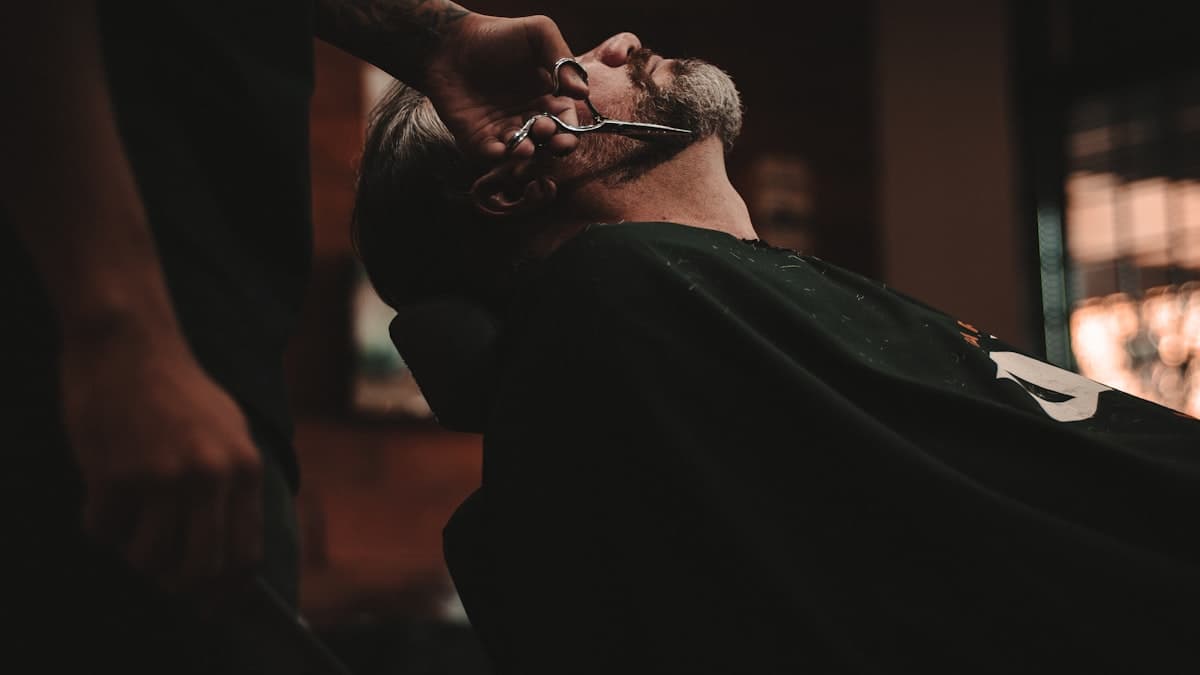
Your barbershop might have the best barbers in town, a waiting list that stretches around the block on Saturdays, and a reputation built over decades. But when someone new moves to the neighborhood and searches "barbershop near me," your shop is invisible if you do not have a website that shows up. The days when a barbershop could survive on walk-ins and word of mouth alone are fading. A growing number of clients, especially younger ones, expect to find you online, see your work, read reviews, and book an appointment before they ever walk through the door.
The good news is that a barbershop website does not need to be complicated. It needs to do a few things exceptionally well: show up in local search results, make a strong first impression, and make booking an appointment effortless. Here is how to build a website that keeps your chairs full.
Put Your Best Work Front and Center
Barbering is a visual craft. Your website should prove your skill the moment someone lands on it. No amount of clever copy will convince someone to trust you with their hair. But a gallery of sharp fades, clean lineups, and well-groomed beards does the convincing in seconds.
Build a portfolio gallery. Dedicate a prominent section of your homepage (and a full gallery page) to photos of your work. Organize by style: fades, tapers, classic cuts, beard trims, designs. When a potential client can see a haircut similar to what they want, executed perfectly, you have already won half the battle.
Use high-quality photos consistently. You do not need a professional photographer for every shot. A modern smartphone with good lighting produces excellent results. The key is consistency: same background (your barber chair), similar lighting, and multiple angles. Before-and-after shots are particularly compelling.
Update your gallery regularly. A gallery with photos from two years ago suggests your shop is stuck in the past. Add fresh work weekly or biweekly. This keeps your website current and gives you new content for social media.
Tag and categorize images. If someone is looking specifically for a skin fade or a scissor cut, they should be able to find examples quickly. Categories or tags on your gallery page help visitors find the style they want.
Feature your barbers' individual work. If you have multiple barbers, create sections or pages for each one. Clients often choose a barbershop based on a specific barber's portfolio. Letting visitors browse individual barbers' work helps them choose the right one for their style.
Dominate Local Search Results
For barbershops, local SEO is the single most important digital marketing investment. Almost every new client starts with a local search: "barbershop near me," "best barber in [neighborhood]," or "men's haircut [city]." Showing up in those results puts you in front of people who are ready to book.
Claim and optimize your Google Business Profile. This is not optional. Your Google Business Profile is the listing that appears in Google Maps and the local pack (the three businesses shown at the top of local search results). Complete every field: business name, address, phone number, hours, services, and photos. Post updates weekly and respond to every review.
Ensure NAP consistency. NAP stands for Name, Address, Phone number. These three pieces of information must be identical everywhere they appear online: your website, Google Business Profile, Yelp, Facebook, and every directory listing. Inconsistencies confuse search engines and hurt your local ranking.
Add location-specific keywords naturally. Your homepage title might be "Classic Barbershop in Downtown Austin, TX." Your services page might mention "Serving the East Village, Alphabet City, and Lower East Side neighborhoods." Weave location references throughout your content without forcing them.
Create a dedicated page for each service. Instead of listing all services on one page, give your primary services their own pages: "Fade Haircuts in [City]," "Beard Grooming Services," "Hot Towel Shave [City]." Each page targets a specific search term and provides more content for search engines to index.
Build local citations. List your barbershop on every relevant directory: Google, Yelp, Bing Places, Apple Maps, Foursquare, Yellow Pages, and barbershop-specific directories. For a complete walkthrough, our local SEO guide covers every step in detail.
Make Online Booking the Default
Walk-ins will always be part of barbershop culture. But offering online booking does not replace walk-ins. It fills gaps in your schedule, reduces no-shows, and serves the growing number of clients who prefer to plan their appointments in advance.
Choose a booking system built for barbershops. Platforms like Booksy, Squire, Boulevard, or Fresha are designed specifically for barbers and salons. They handle appointment scheduling, barber selection, service selection, reminders, and point-of-sale processing.
Place the booking button everywhere. Your homepage, navigation bar, services page, barber profiles, and contact page should all have a prominent "Book Now" button. Use a contrasting color so it stands out on every page.
Let clients choose their barber. Your booking system should allow clients to select a specific barber when scheduling. Display each barber's availability so clients can find a time with their preferred person.
Show real-time availability. When a client clicks "Book Now," they should see actual open time slots, not a contact form that requires waiting for a response. Instant confirmation keeps the momentum going.
Send automatic reminders. Text or email reminders 24 hours before an appointment reduce no-shows significantly. Most booking platforms include this feature. Make sure it is turned on.
Allow easy rescheduling and cancellation. Life happens. Making it easy for clients to reschedule (rather than simply not showing up) protects your schedule and maintains the client relationship.
Build Trust Before They Walk In
Choosing a new barber feels risky. A bad haircut is visible to everyone for weeks. Your website needs to build enough trust that a first-time client feels confident booking.
Display Google reviews prominently. If you have 200 five-star reviews, that number should be on your homepage. Link to your Google listing so skeptical visitors can read reviews themselves. For tips on growing your review count, check out our guide on how to get more Google reviews.
Show your shop's atmosphere. Photos and a short video walkthrough of your space help newcomers know what to expect. The leather chairs, the vintage decor, the barber poles, the coffee machine, and the TVs playing the game all contribute to the experience. Show it.
List your barbers' experience and specialties. A brief bio for each barber that includes years of experience, training background, and specialties (fades, classic cuts, beard sculpting) builds credibility.
Feature client testimonials. In addition to Google review counts, pull specific quotes from happy clients and display them throughout your site. "Best fade I have ever gotten. Been coming here for three years and will never go anywhere else." That kind of specific, enthusiastic praise is powerful.
Display your licenses and certifications. State barbering licenses, health department certifications, and any advanced training credentials should be visible. These signals are especially important for clients who are particular about hygiene and professionalism.
Design for Speed and Simplicity
A barbershop website does not need to be complicated. In fact, simplicity is an advantage. Your visitors want to see your work, check your hours, find your address, and book an appointment. Everything else is secondary.
Keep navigation simple. Five to seven main navigation items are plenty: Home, Services, Gallery, Barbers, Book Now, Contact. Do not bury important pages under dropdowns or cryptic labels.
Make essential information instantly visible. Your homepage should display your address, phone number, hours, and booking button within the first screen (no scrolling required on desktop). On mobile, a tappable phone number and a "Get Directions" link to Google Maps are essential.
Optimize for mobile devices. More than 70% of your traffic will come from smartphones. Test every page and the entire booking flow on a phone. Buttons should be large enough to tap, text should be readable without zooming, and pages should load in under three seconds.
Use fast-loading images. Your gallery is image-heavy, which can slow down your site. Compress all images, use modern formats (WebP), and implement lazy loading so images only load as visitors scroll to them.
Skip the intro video. Auto-playing videos slow down page loads and annoy visitors on mobile data plans. If you want to feature a video, let visitors choose to play it.
Showcase Your Services With Clear Pricing
Barbershop clients want to know what you offer and how much it costs before they book. A clear, well-organized services page removes guesswork and sets expectations.
List every service with a price. Haircut, fade, beard trim, hot towel shave, kids' cut, senior cut, lineup, hair design. Every service you offer should be listed with its current price. Hiding prices creates friction and makes your shop seem more expensive than it might be.
Describe what each service includes. "Premium Haircut: $35. Includes consultation, shampoo, cut, and styling. Approximately 45 minutes." This tells the client exactly what they are getting, how much it costs, and how long to expect.
Group services logically. Organize by category: Haircuts, Beard Services, Combination Packages, Add-Ons. This structure makes the page scannable and helps clients find what they need.
Highlight packages and bundles. "The Works: Haircut, Beard Trim, and Hot Towel Shave for $65 (save $15)" encourages clients to book additional services and increases your average ticket.
Note service duration. Knowing that a haircut takes 30 minutes and a full service takes 60 minutes helps clients plan their visit, especially when booking around other commitments.
Tell Your Shop's Story
Every great barbershop has a story: the founder who learned to cut hair from his grandfather, the shop that has been on the same corner for 40 years, the young barber who left a corporate job to pursue a passion. Your story humanizes your business and creates emotional connection.
Write an about page that has personality. Ditch the corporate biography style. Write like you talk. Share why you opened the shop, what your philosophy is, and what makes your place different. Humor, authenticity, and pride in your craft all belong here.
Feature your team individually. Each barber should have a photo, a brief bio, their specialties, and a link to book directly with them. Clients who feel connected to a specific barber are more loyal than clients who just visit "the shop."
Share your shop's history. If your barbershop has been around for decades, that legacy is a powerful trust signal. Timeline photos, old newspaper clippings, or stories from long-time clients add depth to your brand.
Show your community involvement. Do you sponsor a little league team? Offer free haircuts to the homeless? Host a back-to-school haircut event? Community involvement builds goodwill and gives visitors another reason to choose your shop.
Leverage Your Google Business Profile as a Second Website
For many barbershops, the Google Business Profile gets more views than the actual website. Treat it as a critical marketing channel, not an afterthought.
Post updates weekly. Google Business lets you publish posts with photos, offers, and updates. Share your latest work, announce holiday hours, promote special offers, or spotlight a barber. These posts appear in your business listing and signal to Google that your business is active.
Upload photos regularly. Google Business listings with more than 100 photos get significantly more clicks than those with fewer than 10. Upload photos of your work, your shop interior, your team, and even your products. Encourage clients to upload photos too.
Respond to every review. Thank positive reviewers by name and address negative reviews professionally. Your responses show prospective clients how you handle feedback and demonstrate that you care about the client experience. Our guide on why small businesses need a Google Business Profile explains how to maximize this free marketing tool.
Keep your information current. Holiday hours, temporary closures, new services, and updated phone numbers should be reflected on your Google Business Profile immediately. Incorrect information frustrates clients and damages trust.
Enable messaging. Google Business messaging lets potential clients ask questions directly from your listing. Quick responses to inquiries ("Do you take walk-ins on Saturdays?" or "Do you cut kids' hair?") can convert casual interest into a booked appointment.
Collect and Display Reviews Strategically
Reviews are the lifeblood of a local barbershop's online presence. They influence search rankings, build trust, and directly drive new client bookings.
Ask every satisfied client for a review. Print a small card with a QR code linking to your Google review page. Hand it to clients after a great cut and say "If you liked the cut, a review would mean a lot." Most happy clients are willing; they just need to be asked.
Make the review process easy. A direct link to your Google review page (not your general business listing) removes friction. The fewer clicks required, the more reviews you will collect.
Respond to negative reviews gracefully. Every business gets an occasional negative review. Respond professionally, acknowledge the concern, and offer to make it right. "We are sorry your experience did not meet our standards. Please reach out to us directly at [phone number] so we can make it right." Future clients will judge you more by your response than by the complaint.
Feature your best reviews on your website. Pull quotes from your strongest Google reviews and display them on your homepage, services page, and barber profile pages. Include the reviewer's first name and initial for authenticity.
Sell Products and Gift Cards Online
Many barbershops leave money on the table by not selling products and gift cards through their website. These additional revenue streams require minimal effort once set up.
Feature your product line. If you sell pomades, beard oils, shampoos, or grooming kits, display them on your website with product photos, descriptions, and prices. A simple e-commerce setup or even a link to an external shop (Shopify, Square Online) lets clients purchase products between visits.
Sell gift cards prominently. Gift cards are one of the easiest revenue generators for barbershops, especially around holidays, Father's Day, and graduation season. Feature gift card purchases on your homepage and create a dedicated gift card page with multiple denominations. Digital delivery via email makes the purchase instant and convenient.
Bundle products with services. "The Gentleman's Package: Haircut, Beard Trim, and Premium Pomade for $65" encourages higher-value transactions and introduces clients to products they might purchase again.
Display products in your shop photos. When photographing your space, include your retail shelf in the background. This subtle product placement introduces your offerings without hard selling.
Use Social Media to Drive Website Traffic
Your barbershop's social media presence and website should work together, with social channels driving traffic to your website and your website converting that traffic into bookings.
Post your best work on Instagram and link to your booking page. Every portfolio photo you share should include a call to action in the caption: "Want this look? Book with [barber name] at [link in bio]." Make your bio link point to your booking page.
Share client transformations as Reels or TikToks. Short before-and-after videos of haircuts generate significant engagement on social media. Include your website URL in your profile and mention booking in the video caption.
Cross-promote between platforms. Share your Google review count on social media ("200 five-star reviews and counting") with a link to your website. Post blog content or grooming tips from your website to your social channels.
Embed your social feed on your website. A live Instagram feed on your homepage shows visitors your latest work and demonstrates that your shop is active and popular. It also keeps your website visually fresh without you manually updating photos.
Keep Your Website Fresh and Working
A barbershop website is not a "set it and forget it" project. Regular maintenance keeps it effective and prevents small problems from becoming client-losing issues.
Check your booking link monthly. A broken booking link is a broken business. Test the entire booking flow from your website regularly to ensure everything works.
Update your gallery. Add new photos at least twice a month. Fresh content keeps your site interesting and gives returning visitors something new to see.
Review your hours and pricing. When you change your hours or adjust prices, update your website and Google Business Profile on the same day.
Monitor your site speed. As you add photos and content, your site can slow down. Check loading speed quarterly and optimize as needed.
Check your contact information. A wrong phone number or outdated address can cost you dozens of potential clients before you even realize the mistake.
Refresh your about page and barber bios. When a barber leaves or a new one joins, update the website immediately. When a barber earns a new certification or wins a competition, add that to their profile. Keeping profiles current shows that you care about the details, which is exactly the quality clients look for in a barber.
Review your analytics quarterly. Check which pages get the most traffic, where visitors come from, and how many people click your booking button. Even basic analytics data helps you understand what is working. If your gallery page gets twice the traffic of any other page, invest more in photography. If most visitors arrive through Google, double down on local SEO.
Your barbershop website is your digital storefront. It does not need flashy features or complex design. It needs to showcase your craft, make booking easy, and appear when your next great client searches for a barber. Get those fundamentals right, and your chairs will stay full.