Dental Practice Website Design That Converts
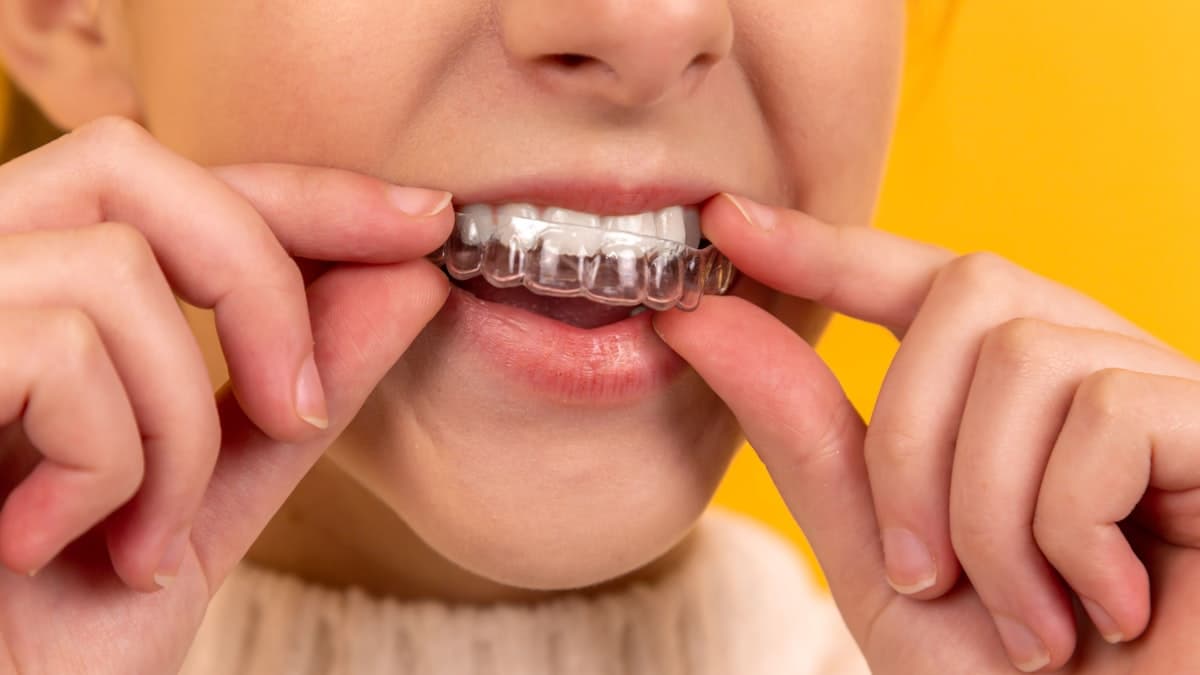
A patient chips a tooth on Saturday morning. Another patient has been putting off finding a new dentist for six months and finally decides today is the day. A parent needs a pediatric dentist for their child's first visit. All three of them do the same thing: pull out their phone, search Google, and start judging dental practices by their websites. Within a few minutes, they have each made a decision. The practice with the modern website, clear information, and easy online booking gets the new patient. The practice with the outdated site, stock photos, and a "call during business hours" message gets nothing.
Dental practices live and die by new patient acquisition. Your website is the primary tool that turns searchers into patients, and the gap between a good dental website and a mediocre one is measured in hundreds of thousands of dollars in annual revenue. This guide covers exactly what patients look for when evaluating dental practice websites and how to design a site that earns their trust and their appointment.
Understanding How Patients Choose a Dentist Online
Before we get into design specifics, it helps to understand the psychology behind how patients select a dental practice. Research consistently shows that dental patients weigh several factors when making their decision, and the order of importance might surprise you.
Reviews come first. Multiple studies confirm that online reviews are the single most influential factor in dental practice selection. Patients read reviews before they even visit your website. Your Google review rating and the content of individual reviews carry more weight than your credentials, your office photos, or your years in practice.
Insurance and cost come second. Patients want to know immediately whether you accept their insurance. If they cannot find this information quickly on your website, many will leave rather than call to ask. For uninsured patients, pricing transparency (or at least a mention of financing options) is equally important.
Location and convenience matter. Proximity to home or work, available hours (especially evenings and weekends), and ease of booking all factor into the decision. Patients are not willing to drive 30 minutes for a routine cleaning when there are five dentists within five minutes.
The website's look and feel signal quality. Patients judge the quality of your dental care partly by the quality of your website. An outdated, poorly designed website subconsciously suggests outdated equipment and outdated practices. A modern, clean, professional website suggests a practice that invests in quality across the board.
The dentist's personality matters. Dental anxiety is real and widespread. Patients want to get a sense of who they will be trusting with their oral health. Team photos, video introductions, and a warm, welcoming tone help anxious patients feel comfortable before they walk through the door.
Designing a Homepage That Earns Patient Trust
Your homepage is the most visited page on your site and the one that carries the heaviest burden. It needs to build trust, communicate essential information, and drive appointment bookings, all within the first few seconds of a visit.
Lead with a welcoming, patient-focused headline. "Gentle, Caring Dentistry for Your Whole Family" or "Accepting New Patients in Brookfield" is more effective than "Welcome to Brookfield Dental Associates, Established 1987." The headline should make the visitor feel welcome and confirm they are in the right place.
Show your team, not stock photos. A genuine photo of your dental team, smiling and looking approachable in your actual office, is one of the most powerful elements you can place on your homepage. Patients want to see the people who will be caring for them. Stock photos of models with impossibly perfect teeth do not build trust; they build skepticism.
Display your Google review rating prominently. "4.8 Stars from 600+ Google Reviews" near the top of your homepage provides instant social proof. Link to your Google reviews so visitors can read them. If your rating is below 4.5, focus on improving it through review generation before drawing attention to it.
Make insurance information easy to find. A section that says "We Accept Most Major Insurance Plans" with a list of the plans you accept (or a link to a complete list) eliminates one of the biggest barriers to booking. Include a note about what to do if a patient's insurance is not listed.
Feature a prominent booking call to action. "Schedule Your Appointment" should be one of the most visible elements on the page. Include both a booking button (linked to your online scheduling system) and a phone number for patients who prefer to call. Make both options equally easy to find.
Mention your most sought-after services. Highlight four to six services that drive the most new patient inquiries: cleanings and exams, cosmetic dentistry, dental implants, emergency dental care, orthodontics (Invisalign), and teeth whitening. Link each to a dedicated service page.
For a foundational understanding of effective website design, start with our complete guide to building a small business website.
Creating Service Pages Patients Actually Read
Each dental service should have its own dedicated page. These pages serve two purposes: they rank in search engines for specific service-related queries, and they educate patients about procedures they may be anxious about or unfamiliar with.
Write for patients, not for dentists. A dental implants page should not read like a clinical textbook. It should explain what implants are, who they are for, what the process involves, how long it takes, what recovery looks like, and what the results can achieve. Use plain language and address the concerns patients actually have.
Address anxiety and pain directly. For procedures that cause anxiety (root canals, extractions, implants), explicitly address the fear. "We understand that root canals have a bad reputation. The truth is that modern root canal treatment is similar to getting a filling, and most patients report little to no discomfort." Acknowledging the anxiety and then countering it with reassuring facts is more effective than ignoring it.
Include before-and-after photos. For cosmetic services (veneers, whitening, Invisalign, smile makeovers), before-and-after photos are the most persuasive content you can provide. With patient consent, photograph results and display them alongside the procedure description.
Provide pricing guidance or financing information. Patients searching for "dental implant cost" or "Invisalign price near me" want numbers. If you cannot provide exact prices (because costs vary by case), provide ranges: "Dental implants typically range from $3,000 to $5,000 per tooth, depending on the complexity of the case." Include information about financing through CareCredit, in-house payment plans, or other options. If you are trying to budget for the website itself, our guide on how much a dental website costs covers realistic price ranges for design, development, and ongoing maintenance.
End every page with a booking CTA. After educating the patient about the service, guide them to the next step: "Ready to discuss whether dental implants are right for you? Schedule a free consultation today." Include both a booking link and a phone number.
Building a Reviews and Testimonials Strategy
Reviews are the currency of trust for dental practices. They influence both search rankings and patient decisions. Your website should make reviews a central part of the patient experience.
Create a dedicated reviews or testimonials page. Compile your best reviews from Google, Healthgrades, Zocdoc, and direct patient feedback. Display them with the patient's first name, star rating, and a snippet of their review. Organize them by service type if possible: a section for general dentistry reviews, a section for cosmetic dentistry, and a section for pediatric dentistry.
Embed live Google reviews on your homepage. Use a widget that pulls your latest Google reviews directly onto your site. This shows visitors that your reviews are real, current, and verifiable. The live feed also means new reviews appear automatically without manual updates.
Feature video testimonials. A 30 to 60-second video of a real patient describing their experience at your practice is exponentially more powerful than text. Video testimonials convey emotion, authenticity, and satisfaction in a way that written reviews cannot match. Even smartphone-quality video is effective if the content is genuine. For tips on creating great video testimonials, read about how testimonial page design builds trust.
Generate reviews systematically. After each appointment, send a text message or email with a direct link to your Google review page. Use your practice management software to automate this process. The key is consistency: aim for two to five new reviews per week, not a burst of 50 followed by six months of silence.
Respond to every review. Thank positive reviewers by name and mention something specific about their visit. Respond to negative reviews with empathy, professionalism, and an invitation to resolve the issue offline. Your responses are public and reveal your practice's character to every potential patient who reads them.
Optimizing for "Dentist Near Me" Searches
Ranking well in local search is a critical part of any dental practice's online strategy. For a deeper look at the specific tactics that move the needle, our guide to dental SEO and local search ranking covers everything from Google Business Profile optimization to citation building.
Local SEO is the engine that drives new patients to your website. When someone searches "dentist near me," "emergency dentist [city]," or "best dentist in [neighborhood]," the practices that appear on the first page of Google and in the map pack get the vast majority of clicks.
Optimize your Google Business Profile meticulously. Your profile should include accurate business information, comprehensive categories (Dentist, Cosmetic Dentist, Pediatric Dentist, Emergency Dental Service as applicable), a complete service list, business hours, photos, and regular posts. This profile is often the first thing patients see, even before your website.
Create location-specific content. If your practice serves patients from multiple cities or neighborhoods, mention those areas throughout your website. "Serving patients in Brookfield, Elm Grove, New Berlin, and the greater Waukesha County area" helps with local search relevance.
Build citations on healthcare directories. List your practice on Healthgrades, Zocdoc, Vitals, WebMD, Yelp, and local directories with consistent Name, Address, and Phone information. Healthcare-specific citations carry additional weight for dental practice SEO.
Use dental-specific schema markup. Add structured data that identifies your business as a Dentist, includes your address, phone number, hours, services, and aggregate review rating. This helps search engines display rich results with stars and business details.
Publish locally relevant content. Blog posts about dental topics specific to your area ("How Fluoridated Water in [City] Affects Your Dental Health" or "Emergency Dental Care Available Nights and Weekends in [City]") target local search queries and demonstrate community involvement.
Designing for the Anxious Patient
Dental anxiety affects an estimated 36% of the population, and an additional 12% have severe dental phobia. This means nearly half of your potential patients are approaching your website with some level of fear. Your design choices should acknowledge and address this anxiety.
Use calming visual design. Soft colors (blues, greens, warm neutrals), generous white space, and friendly typography create a calming visual environment. Avoid harsh reds, clinical whites, and stark contrasts that can feel intimidating. The goal is a website that feels warm and welcoming, not sterile and clinical.
Show comfortable, modern office photos. Photographs of your waiting room, treatment rooms, and amenities (TVs on the ceiling, comfortable chairs, noise-canceling headphones) show patients that your office is designed for comfort. Modern equipment also signals that procedures will be faster, less painful, and more precise.
Address sedation and comfort options. If you offer nitrous oxide, oral sedation, or IV sedation, feature these options prominently. Create a dedicated page that explains each option, who it is for, and what the experience is like. For anxious patients, knowing that sedation is available can be the deciding factor in booking.
Share your philosophy on patient comfort. A section on your homepage or about page that says "We believe dental care should be comfortable and stress-free. Our team takes the time to explain every procedure, answer your questions, and ensure you feel at ease before we begin" speaks directly to the anxious patient's core concern.
Use friendly, non-clinical language. "We will make sure you are comfortable throughout your visit" is better than "We administer local anesthesia to minimize discomfort during procedures." The first statement feels like a promise from a caring person. The second sounds like a clinical protocol.
Making Online Booking Easy and Accessible
Patients increasingly expect to book dental appointments online, and the practices that offer seamless digital booking convert more website visitors into patients.
Offer true online scheduling. Choosing the right booking system can transform your patient acquisition. We cover the tools and strategies in detail in our guide to online patient booking for dental practices. Patients should be able to see available time slots, select a date and time, and confirm their appointment without calling your office. Tools like Zocdoc, NexHealth, LocalMed, and Dentrix's online scheduling module make this possible.
Place the booking button on every page. A "Book an Appointment" button should be in your header (visible on every page), on the homepage hero, on every service page, and in the footer. Do not make patients search for the booking option.
Reduce the booking form to essentials. New patient name, phone number, email, and the reason for the visit (new patient exam, cleaning, specific concern). You can collect insurance information, medical history, and detailed intake forms after the appointment is confirmed, through a digital intake form sent via email.
Send automated confirmations and reminders. Text and email confirmations immediately after booking, plus reminders at 48 hours and 24 hours before the appointment. Automated reminders reduce no-shows significantly.
Offer emergency contact options. For after-hours emergencies, display a phone number and clear instructions: "Experiencing a dental emergency? Call (555) 123-4567 for immediate assistance. We offer same-day emergency appointments during business hours." This captures patients who might otherwise go to an ER or a competitor.
Writing Website Copy That Converts
The words on your dental website matter more than most practice owners realize. Copy that connects with patients on an emotional level converts significantly better than generic, clinical language.
Open with empathy. "Finding a dentist you trust can be overwhelming. We get it." is a stronger opening than "Our practice provides comprehensive dental care." The first statement acknowledges the patient's experience. The second talks about you.
Focus on outcomes, not procedures. "Walk out with a smile you are proud to show off" is more compelling than "We offer porcelain veneers, dental bonding, and teeth whitening." Patients care about results. They care about the procedure only insofar as it delivers the result they want. For more guidance on writing patient-focused copy, see our tips on writing website copy that converts.
Use short paragraphs and clear headings. Patients scanning your website are looking for specific information. Long paragraphs and missing headings make it hard to find. Keep paragraphs to two to three sentences, use descriptive headings, and break up text with bullet points where appropriate.
Avoid clinical jargon. "We will take some pictures of your teeth" is friendlier than "We will acquire periapical and bitewing radiographs." Your website copy should feel like a conversation with a friendly dentist, not a clinical manual.
Include a clear new patient section. A dedicated "New Patients" page or section that explains what to expect at a first visit, what to bring, how long the appointment takes, and what insurance you accept removes uncertainty and makes the first appointment less intimidating.
Mobile Optimization for Patient Convenience
Over 70% of patients searching for a dentist use a mobile device, and many of them are searching during moments of urgency: a sudden toothache, a chipped tooth, or a lunchbreak decision to finally book that overdue cleaning. Your mobile experience needs to be perfect.
Make the phone number and booking button always accessible. A sticky header with a phone number and a "Book Now" button ensures that no matter how far someone scrolls, they can always take action immediately.
Ensure fast load times. Compress images (especially office and team photos), minimize plugins, and use a fast hosting provider. A dental website that takes four seconds to load on mobile loses a significant percentage of potential patients before they see a single word of content.
Test the entire patient journey on a phone. Open your site on a phone, navigate to a service page, read about the procedure, find insurance information, and book an appointment. Every step should be intuitive, fast, and free of frustrating pinch-to-zoom moments.
Make forms thumb-friendly. Booking forms and contact forms should use large input fields, appropriate keyboard types (number pad for phone numbers), and enough spacing that users do not accidentally tap the wrong field.
Simplify navigation. Five to six items maximum: Home, Services, About/Team, Patient Info, Reviews, and Book Now. The booking link should be visually distinct from other navigation items to draw attention.
Tracking Website Performance and Patient Acquisition
A dental practice website should be measured by one primary metric: new patient appointments generated. Every other metric (traffic, page views, time on site) matters only insofar as it contributes to that outcome.
Track appointment bookings from your website. Whether bookings happen through an online scheduling tool, a phone call, or a contact form, track how many new patients arrive through your website each month. Use call tracking to attribute phone calls to your website specifically.
Monitor Google Business Profile performance. Track how many people view your profile, click to your website, request directions, and call your office. These metrics reveal how your local search presence is performing.
Watch your search rankings. Track your position for "dentist [your city]," "dentist near me" (checking from your office location), and specific service terms like "dental implants [your city]" and "emergency dentist [your city]."
Analyze which pages drive the most bookings. If your Invisalign page generates three times more appointment requests than your dental implants page, that data should inform your marketing strategy. Invest more in promoting high-converting pages and improve low-converting ones.
Measure and improve over time. Your website is a living marketing asset, not a one-time project. Update content regularly, add new patient testimonials, refresh your photo gallery, and test different headlines and CTAs. The practices that treat their websites as dynamic tools consistently outperform those that set it and forget it.
Your Roadmap to a Patient-Generating Website
Building a dental website that consistently generates new patients is not about flashy design or expensive technology. It is about understanding what patients need to see before they trust you with their oral health, and then delivering that information clearly, quickly, and professionally.
Start with these high-impact priorities: make booking easy and prominent on every page, display your Google reviews with pride, show real photos of your team and office, provide clear service and insurance information, and optimize your Google Business Profile. For a step-by-step walkthrough of every essential page and feature, use our dental website checklist to make sure nothing gets missed. These five elements, done well, will produce more new patients than any amount of generic content or fancy animations.
Once your website is generating traffic, a systematic dental marketing strategy ensures you are converting that traffic into long-term patient relationships through reviews, referrals, content, and community outreach. The dental practices winning online in 2026 are the ones that treat their website as their most important marketing asset. They update it regularly, measure its performance, and continuously improve based on what the data tells them. Your website works 24 hours a day, seven days a week, representing your practice to every potential patient who finds it. Make sure it is doing your practice justice.