Google Business Profile for Salons
When someone searches for "hair salon near me" or "best balayage in [city]," they are usually ready to book an appointment. They have already decided they need a service and they are looking for the right place. Your Google Business Profile is your chance to win that client before they even visit your website.
For salons, Google Business Profile is uniquely powerful because the beauty industry is visual, review-driven, and deeply local. Potential clients want to see your work, read what other clients think, and understand your pricing and services before they pick up the phone. A fully optimized profile gives them everything they need to choose you with confidence.
This guide covers every aspect of Google Business Profile optimization specifically for hair salons, nail salons, barbershops, and beauty businesses. Whether you are a single-chair stylist or run a multi-location salon, these strategies will help you attract more clients from local search.
Why Google Business Profile Is Essential for Salons
The salon industry runs on local clientele. Your customers live and work within a reasonable distance of your location, and they find you primarily through search, social media, and word of mouth. Google Business Profile bridges all three: it surfaces your business in local searches, displays your reviews (digital word of mouth), and showcases your work through photos.
Here is what makes Google Business Profile particularly important for salons:
Visual decision-making. People choose salons based on the quality of work they can see. Your Google Business Profile photos are often the first portfolio a potential client views.
High review sensitivity. Trusting someone with your appearance is personal. Potential clients read reviews carefully and pay attention to both the rating and the content of individual reviews.
Frequent repeat business. Unlike many industries where customers come once, salon clients return regularly. Each new client you acquire through Google Business Profile can represent years of repeat visits and referrals.
Service-specific searches. People do not just search for "salon near me." They search for "balayage near me," "keratin treatment [city]," "nail salon with dip powder." The right optimization makes you visible for these high-intent queries.
If you have not yet set up your profile, our guide on why small businesses need Google Business Profile explains the basics.
Choosing the Right Categories
Your primary category should describe what your salon primarily offers, while secondary categories cover additional services.
Primary category options:
- Hair Salon (for full-service hair salons)
- Beauty Salon (for salons offering hair, nails, and other services)
- Barber Shop (for barbershops)
- Nail Salon (for nail-focused businesses)
- Day Spa (if spa services are your primary offering)
Secondary categories to add:
- Hair Salon (if not your primary)
- Nail Salon (if you offer nail services)
- Waxing Hair Removal Service
- Facial Spa
- Eyebrow Bar
- Eyelash Salon
- Hair Extensions Service
- Tanning Salon
- Bridal Hair and Makeup Service
- Barbershop (if you serve all genders)
Choose categories based on the services that drive the most business and that you want to be found for. If you are primarily a hair salon that also does nails, "Hair Salon" should be primary with "Nail Salon" as secondary.
Writing a Description That Attracts Your Ideal Clients
Your description should communicate your salon's personality, expertise, and specialties. In the beauty industry, your vibe matters as much as your skills.
Elements to include:
- How long you have been in business
- Your specialties and signature services
- The experience your clients can expect (atmosphere, approach)
- Products and brands you use
- What sets you apart from other salons
- Booking information
Example description: "Bloom Hair Studio has been creating beautiful, personalized looks in downtown Denver since 2016. We specialize in balayage, lived-in color, precision cuts, and keratin smoothing treatments. Our team of experienced stylists uses only professional-grade products from Olaplex, Redken, and Kevin Murphy. We believe in honest consultations and customized color formulas that work with your hair's natural texture and your lifestyle. Walk-ins welcome, but appointments are recommended. Book online or call us today."
Photos That Showcase Your Best Work
For salons, photos are everything. Your Google Business Profile photo gallery functions as a portfolio that potential clients browse before deciding to book.
Essential photo types for salons:
- Before-and-after transformations. These are the most powerful photos for salons. Show dramatic color changes, haircut transformations, and styling results side by side.
- Finished looks. Close-up and styled shots of your best work. Include a variety of hair types, colors, and lengths to appeal to a broad audience.
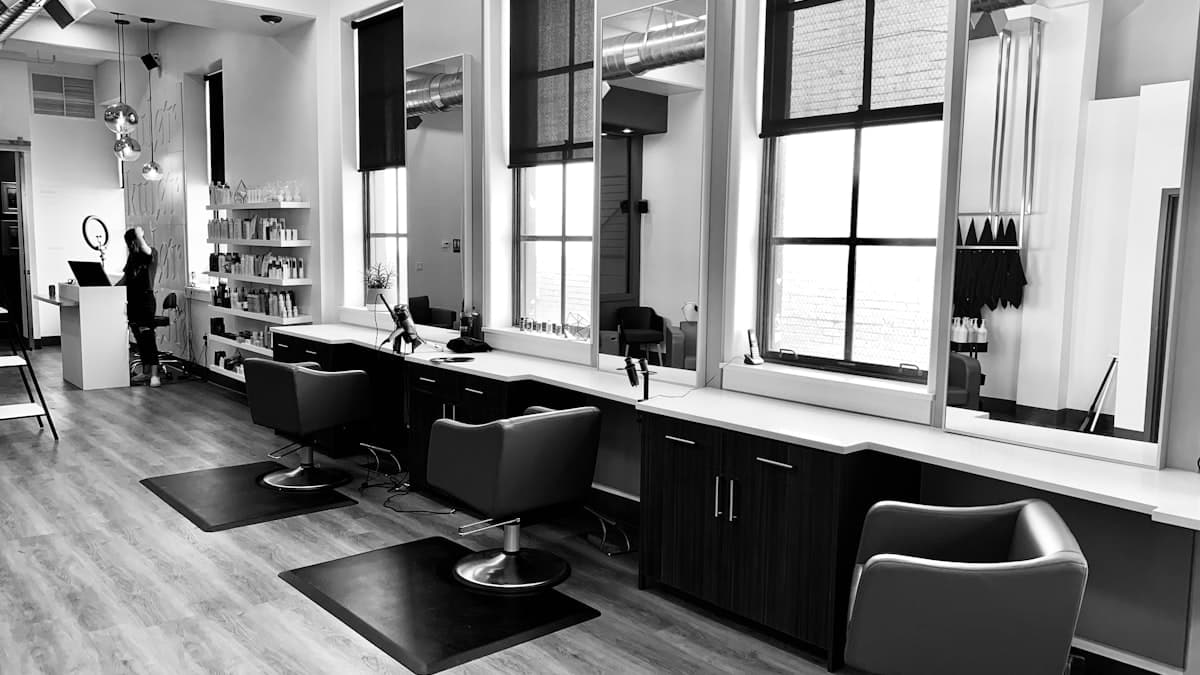
- Salon interior. Your styling stations, wash area, waiting area, and any special features (exposed brick, modern decor, relaxation lounge). The ambiance of your salon matters to clients.
- Salon exterior. Help clients find you with a clear photo of your storefront and signage.
- Team photos. Individual stylist photos and a group team shot. Clients like to see who they might be working with.
- Products. Display the professional product lines you use and sell.
- Nail art and detail shots. If you offer nail services, showcase your nail art and design work.
- Special events. Bridal parties, prom prep, holiday looks, and other special occasion styling.
Photo strategy for salons:
- Upload new work photos at least three times per week. The beauty industry thrives on fresh content.
- Use good lighting (natural light is best for hair color photos).
- Photograph a variety of clients (with permission) to show your range.
- Tag photos with descriptive captions: "Balayage on brunette hair," "Pixie cut transformation," "Gel manicure with nail art."
- Remove or replace any low-quality or outdated photos.
For more tips on presenting your salon online, check out our salon website design tips.
Building Reviews That Book Appointments
Reviews are the primary decision driver for salon clients. A potential client will read your reviews carefully, looking for people with similar hair types, desired services, and expectations.
How to generate reviews consistently:
- Ask clients while they are admiring their new look in the mirror. This is the peak moment of satisfaction.
- Send a follow-up text within a few hours of the appointment with a direct link to your Google review page.
- Display a QR code at your front desk, mirrors, and reception area.
- Train stylists to mention reviews naturally: "If you love your new color, we would be so grateful for a Google review. It really helps us out."
- Offer small incentives like a free deep conditioning treatment with their next visit for leaving a review (check local regulations, as some jurisdictions have rules about this).
Encourage detailed reviews. Reviews that mention specific services ("amazing balayage"), stylists by name ("ask for Maria"), and experiences ("relaxing atmosphere") are more valuable than generic five-star reviews. They help Google match your salon with specific service searches.
Responding to reviews:
- Thank positive reviewers by name and mention the service they received.
- For negative reviews, express empathy and offer to make it right. "We are sorry your experience did not meet your expectations. We would love the opportunity to fix this. Please call us at [number] and ask for [manager name]."
- Never be defensive about negative reviews. Other potential clients are reading your responses.
Our guide on how to get more Google reviews has additional strategies that work well for beauty businesses.
Listing Your Services with Prices
The services section is especially valuable for salons because clients want to know what you offer and what it costs before they call.
How to structure your services:
Organize services into categories and include descriptions with pricing.
Hair Services:
- Women's Haircut ($45 to $75)
- Men's Haircut ($25 to $40)
- Children's Haircut ($20 to $30)
- Blowout and Style ($40 to $55)
- Updo / Special Occasion Styling ($75 to $125)
Color Services:
- Single Process Color ($80 to $120)
- Balayage / Highlights ($150 to $250)
- Full Foil Highlights ($130 to $200)
- Color Correction (consultation required)
- Gloss / Toner ($40 to $60)
Treatments:
- Keratin Smoothing Treatment ($250 to $350)
- Deep Conditioning Treatment ($30 to $50)
- Olaplex Treatment ($40 to $60)
- Scalp Treatment ($35 to $55)
Nail Services (if applicable):
- Manicure ($25 to $35)
- Gel Manicure ($35 to $50)
- Pedicure ($40 to $55)
- Dip Powder Nails ($45 to $60)
- Nail Art (from $5 per nail)
Include "starting at" pricing for services that vary by length, thickness, or complexity. This gives clients a baseline expectation while leaving room for customization during the consultation.
Using Google Posts to Attract New Clients
Google Posts let you showcase your work, promote specials, and share updates directly in search results.
Effective post types for salons:
- Transformation showcases. "Check out this stunning balayage transformation by our stylist Maria. Swipe to see the before and after." (Include photos.)
- Seasonal promotions. "Spring refresh special: Book any color service in March and receive a complimentary Olaplex treatment."
- New services. "We are excited to now offer lash lift and tint services. Book your appointment today."
- Stylist spotlights. "Meet our newest stylist, Jessica. She specializes in curly hair cuts and natural texture styling. Now accepting new clients."
- Product features. "We just received the new Olaplex No. 8 Bond Intense Moisture Mask. Ask your stylist about adding it to your next service."
- Last-minute availability. "We had a cancellation today at 2 PM. First person to call gets 15% off any service."
- Holiday and event content. "Prom season is here. Book your updo appointment now before our calendar fills up."
Post at least twice per week, and always include a photo. Beauty-related posts with strong visuals generate significantly more engagement.
Setting Up Online Booking
For salons, the ability to book directly from Google search results is a game changer. Many clients decide and book in one session, and any friction in that process means you might lose them.
How to enable booking:
Google integrates with several salon-specific booking platforms including Vagaro, Fresha, Square Appointments, and Boulevard. If you use one of these platforms, you can enable a "Book" button directly on your Google Business Profile.
If your booking platform is not integrated:
Add your booking URL to your website link and mention online booking in your business description and posts. Make sure your booking page is mobile-friendly, as most salon searches happen on phones.
Booking optimization tips:
- Ensure your online booking reflects accurate availability
- Allow clients to select specific stylists
- Send automated booking confirmations and reminders
- Enable rebooking prompts after each appointment
Optimizing the Q&A Section
Seed your Q&A with the questions new clients most commonly ask before booking.
Questions to add:
- "Do you take walk-ins, or is it appointment only?"
- "What brands of color do you use?"
- "Do you have stylists who specialize in curly hair?"
- "How much does balayage cost?"
- "Do you offer bridal services?"
- "Is parking available near the salon?"
- "Do you sell retail products?"
- "Can I request a specific stylist?"
- "What is your cancellation policy?"
- "Do you offer services for children?"
Provide clear, helpful answers. These questions address concerns that might otherwise prevent someone from booking.
Attributes for Salons
Select all applicable attributes to help clients find and filter your salon:
- Service options: In-store service, online appointments
- Accessibility: Wheelchair accessible entrance and restroom
- Amenities: Wi-Fi, complimentary beverages
- Crowd: LGBTQ+ friendly
- Payment: Credit cards, Apple Pay, cash
- Highlights: Women-led, veteran-owned, locally owned
- Health and safety: Sanitization between appointments, mask optional
For barbershops specifically, see our additional tips in our barbershop website tips guide.
Salon-Specific Optimization Strategies
Optimize for service-specific searches. People searching for "balayage near me" or "keratin treatment [city]" are high-intent clients looking for a specific service. Make sure these services appear in your categories, services list, business description, and posts.
Showcase your specialties. If your salon specializes in curly hair, extensions, vivid color, or bridal styling, make it clear throughout your profile. Specialists attract clients willing to travel and pay premium prices.
Leverage seasonal trends. The beauty industry has strong seasonal patterns (prom season, wedding season, holiday parties, back-to-school). Create posts and promotions around these events to capture seasonal search traffic.
Feature individual stylists. Many clients search for a specific type of stylist rather than a salon. Use posts and photos to spotlight individual stylists, their specialties, and their work. This creates personal connections before clients ever walk in.
Encourage photo-rich reviews. When clients love their new look, encourage them to include a photo with their Google review. These photo reviews are incredibly persuasive to potential clients browsing your profile.
Tracking Performance
Monitor these key metrics in your Google Business Profile Insights:
- Search queries: Which services are people searching for? If "balayage near me" drives significant traffic, invest more in showcasing your balayage work.
- Photo views: Salon photo views should be significantly higher than average for your area. If they are not, you need better or more photos.
- Actions: Track calls, website clicks, direction requests, and booking clicks. These are your conversion metrics.
- Peak search times: When are people searching for your salon? Use this to time your posts and promotions.
Common Mistakes Salons Make
Low-quality or insufficient photos. In the beauty industry, your photos are your portfolio. Blurry, poorly lit, or scarce photos will cost you clients. Invest in good lighting and take photos consistently.
Not listing prices. Clients want to know what services cost before they call. Salons that hide pricing lose potential clients to competitors who are transparent.
Ignoring negative reviews. A single unaddressed negative review about a bad haircut can deter dozens of potential clients. Always respond with empathy and a genuine offer to fix the situation.
Inconsistent posting. Sporadic posting makes your salon look inactive. Establish a regular posting schedule and stick to it.
Not enabling online booking. If a potential client cannot book from their phone in under two minutes, you are losing them. Remove friction by enabling direct online booking through your profile.
Your Salon Google Business Profile Action Plan
Week 1: Foundation
- Claim and verify your profile
- Select primary and secondary categories
- Write a compelling business description
- Upload at least 30 photos (your best work, interior, team, exterior)
Week 2: Services and Content
- List all services with descriptions and pricing
- Seed Q&A with 10 common questions
- Select all applicable attributes
- Set up or connect your online booking system
Week 3: Reviews and Engagement
- Implement a review request system (post-appointment texts, QR codes)
- Respond to all existing reviews
- Create your first Google Post
- Establish a twice-weekly posting schedule
Ongoing:
- Upload new work photos at least three times per week
- Post twice weekly with transformations, promotions, and stylist spotlights
- Respond to every review within 24 hours
- Update services and pricing whenever they change
- Review Insights monthly and adjust strategy
A fully optimized Google Business Profile is the most effective way to fill your salon's chair time with new, high-quality clients. The salons that invest in their online presence consistently outperform those that rely solely on walk-ins and word of mouth. Start optimizing today, and you will see more new client inquiries within weeks.