How to Connect Your Website to Your Email Marketing Platform
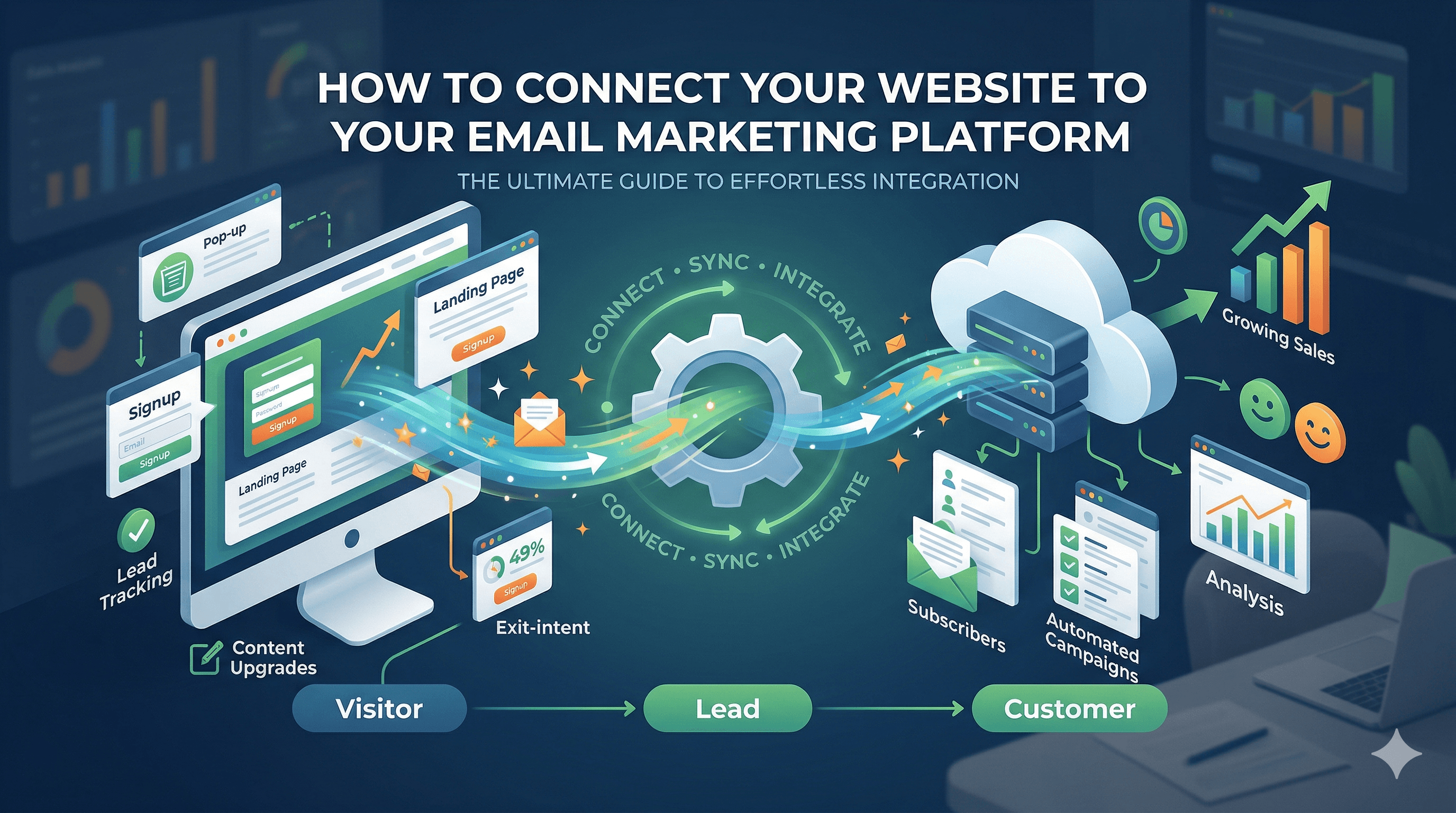
Your website and your email marketing platform should be two parts of the same system. Your website attracts visitors. Your email list captures them. Your email campaigns nurture them into customers. But when these two systems are not connected properly, visitors come and go without ever joining your list, and your email campaigns have no relationship to what people are actually doing on your site.
This guide covers everything you need to connect your website to your email marketing platform. You will learn where to place signup forms for maximum conversions, how to embed forms and popups, how to trigger automations based on website behavior, how to track subscribers from signup to purchase, and advanced tactics like content upgrades and exit-intent popups.
If you are still choosing an email platform or building your first campaigns, start with our guide on email marketing for small businesses before diving into the integration steps below.
Form Placement Strategy
Where you place your email signup forms matters more than how they look. The best-designed form in the wrong location will collect almost no subscribers. The key principle is simple: place forms where visitor attention and intent naturally align.
High-Performing Locations
Header or navigation bar. A single-line signup form or "Subscribe" button in your site header appears on every page. This works especially well for content-driven sites where visitors arrive through blog posts and may not visit your homepage.
Inline within blog content. Place signup forms within your blog posts, either after the introduction (once the reader is engaged) or at the end of the article (when they have received value and are open to more). Inline forms convert well because they appear in context, surrounded by the content that earned the visitor's trust.
Sidebar. The classic sidebar signup form still works, particularly on blog and resource pages. Keep it near the top of the sidebar so it is visible without scrolling.
Footer. A signup form in your site footer catches visitors who scroll to the bottom of any page. Footer forms typically have lower conversion rates than other placements, but they add up over time because they appear on every page.
Dedicated landing page. Create a page specifically designed to convert visitors into subscribers. This page should explain what they will receive (newsletter, tips, discounts), how often, and why it is valuable. Use this landing page as the destination for social media links, paid ads, and guest post author bios.
Homepage hero section. If building your email list is a primary business goal, feature your signup form prominently in your homepage hero section. This signals that your content and email communications are central to what you offer.
Placement Principles
Do not rely on a single form placement. Use at least three locations across your site. Test different placements to see which ones convert best for your audience. Every page on your website should have at least one path to joining your email list.
Embedding Forms and Popups
Once you know where your forms will go, the next step is getting them onto your website. Most email marketing platforms provide several embedding options.
Embedded Forms
Your email platform (Mailchimp, ConvertKit, ActiveCampaign, etc.) generates an HTML code snippet for each form you create. Copy this snippet and paste it into your website wherever you want the form to appear. On WordPress, you can paste form code into a Custom HTML block in the editor, a widget area (sidebar, footer), or your theme's template files for site-wide placement. For a comparison of the platforms that make this easiest, see our review of the best email marketing tools for small businesses.
Most email platforms also offer WordPress plugins that simplify form embedding. Mailchimp, ConvertKit, and ActiveCampaign all have official plugins that let you place forms using shortcodes or Gutenberg blocks without touching HTML.
Website builders like Squarespace, Wix, and Shopify have built-in email collection forms, but they typically integrate only with their own email tools. If you use a third-party email platform, you will need to embed the HTML code in a custom code block or use Zapier to sync form submissions.
Popup Forms
Popup forms display over your page content, triggered by specific visitor behaviors. The main popup types include time-delayed popups (appear after the visitor has been on the page for a set number of seconds), scroll-triggered popups (appear when the visitor scrolls past a certain point on the page), exit-intent popups (appear when the visitor moves their cursor toward the browser's close button), and click-triggered popups (appear when the visitor clicks a specific link or button).
Most email platforms include basic popup functionality. For more control, dedicated tools like OptinMonster, Sumo, and ConvertBox offer advanced targeting, A/B testing, and design options.
A few popup best practices to keep in mind. Show popups only once per visitor (do not display the same popup every page load). Make the close button easy to find. Never show a popup on mobile that covers the entire screen, as this hurts your Google rankings. Offer something genuinely valuable in exchange for the email address.
Slide-In Forms
Slide-in forms are a less intrusive alternative to popups. They slide in from the bottom corner of the screen as the visitor scrolls. They attract attention without blocking the content, making them a good compromise between visibility and user experience.
Automation Triggers from Website Behavior
The real power of connecting your website to your email platform is not just capturing subscribers. It is triggering automated email sequences based on what visitors do on your site.
Page Visit Triggers
Some email platforms and marketing automation tools can track which pages a subscriber visits on your website. This lets you send targeted emails based on browsing behavior. For example, if a subscriber visits your pricing page, you can automatically send them a case study or comparison guide. If a subscriber reads three blog posts about a specific topic, you can send them a related resource or offer. If a subscriber views a product page but does not purchase, you can send an abandoned browse email.
Setting this up requires installing your email platform's tracking script on your website (similar to a Google Analytics tracking code). ActiveCampaign, Drip, and HubSpot all offer website tracking that connects browsing behavior to subscriber profiles.
Form-Specific Automations
Different forms should trigger different email sequences. A subscriber who signs up through your blog sidebar has different expectations than one who downloads a pricing guide. Tag subscribers based on which form they used, then send them tailored welcome sequences.
For example, a blog subscriber might receive a welcome email followed by your five best articles. A pricing guide downloader might receive the guide followed by a case study and then a consultation offer. A webinar registrant might receive confirmation, reminders, and post-event follow-up. This segmentation ensures that every subscriber receives relevant emails from the moment they join your list. Building an effective strategy around these principles is covered in depth in our guide on email marketing strategy for small businesses.
Purchase and Conversion Triggers
If your website includes e-commerce or appointment booking, connect these systems to your email platform. When a customer makes a purchase, trigger a post-purchase email sequence (order confirmation, shipping updates, review request, cross-sell recommendations). When a prospect books a consultation, trigger a preparation sequence (what to expect, what to bring, directions).
Zapier and Make (formerly Integromat) are invaluable for connecting tools that do not have native integrations. A Zap can send data from your booking system or payment processor to your email platform whenever a specific action occurs.
Tracking Subscribers from Signup to Purchase
One of the most important reasons to connect your website and email platform is attribution: understanding which subscribers become customers and which email campaigns drive revenue.
UTM Parameters
Add UTM parameters to every link in your emails. UTM parameters are tags added to the end of a URL that tell Google Analytics where the visitor came from. A link in your newsletter might look like: yoursite.com/product-page?utm_source=newsletter&utm_medium=email&utm_campaign=spring-sale.
When this subscriber clicks through and makes a purchase, Google Analytics attributes that conversion to your email campaign. This is how you measure the revenue impact of your email marketing.
Email Platform Revenue Tracking
If you use an e-commerce platform, many email tools integrate directly and pull in purchase data. Mailchimp, Klaviyo, and ActiveCampaign all integrate with Shopify and WooCommerce to show revenue attributed to each email campaign, automation, and individual email.
Subscriber Lifecycle Tracking
Use tags and custom fields in your email platform to track where each subscriber is in their journey: lead, qualified lead, customer, repeat customer, or inactive. Update these tags automatically when subscribers take key actions (download a resource, request a quote, make a purchase). This lifecycle data helps you send the right message at the right time and measure the overall effectiveness of your email funnel.
Advanced Tactics
Once the fundamentals are in place, these advanced tactics can significantly boost your email list growth and engagement.
Content Upgrades
A content upgrade is a bonus resource offered within a specific blog post in exchange for an email address. If you write a post about social media marketing, the content upgrade might be a downloadable social media content calendar template. If you write about budgeting, it might be a spreadsheet template.
Content upgrades convert at much higher rates than generic "Subscribe to our newsletter" offers because they are directly relevant to what the visitor is already reading. Create content upgrades for your highest-traffic blog posts first, then expand from there. For more ideas on converting website visitors into leads, read our guide on how to get more leads from your website.
Exit-Intent Technology
Exit-intent popups detect when a visitor is about to leave your site (by tracking mouse movement toward the browser's close or back button) and display a final offer. These popups are remarkably effective because they only appear when the visitor is already leaving, so there is no downside risk.
Use exit-intent popups to offer a lead magnet, a discount code, or a compelling reason to subscribe. Keep the copy urgent but not pushy: "Before you go, grab our free guide to [topic]" works better than "WAIT! Don't leave!"
Welcome Mat and Full-Screen Overlays
A welcome mat is a full-screen overlay that appears when a visitor first arrives on your site. It presents a compelling offer and a signup form, with a clear option to dismiss it and view the site. Welcome mats are aggressive, but when used sparingly (only on first visit, only on specific pages), they can generate a high volume of subscribers.
Use welcome mats cautiously. They can improve signup rates dramatically but may also annoy visitors if overused.
Multi-Step Forms
Instead of asking for a name and email upfront, multi-step forms start with a low-commitment question ("What is your biggest marketing challenge?" with multiple choice answers), then ask for the email address on the second step. The psychology behind this is the commitment principle: once someone starts a process, they are more likely to complete it. Multi-step forms often convert 20 to 30 percent better than single-step forms.
Connecting the Dots: Website, Email, and Revenue
When your website and email platform work together, you create a system where visitors become subscribers, subscribers become leads, and leads become customers, all with minimal manual effort. The key integrations covered in this guide, including form embedding, behavioral triggers, segmentation, and revenue tracking, form the backbone of this system. These integrations are part of a broader toolkit that helps your website work harder for your business, as we discuss in our guide on essential website integrations for small businesses.
Start by embedding signup forms in at least three locations on your website. Set up a welcome email sequence for new subscribers. Add UTM parameters to your email links. Then, as your list grows, layer in behavioral triggers, content upgrades, and exit-intent popups to optimize your results.
Email marketing consistently delivers the highest ROI of any digital marketing channel. But that ROI depends on a strong connection between your website and your email platform. Get that connection right, and you have a marketing engine that compounds in value over time.