Google Business Profile for Dentists: Full Guide
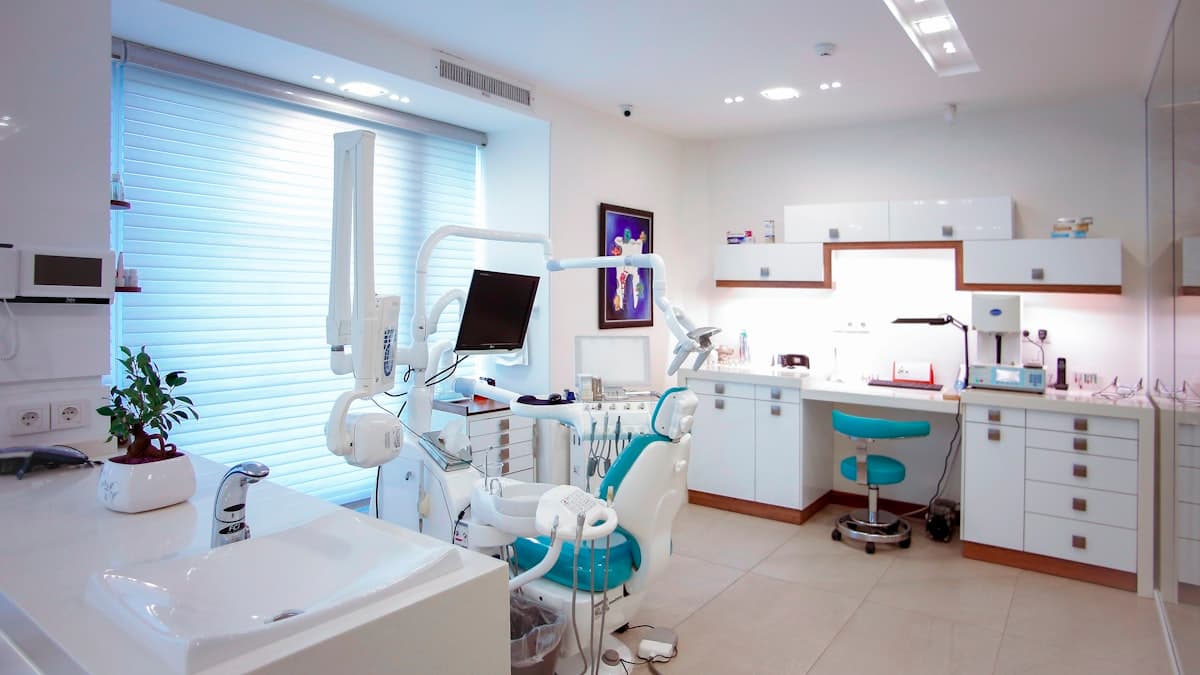
When a potential patient types "dentist near me" into Google, the results that appear in the local map pack can make or break your practice's growth. Your Google Business Profile is often the very first impression someone has of your dental office, and an optimized profile can mean the difference between a new patient booking an appointment and choosing your competitor down the street.
Dental practices face unique challenges in local search. Patients are searching for specific services (teeth whitening, emergency dental care, pediatric dentistry), and they want to feel confident about their choice before they ever walk through your door. Your Google Business Profile gives you the tools to address those concerns directly in search results.
This guide walks through every aspect of optimizing your dental practice's Google Business Profile, from choosing the right categories to leveraging patient reviews for maximum visibility.
Why Google Business Profile Matters for Dental Practices
Local search drives a massive portion of new patient acquisition for dental offices. When someone searches for dental services, Google displays a map pack with three businesses at the very top of results. These listings get significantly more clicks than the organic results below them.
For dentists, the stakes are high. A single new patient can be worth thousands of dollars in lifetime value. If your profile is incomplete, outdated, or poorly optimized, you are handing those patients to competitors who have invested in their online presence. If you have not already claimed your profile, our guide on why small businesses need Google Business Profile covers the basics of getting started.
Google uses three core factors for local rankings: relevance, distance, and prominence. Your Google Business Profile optimization directly influences relevance and prominence. Distance is the one factor you cannot control, but strong optimization in the other two areas can help you appear in searches even when a competitor is physically closer to the searcher.
Choosing the Right Categories for Your Dental Practice
Your primary category is one of the most important ranking factors for your Google Business Profile. For most general dental practices, "Dentist" should be your primary category. However, Google offers a range of dental-specific categories that you should add as secondary categories.
Here are the most relevant categories for dental practices:
- Dentist (primary for most practices)
- Cosmetic Dentist (if you offer veneers, bonding, whitening)
- Pediatric Dentist (if you specialize in children's dentistry)
- Emergency Dental Service (if you accept emergency patients)
- Dental Clinic (for multi-provider practices)
- Dental Implants Periodontist (if you offer implants)
- Orthodontist (if you provide braces or Invisalign)
- Oral Surgeon (if you perform surgical procedures)
- Teeth Whitening Service (if this is a major service)
- Endodontist (if you specialize in root canals)
Only add categories that accurately describe services you actually provide. Adding irrelevant categories can hurt your rankings and may violate Google's guidelines. If your practice focuses on a specialty, consider making that specialty your primary category instead of the generic "Dentist" option.
Writing a Compelling Business Description
Your business description gives you 750 characters to tell potential patients what makes your practice special. This description appears on your profile and should be written to build trust and highlight your key differentiators.
A strong dental practice description should include:
- How long the practice has been serving patients
- Your key services and specialties
- Any notable technology or techniques you use
- What makes the patient experience unique
- Your target patient base (families, adults, children)
Here is an example of an effective description: "Bright Smile Family Dentistry has served the Springfield community for over 15 years, providing comprehensive dental care for patients of all ages. Our practice offers general dentistry, cosmetic procedures, Invisalign, dental implants, and emergency dental services. We use state-of-the-art digital X-rays and same-day crowns to minimize visits and maximize comfort. New patients are always welcome, and we offer flexible payment plans for families without insurance."
Avoid stuffing keywords into your description unnaturally. Google can detect keyword stuffing, and it makes your profile look spammy to potential patients. Write naturally while incorporating relevant terms that patients actually search for.
Optimizing Your Photos for Maximum Impact
Photos are critical for dental practices. Patients want to see your office, your team, and examples of your work before they commit to an appointment. Profiles with photos receive 42% more requests for directions and 35% more clicks to websites compared to those without.
Here are the types of photos every dental practice should include:
Office exterior photos. Show your building from the street so patients can easily find you. Include shots of your signage and parking area.
Reception and waiting area. A clean, modern waiting area puts patients at ease. Show comfortable seating, any amenities you offer (TVs, coffee machines, children's play area), and your front desk area.
Treatment rooms. Modern, clean treatment rooms build confidence. Highlight any advanced equipment you use.
Team photos. Individual headshots of dentists and key team members help patients feel like they know you before they arrive. Include a group photo as well.
Before-and-after photos. With patient consent, showcase your cosmetic and restorative work. These are incredibly powerful for attracting cosmetic dentistry patients. Make sure you follow HIPAA guidelines and obtain proper releases.
Technology and equipment. If you have 3D imaging, digital X-rays, or other advanced technology, photograph it. This differentiates you from practices using older equipment.
Upload new photos regularly. Google favors active profiles, and fresh content signals that your practice is thriving. Aim to add at least 2 to 3 new photos per month.
Building and Managing Patient Reviews
Reviews are arguably the most influential element of your Google Business Profile. For dental practices, reviews carry enormous weight because choosing a dentist is an inherently personal and trust-dependent decision. Our detailed guide on how to get more Google reviews covers proven strategies that work for any business type.
How to encourage reviews from dental patients:
- Ask patients at checkout after a positive appointment
- Send a follow-up email or text with a direct link to your Google review page
- Include QR codes on appointment reminder cards that link to your review page
- Train your front desk staff to mention reviews when patients express satisfaction
- Add a review link to your post-appointment email communications
Responding to reviews effectively:
Every review deserves a response, positive or negative. For positive reviews, thank the patient by name (if they used their real name), mention the specific service they received, and express genuine appreciation.
For negative reviews, stay professional and empathetic. Acknowledge their experience, apologize for any shortcomings, and invite them to contact your office directly to resolve the issue. Never argue with reviewers publicly, and never disclose any patient health information in your response, even if the patient mentioned it first. HIPAA compliance extends to online interactions.
A steady stream of recent, positive reviews signals to Google that your practice is active and trusted. Aim for consistency rather than bursts. Getting two to three reviews per week is more effective than getting twenty in a single week followed by months of silence.
Using Google Posts to Engage Potential Patients
Google Posts appear directly on your profile and give you a way to share timely information, promotions, and updates. For dental practices, posts can highlight seasonal offers, new services, educational content, and team updates.
Effective post types for dental practices:
- New patient specials. "New patients receive a comprehensive exam, X-rays, and cleaning for $99. Call today to schedule."
- Seasonal promotions. "Brighten your smile this holiday season with 20% off professional teeth whitening through December 31."
- Educational content. "Did you know that grinding your teeth at night can cause headaches, jaw pain, and cracked teeth? Ask us about custom night guards at your next visit."
- Technology announcements. "We are excited to introduce same-day crowns with our new CEREC technology. No more temporary crowns or second appointments."
- Team introductions. "Welcome Dr. Sarah Johnson to our team. Dr. Johnson specializes in pediatric dentistry and is accepting new young patients."
Post at least once per week to keep your profile active. Include a clear call-to-action in every post (call now, book online, learn more) and attach an eye-catching image. Posts expire after seven days for offers and six months for standard updates, so consistent posting is important.
Managing Your Services and Products Section
Google Business Profile allows dental practices to list specific services with descriptions and pricing. This section is valuable for both search visibility and patient information.
Services to list for a general dental practice:
- Routine cleanings and exams
- Teeth whitening (in-office and take-home)
- Dental fillings (composite and ceramic)
- Crowns and bridges
- Root canal therapy
- Tooth extractions
- Dental implants
- Invisalign and orthodontics
- Emergency dental care
- Pediatric dentistry
- Dentures (full and partial)
- Night guards and mouth guards
- Periodontal (gum) treatment
For each service, write a brief description (two to three sentences) that explains what the service involves and who it benefits. Including pricing is optional, but mentioning a starting price range can attract price-conscious patients and pre-qualify leads.
Organize your services into logical categories (preventive, cosmetic, restorative, emergency) to make it easy for patients to find what they need.
Leveraging the Q&A Section
The Q&A section of your Google Business Profile is often overlooked, but it is a powerful tool for dental practices. Anyone can ask and answer questions on your profile, so it is essential to monitor this section and respond promptly.
Proactively seed your Q&A section with common questions:
- "Do you accept [insurance name]?"
- "Do you offer payment plans for patients without insurance?"
- "What should I do if I have a dental emergency after hours?"
- "How long does a teeth whitening appointment take?"
- "Do you see children? What age do you recommend for a first visit?"
- "Are you accepting new patients?"
- "Do you offer sedation dentistry for anxious patients?"
By adding these questions and providing thorough answers yourself, you control the narrative on your profile. This also helps Google understand what services you offer, potentially improving your visibility for related searches.
Check your Q&A section at least weekly. If someone else has asked a question and another user has provided an inaccurate answer, respond with the correct information immediately.
Setting Up Attributes for Your Dental Practice
Google Business Profile attributes allow you to highlight specific features of your practice that patients care about. For dental practices, relevant attributes include:
- Accessibility features (wheelchair accessible entrance, accessible restroom)
- Health and safety measures (staff wear masks, temperature checks, sanitization between patients)
- Appointment options (online appointments available, in-person appointments)
- Payment methods accepted (credit cards, insurance, payment plans)
- Service options (in-office, telehealth consultations)
- Amenities (Wi-Fi, TV in treatment rooms)
These attributes appear as badges on your profile and help patients filter search results. If your practice offers features like wheelchair accessibility, sedation dentistry, or Saturday hours, make sure these are reflected in your attributes.
Dental-Specific Optimization Tips
Beyond the standard optimization tactics, dental practices can take several industry-specific steps to maximize their Google Business Profile performance.
Highlight emergency availability. If your practice offers same-day emergency appointments, make this prominent in your description, posts, and services. "Emergency dentist" searches are high-intent and often have less competition.
Showcase insurance acceptance. List the insurance plans you accept in your business description and Q&A section. Many patients search for "dentist that accepts [insurance name] near me."
Use appointment booking links. Google Business Profile supports direct booking integration. If you use an online scheduling tool, connect it to your profile so patients can book directly from search results.
Optimize for "dentist open [day/time]" searches. Keep your hours accurate and up-to-date, including special hours for holidays. Many patients search for dentists with specific availability, especially evening or weekend hours.
Create a review generation system. Implement a consistent process for requesting reviews. The practices that dominate local search typically have hundreds of reviews with an average rating above 4.5 stars. Building your dental practice marketing strategy around review generation will pay dividends across every marketing channel.
Tracking Your Google Business Profile Performance
Google Business Profile provides built-in analytics (called Insights) that show you how patients are finding and interacting with your profile. Key metrics to monitor include:
- Search queries. See exactly what terms people use to find your practice. This helps you understand which services drive the most visibility.
- Views. Track how many people see your profile in search and maps over time.
- Actions. Monitor calls, website visits, direction requests, and booking clicks.
- Photo performance. Compare your photo views to similar businesses in your area.
Review these metrics monthly and adjust your strategy based on what you learn. If you see a lot of searches for a service you offer but have not highlighted, add it to your services section and create posts about it.
For a deeper dive into ranking your dental practice in local search results, check out our guide to dental SEO and local ranking strategies.
Common Mistakes Dental Practices Make on Google Business Profile
Avoid these pitfalls that can hurt your local search performance:
Inconsistent NAP information. Your business name, address, and phone number must be identical across your Google Business Profile, website, and all online directories. Even small differences (like "St." versus "Street") can confuse Google and dilute your local authority.
Ignoring negative reviews. Failing to respond to negative reviews makes your practice look indifferent. Always respond professionally and promptly.
Using stock photos. Generic dental stock photos are easy to spot and erode trust. Use real photos of your actual office, team, and patients (with permission).
Neglecting updates. An inactive profile signals to Google (and potential patients) that your practice may not be operating. Keep your profile fresh with regular posts, photos, and review responses.
Wrong primary category. If your primary category does not match what most patients search for, you will miss out on significant visibility. Audit your categories regularly as Google adds new options.
Action Plan: Optimize Your Dental Google Business Profile This Week
Here is a practical timeline to get your profile fully optimized:
Day 1. Audit your current profile. Check your business name, address, phone number, website URL, and hours. Verify all information is accurate and consistent with your website.
Day 2. Update your categories. Set your primary and secondary categories based on the recommendations above. Write or rewrite your business description.
Day 3. Upload photos. Aim for at least 15 to 20 high-quality photos covering your exterior, interior, team, and equipment. Remove any low-quality or outdated images.
Day 4. List all your services with descriptions. Organize them into logical categories and include pricing where appropriate.
Day 5. Seed your Q&A section with five to ten common questions and detailed answers. Set up a system for monitoring new questions.
Day 6. Create your first Google Post. Plan a weekly posting schedule going forward.
Day 7. Implement a review generation strategy. Create email templates, train your staff, and set up follow-up automation.
By investing just one week of focused effort, your dental practice can have a Google Business Profile that outperforms most competitors in your area. Combine this with a solid local SEO strategy, and you will see a measurable increase in new patient inquiries within weeks.
The key to long-term success is consistency. Set a recurring calendar reminder to review your profile weekly, respond to new reviews within 24 hours, post fresh content regularly, and update your photos seasonally. The practices that treat their Google Business Profile as an ongoing marketing channel, rather than a one-time setup task, are the ones that consistently appear in the coveted top three of the map pack.